- Products
- Learn
- Local User Groups
- Partners
- More

Step Into the Future of
AI-Powered Cyber Security
The State of Ransomware Q1 2026
Key Trends and Their Impact
AI Security Masters E8:
Claude Mythos: New Era in Cyber Security
Blueprint Architecture for Securing
The AI Factory & AI Data Center
Call For Papers
Your Expertise. Our Stage
CheckMates Go:
CheckMates Fest
Hi mates,
Is there any way to see end-users connected via CLI in a 1570 appliance?
Thanks in advance
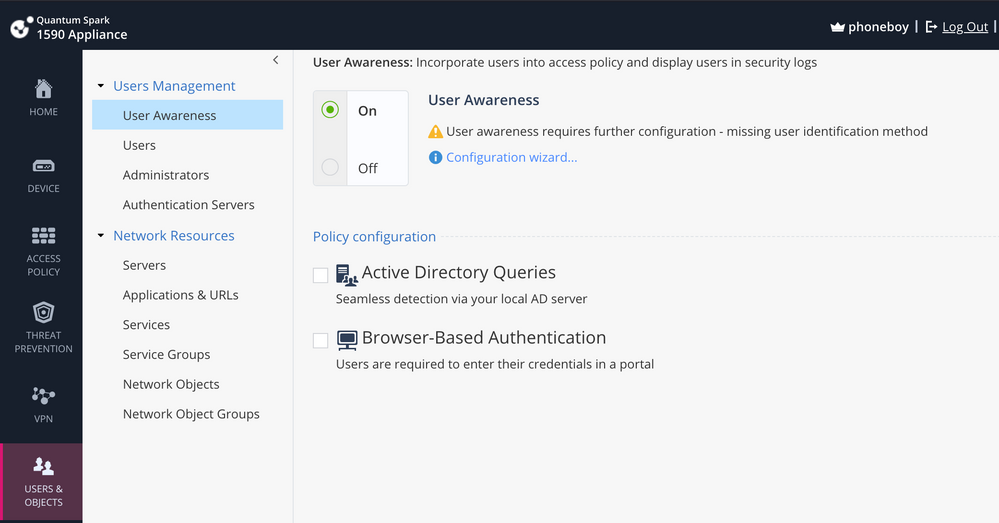
It's what allows you to associate IP addresses to usernames and requires a connection to your Active Directory server.
You configure it here:
Unfortunately, the only method supported on the SMB appliances currently is ADQuery, which may not work if your AD servers have recently been patched.
Refer to: https://community.checkpoint.com/t5/Security-Gateways/WMI-Permission-denied-From-this-months-Windows...
Just to confirm are you asking about VPN users or Admins connected via SSH or something else?
Users connected to LAN or WIFI
Is Identity Awareness enabled?
No, could you tell me about that?
It's what allows you to associate IP addresses to usernames and requires a connection to your Active Directory server.
You configure it here:
Unfortunately, the only method supported on the SMB appliances currently is ADQuery, which may not work if your AD servers have recently been patched.
Refer to: https://community.checkpoint.com/t5/Security-Gateways/WMI-Permission-denied-From-this-months-Windows...
Try this one (I assume you mean VPN clients):
vpn tu tlist
vpn tu -t tlist
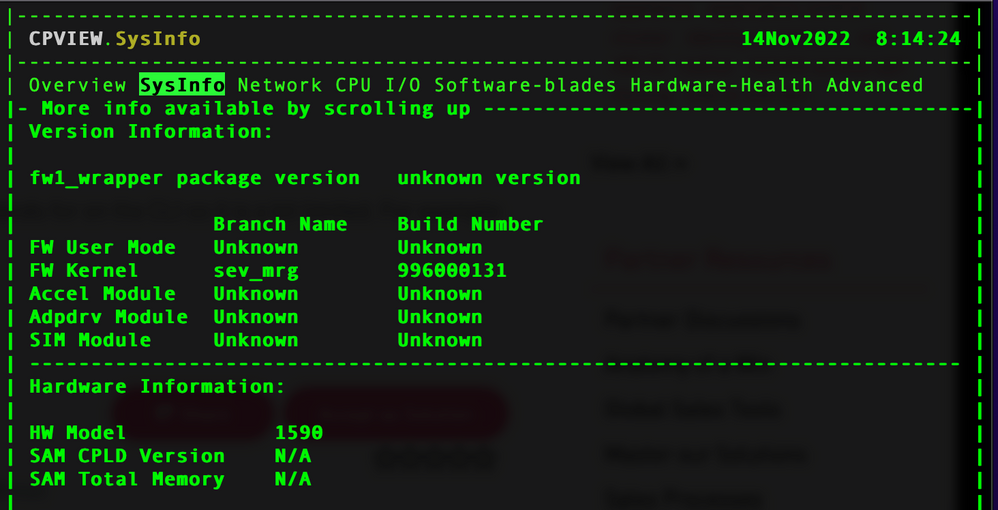
To be honest I would recommend the web interface. GAIA embedded has less commands for on the CLI so it is a bit limited. For example you cannot run cpview.
cpview is available on SMB appliances with R81.10 firmware:
Not sure if information about connected VPN users is there.
Hi,
sorry, I mean users connected to LAN or WIFI. Thanks for the tip
Use WebGUI - not CLI...
Hi,
It is a specific need to do it through the CLI to run it with a troubleshooting script. Shouldn't it be possible to do it if it's also done via GUI?
Thanks for your help
I think the scripting used for GUI can read details that are not directly available as commands in clish / bash. This would be a RFE...
If you have Identity Awareness enabled, you can use the various CLI commands to query said database (for example adlog a query all).
These are for regular gateways but the commands here should also work on the SMB appliances in expert mode: https://sc1.checkpoint.com/documents/R81.10/WebAdminGuides/EN/CP_R81.10_IdentityAwareness_AdminGuide...
Leaderboard
Epsum factorial non deposit quid pro quo hic escorol.
| User | Count |
|---|---|
| 4 | |
| 4 | |
| 3 | |
| 3 | |
| 2 | |
| 2 | |
| 2 | |
| 1 | |
| 1 | |
| 1 |
Fri 29 May 2026 @ 09:00 AM (EDT)
Caracas: Executive Breakfast: Innovación en Ciberseguridad – IA y Threat IntelligenceTue 02 Jun 2026 @ 06:00 PM (IDT)
Under the Hood | Check Point SASE: Identity Integration & Access Policy Design Best PracticesThu 04 Jun 2026 @ 02:00 PM (CEST)
Deep Dive Webinar: New CloudGuard GWLB Deployment Without NAT Gateways - EuropeTue 02 Jun 2026 @ 06:00 PM (IDT)
Under the Hood | Check Point SASE: Identity Integration & Access Policy Design Best PracticesThu 04 Jun 2026 @ 02:00 PM (CEST)
Deep Dive Webinar: New CloudGuard GWLB Deployment Without NAT Gateways - EuropeThu 04 Jun 2026 @ 07:00 PM (IDT)
Deep Dive Webinar: New CloudGuard GWLB Deployment Without NAT Gateways - AmericaFri 12 Jun 2026 @ 10:00 AM (CEST)
CheckMates Live Netherlands - Sessie 47: Continuous Threat Exposure ManagementFri 29 May 2026 @ 09:00 AM (EDT)
Caracas: Executive Breakfast: Innovación en Ciberseguridad – IA y Threat IntelligenceAbout CheckMates
Learn Check Point
Advanced Learning
YOU DESERVE THE BEST SECURITY