- Products
- Learn
- Local User Groups
- Partners
- More

MVP 2026: Submissions
Are Now Open!
What's New in R82.10?
Watch NowOverlap in Security Validation
Help us to understand your needs better
CheckMates Go:
Maestro Madness
Hi All,
Recently I have setup a gateway as Monitor Mode and to capture all the traffics within the network.
I have configured the gateway according these guideline:
The gateway has configured a Monitor port and is connected to a switch port configured as SPAN port to mirror all the traffics.
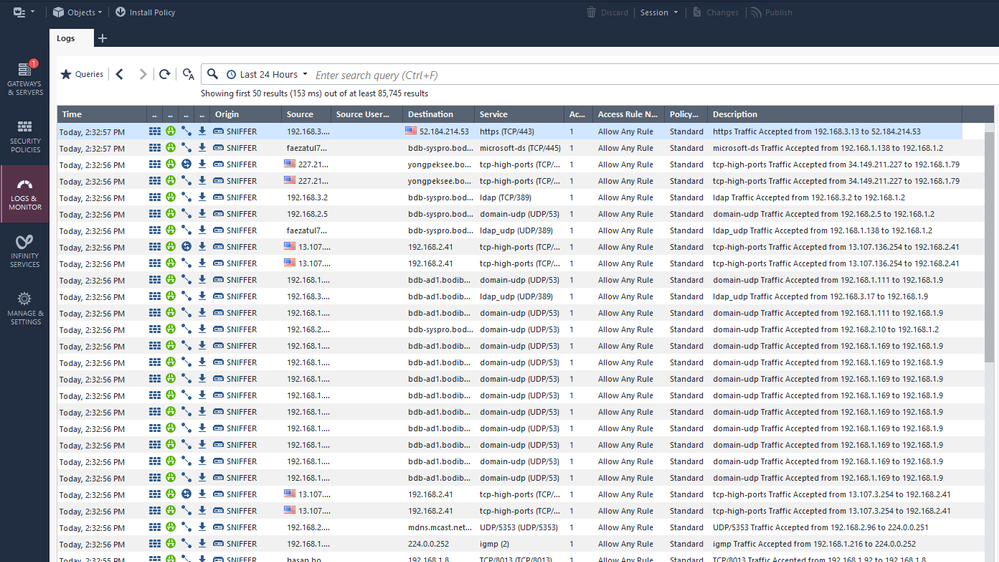
After monitored for 1 day, we can see the firewall logs are working fine, we able to see all the network traffics.
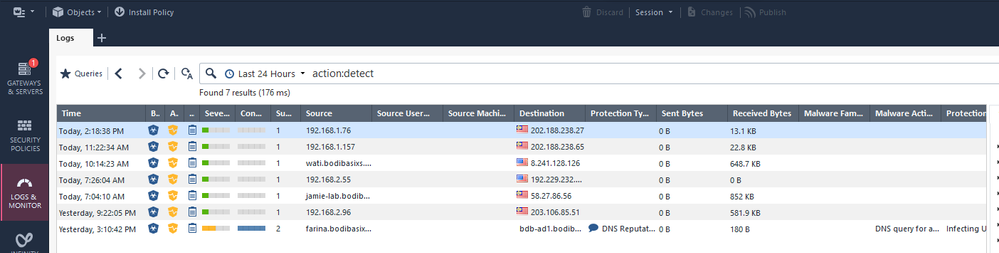
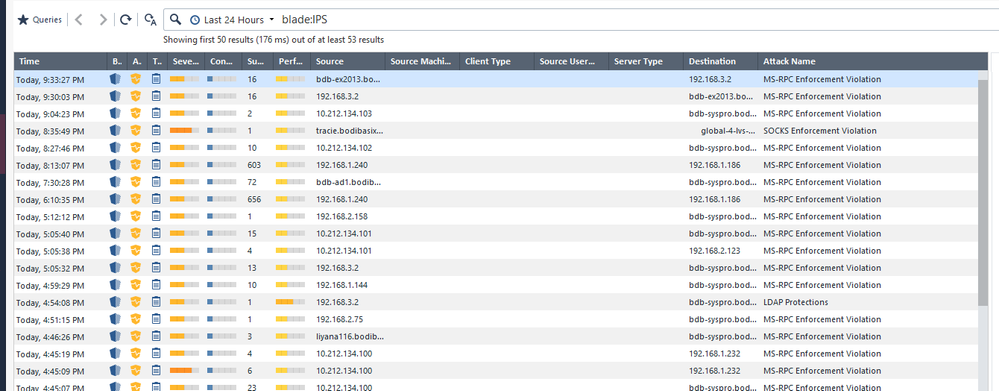
But when I try to search for logs related to IPS, Anti-Bot and Anti-Virus (Monitor mode so the threat prevention is set as all "Detect")
Is this a normal behavior? Because this seems like a little less for IPS logs for me. For what i expect is to see more of the threat prevention related logs.
Is there any settings that I've missed out on the gateway?
Appreciate for all the help
Thank you
FYI, this gateway previously has internet access but the internet access had been cut off after that. So now the gateway does has Application, IPS, Anti-Bot and Anti-Virus of previous version and not the latest version.
Blades Enabled:
Firewall
Application Control
URL Filtering
IPS (Detect Only)
Anti-Bot (Detect Only)
Anti-Virus (Detect Only)
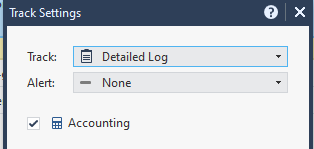
Starting with the basics what "track" option is set for the policy rules currently, detailed / extended log or other?
Click on the arrow in the track cell and select more to see additional options e.g.
Typically in monitor mode we won't have things like HTTPS inspection which will also limit visibility into traffic.
With that said what Threat Prevention Profile is currently used?
Hi @Chris_Atkinson ,
The "track" option for policy rules are set to "Log".
I might found out the cause of it.
The profile "Optimized" is being used. By following the admin guide to set up the gateway in monitor mode, the "Activation Mode" will be needed to change from "Prevent" to "Detect". When changing the default "Optimized" profile, SmartConsole will prompt automatically asking you to create another cloned profile of the default "Optimized" profile since the default profile cannot be modify.
After modified profile had been cloned out, I did not notice that the "Protection" of the IPS Protection are mostly Inactive. After enabled most of the "Protection" of the IPS Protection of the profile then I am able to see some of IPS logs again.
Appreciate for the help
Thank you
Indeed the different IPS profiles have varying activation metrics (confidence/performance etc) for protections which ultimately determines which are inactive etc.
If you want to also see AppC / URLF logs you will need to also adjust that 'log' option.
Am I unable to see any logs related to AppC/ URLF if the track option is set to "Log"?
Please refer: https://support.checkpoint.com/results/sk/sk120536
Independent of your Threat Prevention configuration, traffic cannot actually be prevented if you’re only receiving the traffic via a span/monitor port.
Leaderboard
Epsum factorial non deposit quid pro quo hic escorol.
| User | Count |
|---|---|
| 20 | |
| 20 | |
| 16 | |
| 8 | |
| 7 | |
| 3 | |
| 3 | |
| 3 | |
| 3 | |
| 3 |
Fri 12 Dec 2025 @ 10:00 AM (CET)
Check Mates Live Netherlands: #41 AI & Multi Context ProtocolTue 16 Dec 2025 @ 05:00 PM (CET)
Under the Hood: CloudGuard Network Security for Oracle Cloud - Config and Autoscaling!Fri 12 Dec 2025 @ 10:00 AM (CET)
Check Mates Live Netherlands: #41 AI & Multi Context ProtocolTue 16 Dec 2025 @ 05:00 PM (CET)
Under the Hood: CloudGuard Network Security for Oracle Cloud - Config and Autoscaling!Thu 18 Dec 2025 @ 10:00 AM (CET)
Cloud Architect Series - Building a Hybrid Mesh Security Strategy across cloudsAbout CheckMates
Learn Check Point
Advanced Learning
YOU DESERVE THE BEST SECURITY