- Products
- Learn
- Local User Groups
- Partners
- More
MVP 2026: Submissions
Are Now Open!
What's New in R82.10?
10 December @ 5pm CET / 11am ET
Announcing Quantum R82.10!
Learn MoreOverlap in Security Validation
Help us to understand your needs better
CheckMates Go:
Maestro Madness
There is a surprising lack of any custom reports for Check Point SmartEvent. I suspect this is partially due to the lack of good tutorials with samples provided.
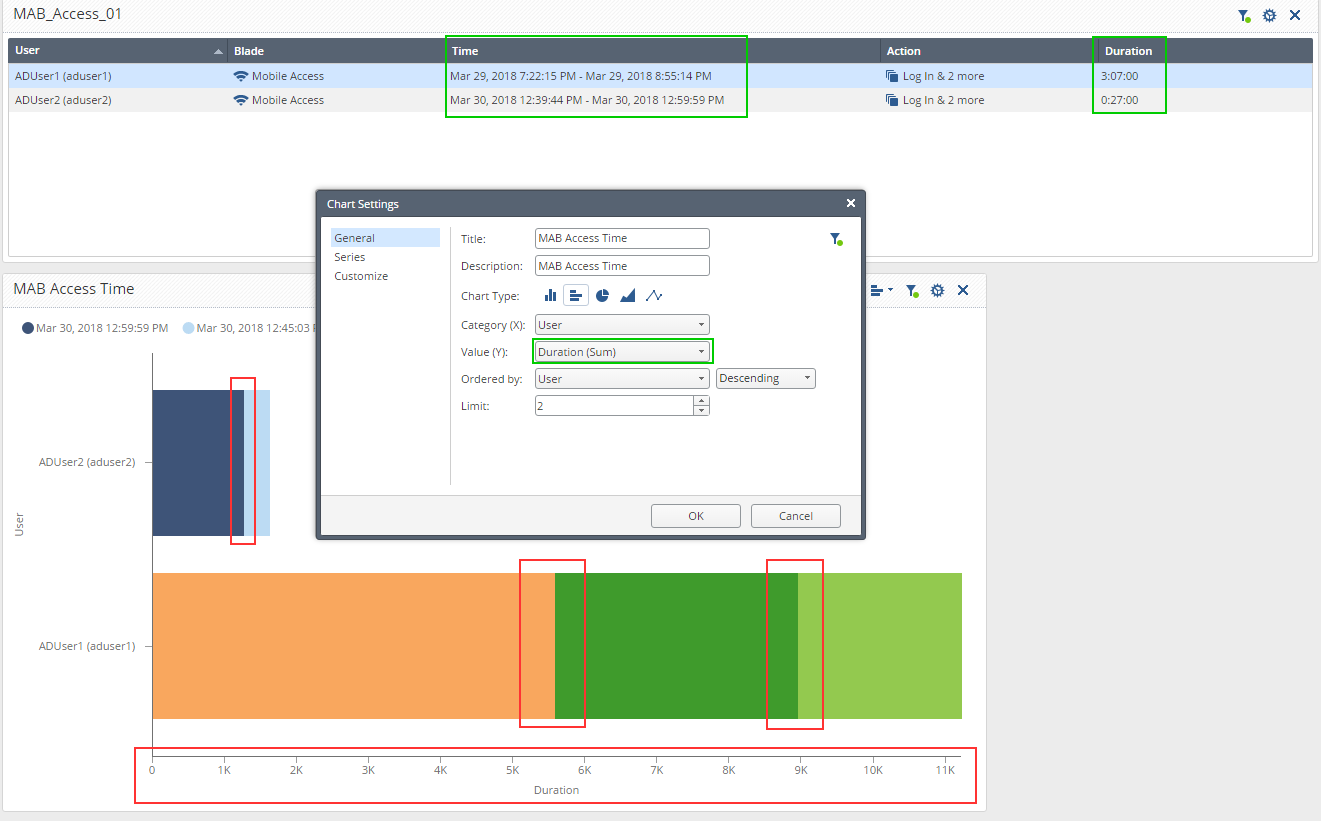
Trying to create a custom report I've bumped in this situation:

1. I can see no way not to split the graphs in a different color bands. I like to have this option, but to exercise it when needed.
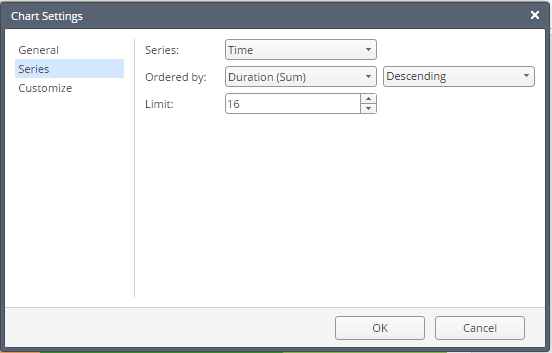
2. The Duration (Sum) is correctly shown in the Statistical Table on top, but for some reason shows traffic volume in a chart. The Series in the chart is defined as:

So with "Duration" graph being buggy, I am trying to implement the workaround using "Hours of Day":

Can someone tell me if it is possible to have it show a single color bar instead of looking like a painter's folio?
Incidentally: this is a depiction of a one session over time.
HI,
I created the same widgets as yours:

If you don't want the chart to be divided into series, keep it set to None.

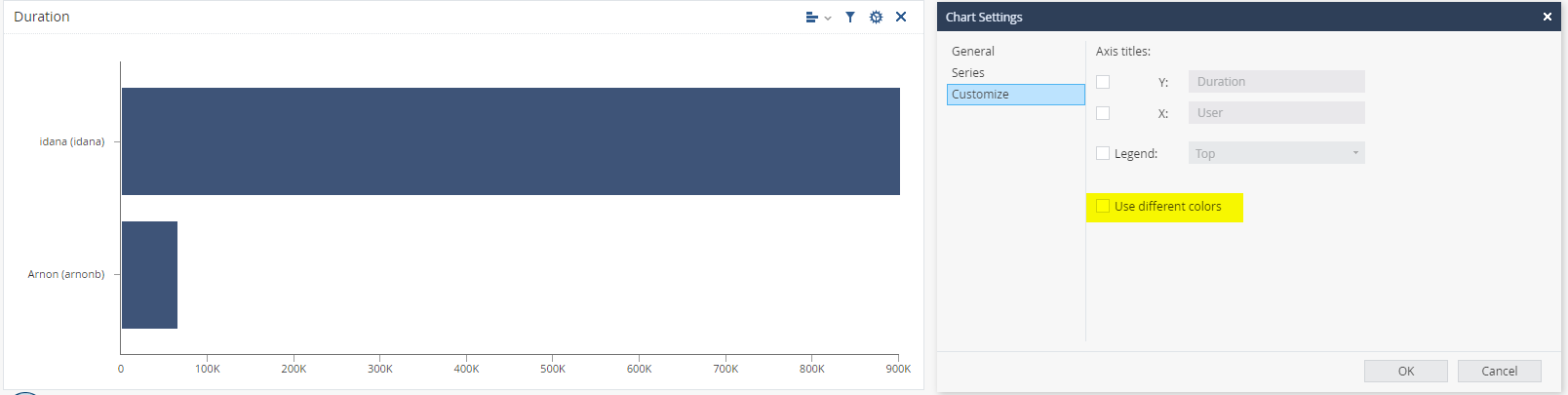
The values shown on the chart are actually the number of seconds - i.e. in my example (250 * 60 + 14) * 60 = 900,000
I agree it should be presented as time values. We will fix it.
If you want all bars to be with fixed color, you can change it under the Customize topic.
The "time range" you used on the table, is the min and max values of this field. in your case is the time of the first and the last logs, and these are not the same as the duration. For example, there can be a single log to report on user activity of a few hours.

Kfir,
Thank you for looking into this and for the explanation of color graph manipulation.
Please let me know when the updated widget "Duration" parameter will become available.
As to "Time Range" in the table, any suggestions as to alternatives?
The goal is to get users' remote access statistics daily report (at a minimum) and possibly a monthly and annual summaries.
Regards,
Vladimir
The duration will probably be fixes in the next version.
As for "Time range", what exactly do you expect to get. i.e. I was connected from 08:00-10:00 and from 14:00-15:30.
Yes, exactly that, with the duration aggregating the total time of those sessions.
Duration is clear.
What about time range? Do you want to see 2 lines for each session, or one with time range 08:00-15:30?
I suppose it is too much to ask, but ideally, if it was a momentary session interruption, i would disregard it and if it was more than set number of minutes, I'd like to see multiple lines.
If what I am describing above is too complex, than multi-lines describing each session, but still under single instance of user name.
Leaderboard
Epsum factorial non deposit quid pro quo hic escorol.
| User | Count |
|---|---|
| 22 | |
| 15 | |
| 7 | |
| 6 | |
| 5 | |
| 5 | |
| 4 | |
| 4 | |
| 4 | |
| 4 |
Fri 12 Dec 2025 @ 10:00 AM (CET)
Check Mates Live Netherlands: #41 AI & Multi Context ProtocolFri 12 Dec 2025 @ 10:00 AM (CET)
Check Mates Live Netherlands: #41 AI & Multi Context ProtocolTue 16 Dec 2025 @ 05:00 PM (CET)
Under the Hood: CloudGuard Network Security for Oracle Cloud - Config and Autoscaling!About CheckMates
Learn Check Point
Advanced Learning
YOU DESERVE THE BEST SECURITY