- Products
- Learn
- Local User Groups
- Partners
- More
MVP 2026: Submissions
Are Now Open!
What's New in R82.10?
10 December @ 5pm CET / 11am ET
Announcing Quantum R82.10!
Learn MoreOverlap in Security Validation
Help us to understand your needs better
CheckMates Go:
Maestro Madness
Dear Check Mates,
on harmony connect's threat prevention profile it says: "Includes protection for users browsing the web, working with desktop applications, accessing corporate applications, sharing files over FTP or using other network protocols."
1. Does this mean traffic to internal windows file servers is also verified?
2. What happens if a customers attempts to upload a malware to an internal file server? Is the connection terminated? Does the users receive some notification about this?
3. Is there any documentation concerning this feature? Unfortunately, the Admin Guide is very unspecific here.
Thank you all for your input
Tim
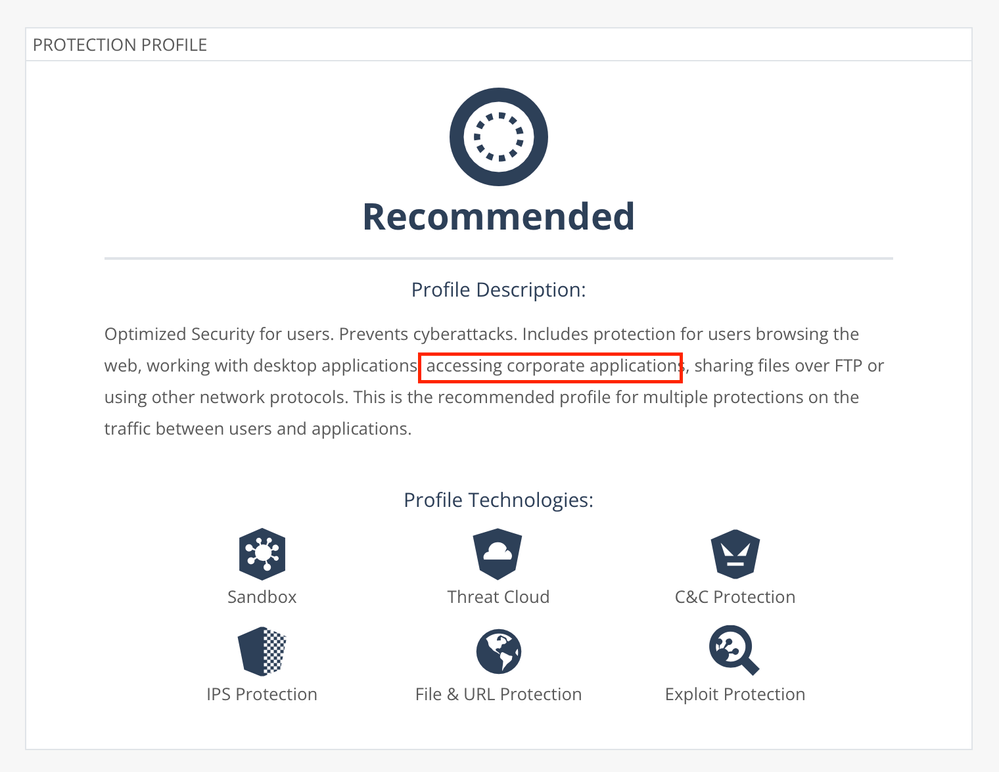
For remote users / branches or both?
I see there's some risk of confusion here between Corporate Access & Internet Access license options and what each entails.
With that said some of the user centric use cases that immediately come to mind here are:
Recommend discussing further with your local SE to dive deeper.
Hi Chris,
thanks for your quick reply.
I am referring to both (remote users and branches) accessing corporate applications. The profile description indicates that connections are sandboxed. Is this correct?
BR
Tim
Typically, you would apply Threat Emulation (Sandboxing) to files from external sources correct.
I 'm not sure I understand this answer.
When we use Harmony Connect client (Secure Remote Access) for network access, does user traffic to internal resources go through the TP profile blades??
Same question for the clientless Application Access.
Can we have someone from CP to reply on this one please?
Threat Emulation is about users downloading potential malicious content from external / untrusted sources. Typically this isn't something you would enforce for internal content.
I understand what you're saying here, but my question wasn't specifically about TE.
I am talking about all TP blades in general.
At the end of the day, we have remote users accessing internal resources through Harmony Connect which is CPs SASE solution.
So how are these resources protected during this access? Are there any TP blades applied to this traffic??
"The Threat Prevention profile is applicable to Internet Access (remote and branch users) and Network Access (remote and branch users)."
Fri 12 Dec 2025 @ 10:00 AM (CET)
Check Mates Live Netherlands: #41 AI & Multi Context ProtocolTue 16 Dec 2025 @ 05:00 PM (CET)
Under the Hood: CloudGuard Network Security for Oracle Cloud - Config and Autoscaling!Fri 12 Dec 2025 @ 10:00 AM (CET)
Check Mates Live Netherlands: #41 AI & Multi Context ProtocolTue 16 Dec 2025 @ 05:00 PM (CET)
Under the Hood: CloudGuard Network Security for Oracle Cloud - Config and Autoscaling!About CheckMates
Learn Check Point
Advanced Learning
YOU DESERVE THE BEST SECURITY
