- Products
- Learn
- Local User Groups
- Partners
- More
MVP 2026: Submissions
Are Now Open!
What's New in R82.10?
Watch NowOverlap in Security Validation
Help us to understand your needs better
CheckMates Go:
Maestro Madness
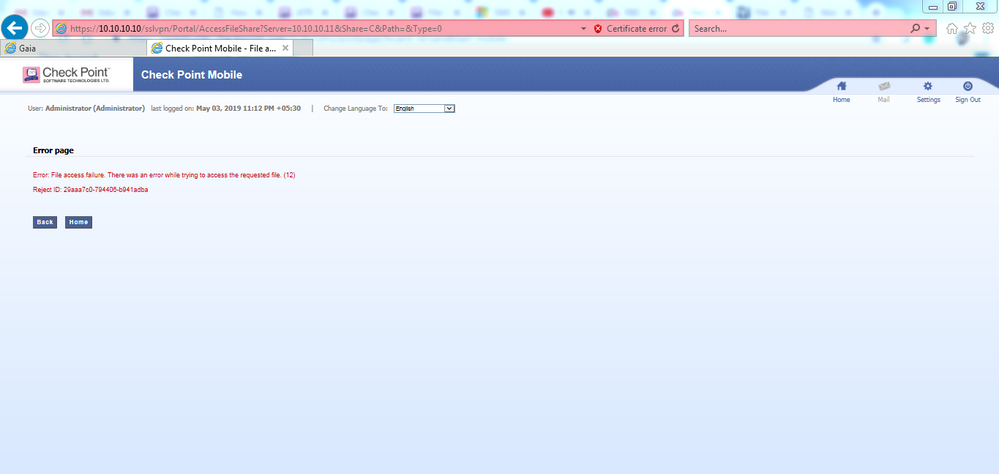
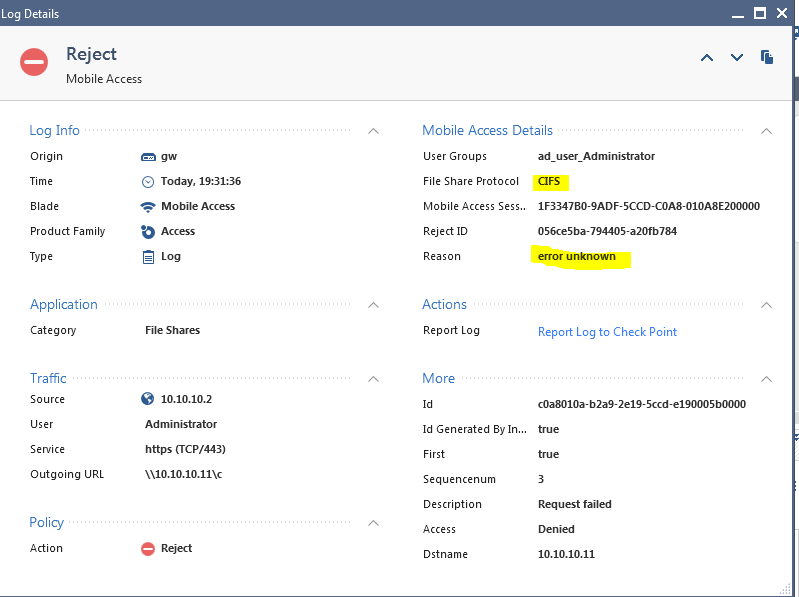
I faced an issue with a file share, also I follow sk112202 and enabled SMBv1 on file share server(window R2 2008),but no luck.
version is R80.10 with jhf189.
the issue was with the AD user, I create a local user on file sharing server and try now I able to open the shared folder.
Thanks for your reply.
version is R80.10 with jhf189.
the issue was with the AD user, I create a local user on file sharing server and try now I able to open the shared folder.
Thanks for your reply.
In my case I saw the same error and such text was in /var/log/message
kernel: CIFS VFS: cifs_mount failed w/return code = -112
The issue was solved by enabling feature "SMB 1.0 /CIFS File Sharing Support" on destination Windows server.
This is not secure. The right way is to enable SMB2.0 on the gateway https://support.checkpoint.com/results/sk/sk112202
Leaderboard
Epsum factorial non deposit quid pro quo hic escorol.
| User | Count |
|---|---|
| 4 | |
| 3 | |
| 2 | |
| 2 | |
| 1 | |
| 1 | |
| 1 | |
| 1 | |
| 1 |
Tue 16 Dec 2025 @ 05:00 PM (CET)
Under the Hood: CloudGuard Network Security for Oracle Cloud - Config and Autoscaling!Thu 18 Dec 2025 @ 10:00 AM (CET)
Cloud Architect Series - Building a Hybrid Mesh Security Strategy across cloudsTue 16 Dec 2025 @ 05:00 PM (CET)
Under the Hood: CloudGuard Network Security for Oracle Cloud - Config and Autoscaling!Thu 18 Dec 2025 @ 10:00 AM (CET)
Cloud Architect Series - Building a Hybrid Mesh Security Strategy across cloudsAbout CheckMates
Learn Check Point
Advanced Learning
YOU DESERVE THE BEST SECURITY