- Products
- Learn
- Local User Groups
- Partners
- More

MVP 2026: Submissions
Are Now Open!
What's New in R82.10?
Watch NowOverlap in Security Validation
Help us to understand your needs better
CheckMates Go:
Maestro Madness
Hi Everyone,
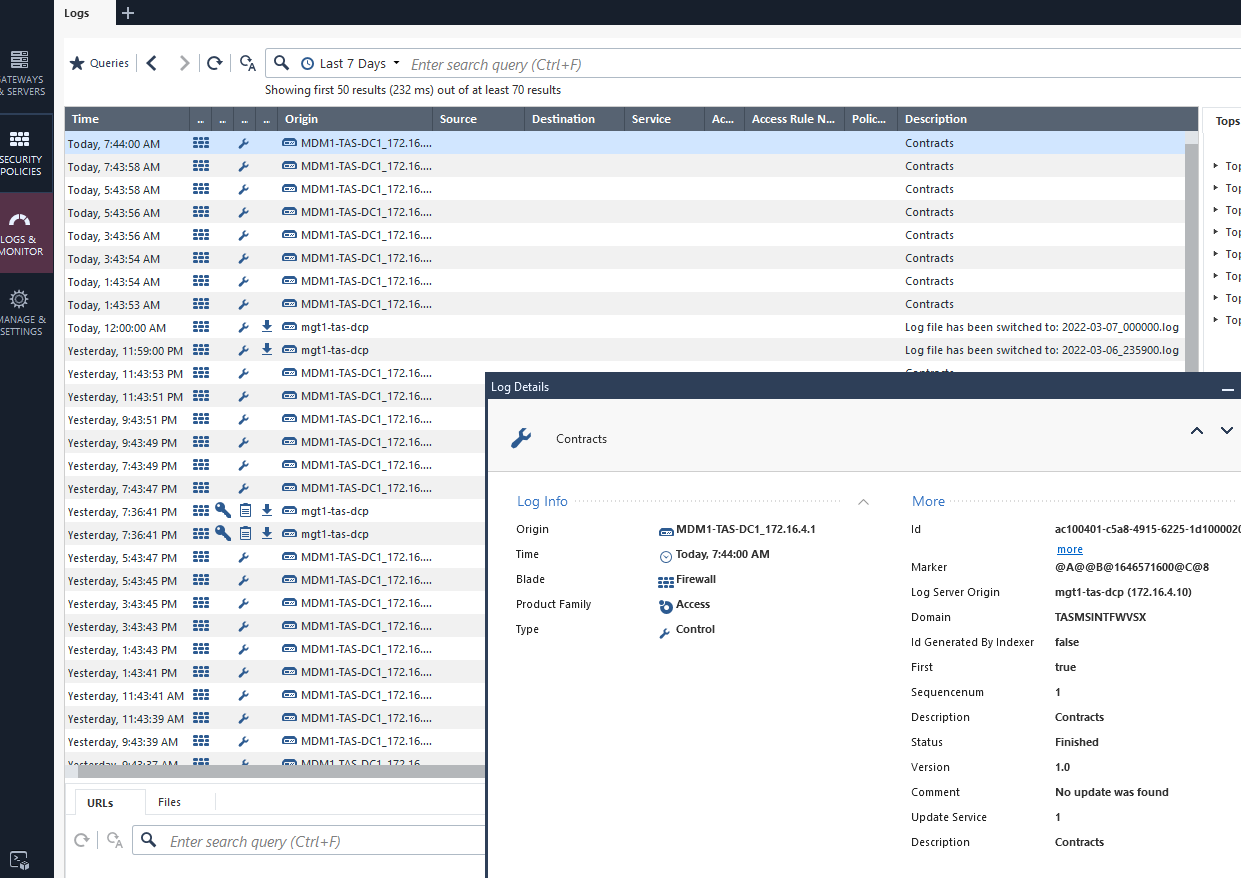
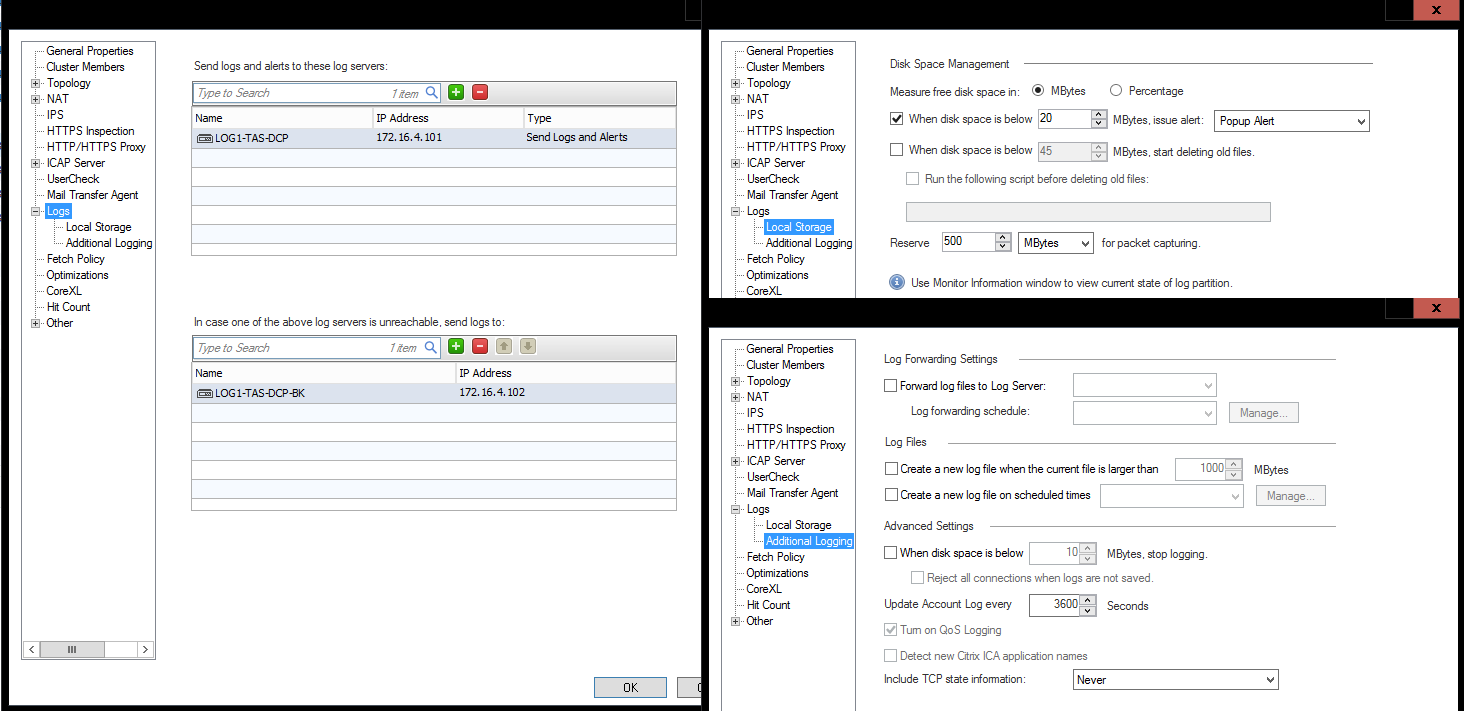
I'm new to this environment kindly bear with me. Need some help because when I login to smartconsole(R80.20), there are not details like source IP, destination IP, port, etc. I've attached a screenshot of a log sample and the config of the virtual gateway logs section.
Thanks,
Rob
What node are you connecting SmartConsole to?
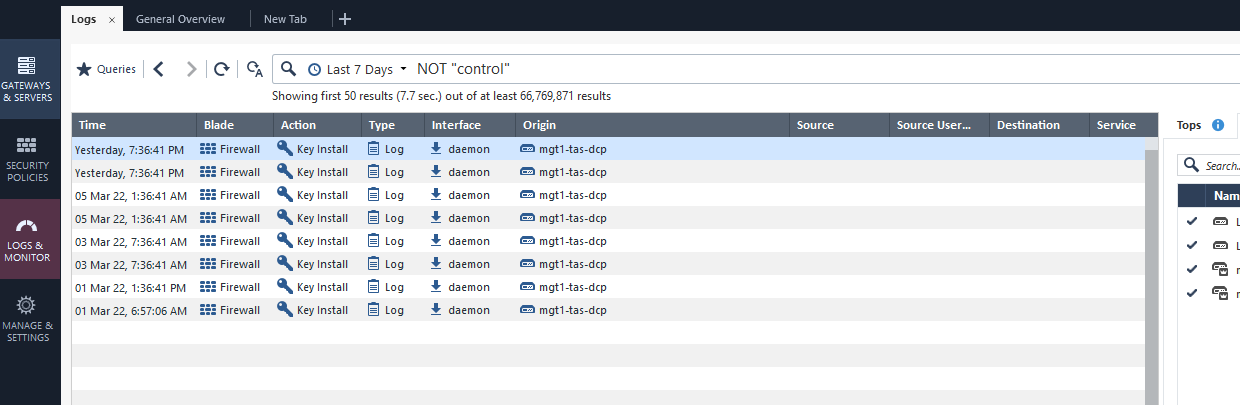
To start if you filter the logs columns for types NOT "control" do you see anything different?
Which JHF take is install on this environment?
What is the output of:
cpstat mg -f log_server
Hi Chris, I ran this on the virtual gateway (1) where I need the logs from:
DCP_VSX:1> cpstat mg -f log_server
Log Receive Rate: -
Log Receive Rate Peak: -
Log Receive Rate Last 10 Minutes: -
Log Receive Rate Last Hour: -
Log Server Connected Gateways
---------------------------------------------
|Name|State|Last Login Time|Log Receive Rate|
---------------------------------------------
---------------------------------------------
DCP_VSX:1> cpin
DCP_VSX:1> cpinfo -y all
This is Check Point CPinfo Build 914000215 for GAIA
[IDA]
No hotfixes..
[CPFC]
HOTFIX_R80_20_JUMBO_HF_MAIN Take: 118
[MGMT]
HOTFIX_R80_20_JUMBO_HF_MAIN Take: 118
[FW1]
HOTFIX_R80_20_JUMBO_HF_MAIN Take: 118
FW1 build number:
This is Check Point's software version R80.20 - Build 163
kernel: R80.20 - Build 151
[SecurePlatform]
HOTFIX_R80_20_JUMBO_HF_MAIN Take: 118
[CPinfo]
No hotfixes..
[PPACK]
HOTFIX_R80_20_JUMBO_HF_MAIN Take: 118
[CVPN]
HOTFIX_R80_20_JUMBO_HF_MAIN Take: 118
[CPUpdates]
BUNDLE_CPSDC_AUTOUPDATE Take: 19
BUNDLE_HCP_AUTOUPDATE Take: 49
BUNDLE_INFRA_AUTOUPDATE Take: 52
BUNDLE_DEP_INSTALLER_AUTOUPDATE Take: 23
BUNDLE_R80_20_JUMBO_HF_MAIN Take: 118
[CPDepInst]
No hotfixes..
[AutoUpdater]
No hotfixes..
[hcp_wrapper]
HOTFIX_HCP_AUTOUPDATE
[DIAG]
No hotfixes..
[cpsdc_wrapper]
HOTFIX_CPSDC_AUTOUPDATE
The gateway side command is: cpstat fw -f log_connection
From Expert:
[Expert@DCP_VSX:1]# cpstat fw -f log_connection
Overall Status: 0
Overall Status Description: Security Gateway is reporting logs as defined
Local Logging Mode Description: Logs are written to log server
Local Logging Mode Status: 0
Local Logging Sending Rate: 0
Log Handling Rate: 1536
Log Servers Connections
----------------------------------------------------------
|IP |Status|Status Description |Sending Rate|
----------------------------------------------------------
|172.16.4.101| 0|Log-Server Connected | 1540|
|172.16.4.102| 2|Log-Server Disconnected| 0|
----------------------------------------------------------
From Clish:
DCP_VSX:1> cpstat fw -f log_connection
Overall Status: 0
Overall Status Description: Security Gateway is reporting logs as defined
Local Logging Mode Description: Logs are written to log server
Local Logging Mode Status: 0
Local Logging Sending Rate: 0
Log Handling Rate: 1128
Log Servers Connections
----------------------------------------------------------
|IP |Status|Status Description |Sending Rate|
----------------------------------------------------------
|172.16.4.101| 0|Log-Server Connected | 1127|
|172.16.4.102| 2|Log-Server Disconnected| 0|
----------------------------------------------------------
Please take this further with TAC to investigate in an efficient manner via a remote session.
They may also want to review CPInfo & CPM Doctor output.
Restarting and/or applying a JHF upgrade and using a new build of SmartConsole might be prior considerations for the Mgmt.
Note also that R80.20 is EOL in September 2022 meaning another upgrade will need to be planned for the system inside 6-months in case you weren't aware.
Refer also:
sk164852: No logs written on Security Gateway while connection has established
sk135213: Cannot see logs in SmartConsole for a specific server or CMA
sk169233: Cannot view "Dedicated Log Server" logs on MDS after promoting it to primary
sk163653: "Auto-refresh may not show all of the logs.
Leaderboard
Epsum factorial non deposit quid pro quo hic escorol.
| User | Count |
|---|---|
| 21 | |
| 20 | |
| 17 | |
| 8 | |
| 7 | |
| 3 | |
| 3 | |
| 3 | |
| 3 | |
| 3 |
Fri 12 Dec 2025 @ 10:00 AM (CET)
Check Mates Live Netherlands: #41 AI & Multi Context ProtocolTue 16 Dec 2025 @ 05:00 PM (CET)
Under the Hood: CloudGuard Network Security for Oracle Cloud - Config and Autoscaling!Fri 12 Dec 2025 @ 10:00 AM (CET)
Check Mates Live Netherlands: #41 AI & Multi Context ProtocolTue 16 Dec 2025 @ 05:00 PM (CET)
Under the Hood: CloudGuard Network Security for Oracle Cloud - Config and Autoscaling!Thu 18 Dec 2025 @ 10:00 AM (CET)
Cloud Architect Series - Building a Hybrid Mesh Security Strategy across cloudsAbout CheckMates
Learn Check Point
Advanced Learning
YOU DESERVE THE BEST SECURITY