- Products
- Learn
- Local User Groups
- Partners
- More
MVP 2026: Submissions
Are Now Open!
What's New in R82.10?
Watch NowOverlap in Security Validation
Help us to understand your needs better
CheckMates Go:
Maestro Madness
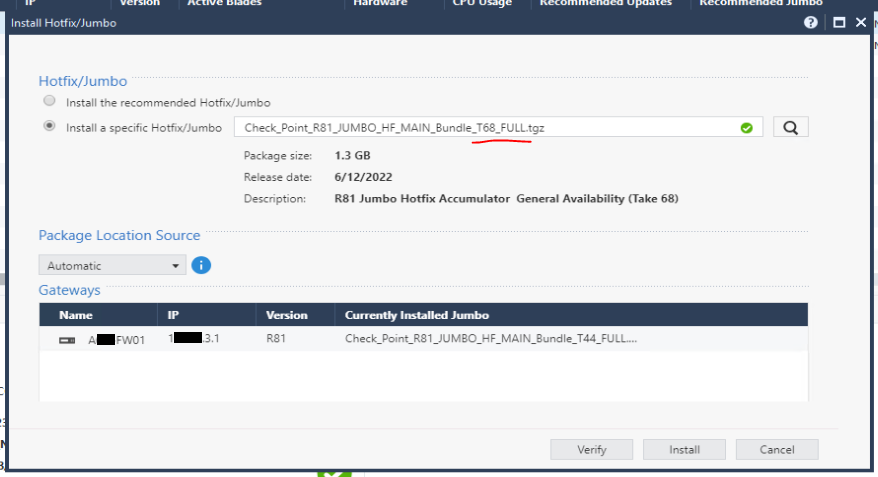
Currently running R81.10 Take 87, just upgraded from R81.10 Take 79. Since we have been on R81.10, I have always tried to use the Central Deployment method to upgrade our cluster (ClusterXL). I like it, it is nice.
Both cluster members have had the same recommended jumbo for the last week or so (Take 87). Last night before our maintenance window I made the mistake of running the "verify" option instead of just waiting and doing the "install" option within Central Deployment, doing that caused one of the members to no longer display the same recommended jumbo and now I can no longer upgrade using the Central Deployment method, even though Gaia still recommended Take 87. The verify process did not show any issues.
During the manual upgrade process, it corrected itself, but I wasn't going to change anything at that point. Is there some command I can run to re-evaluate the recommended jumbo or anything? Or can we add a way to bypass the "both cluster members are not aligned to the same jumbo" error message?
A similar issue happened when I was looking to upgrade to Take 79 as well. In that scenario, I was waiting to take a maintenance window until both members showed the same recommendation in Smart Console so I could use the Central Deployment method.
I don't recall any issues upgrading to Take 55 or Take 66.
Thoughts?

@Tsahi_Etziony can someone on your team investigate?
Hi
I'm glad that you like this feature although sorry to hear you encountered stability issues. Obviously, the verify should not have such consequences.
As I understand you already installed take 87 manually so in order to understand better it would be great if we could have a short call.
Will appreciate if you can contact me at boazo@checkpoint.com
Thanks
Boaz
Sounds good, I have reached out via e-mail.
Hello CaseyB,
Luckily it we did not faced similar issues, as in our cases with GAIA, we're pre-downloading the JHF to the appliance.
In case we don't see the proper recommended JHF in the package list, we either manually upload the package with "Iport Package" or we use "Add Hotfix from Cloud" and import the needed JHF.
Thank you,
PS: we'll follow this post and see what was the way to fix the "Central Deployment" missing JHF.
PS2: we wanted to use CDT, but for now it seem to be a bit complicated :(, anyway, if you would tried with "Actions -> Install Hotfix/Jumbo" you could have also being able to select a specific JHF...
Hi
Wasn't easy but we found the problematic flow.
The point is that we should allow to continue even if the cluster members report different recommended packages.
Not that important but the flow is that when the Deployment Agent (CPUSE) on the Management is newer then on the Gateway, Central Deployment installs the new version on the gateway which might cause several minutes of missing or wrong reports of the recommended Jumbo.
We will solve this specific flow but more important - allow to use Central Deployment even if the reports are mis-aligned.
Thanks for the cooperation Casey 🙂
Leaderboard
Epsum factorial non deposit quid pro quo hic escorol.
| User | Count |
|---|---|
| 19 | |
| 17 | |
| 14 | |
| 8 | |
| 7 | |
| 3 | |
| 3 | |
| 3 | |
| 3 | |
| 2 |
Tue 16 Dec 2025 @ 05:00 PM (CET)
Under the Hood: CloudGuard Network Security for Oracle Cloud - Config and Autoscaling!Thu 18 Dec 2025 @ 10:00 AM (CET)
Cloud Architect Series - Building a Hybrid Mesh Security Strategy across cloudsTue 16 Dec 2025 @ 05:00 PM (CET)
Under the Hood: CloudGuard Network Security for Oracle Cloud - Config and Autoscaling!Thu 18 Dec 2025 @ 10:00 AM (CET)
Cloud Architect Series - Building a Hybrid Mesh Security Strategy across cloudsAbout CheckMates
Learn Check Point
Advanced Learning
YOU DESERVE THE BEST SECURITY