Configuring a Checkpoint Gateway for a simple OSPF environment.
For this example we will be concentrating on the links between R1 and R2 and the gateway at the bottom. The other links are irrelevant and simple server to provide an ISP like look for this article. The default route or 0.0.0.0/0 is being provided by the upper most router in this first depiction or 10.4.10.1.

Relevant router configuration for R1 and R2. please note the bad practice of not using encryption on the OSPF neighbor relationship, this will be covered at a later date.
R1:
hostname R1
!
interface GigabitEthernet0/0
ip address 10.4.1.2 255.255.255.252
ip ospf 100 area 0
!
interface GigabitEthernet3/0
ip address 10.4.3.1 255.255.255.252
ip ospf 100 area 0
!
router ospf 100
router-id 10.4.1.2
log-adjacency-changes
!
end
R2:
hostname R2
!
interface GigabitEthernet0/0
ip address 10.4.0.2 255.255.255.252
ip ospf 100 area 0
!
interface GigabitEthernet3/0
ip address 10.4.2.1 255.255.255.252
ip ospf 100 area 0
!
router ospf 100
router-id 10.4.0.2
log-adjacency-changes
!
Now for the gateway
GUI: configuration:
- To enable OSPF simple add the interfaces on the ospf configuration screen. Login to Gaia via https and find the OSPF section under advanced routing.
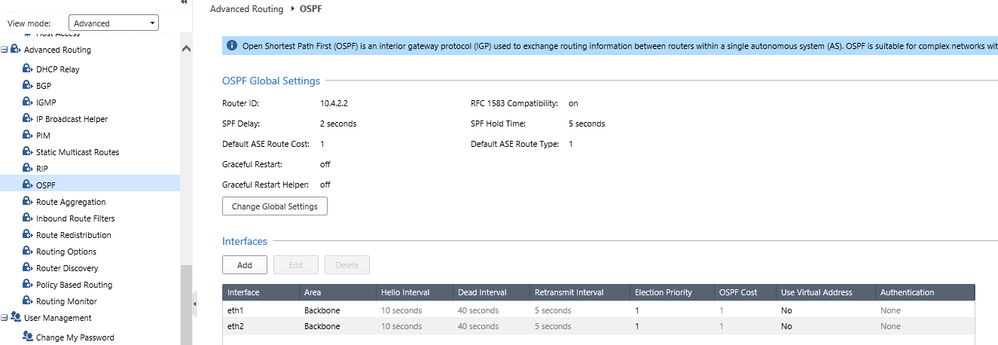
Click Add under interfaces to add the necessary interfaces it is unnecessary to create the backbone area or area 0 as this area is created by default. Please note the other settings on this page for now don't change them but they can be used to tune you routing convergence, set neighbor authentication etc…
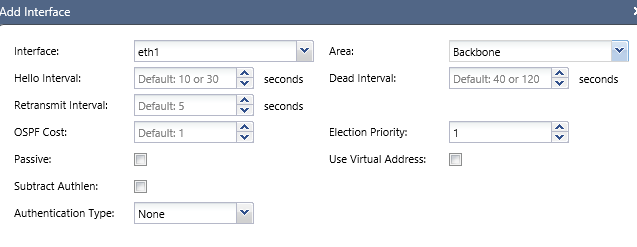
Once the gateway interfaces have been added to the OSPF page you can monitor you progress by clicking on the Monitoring icon on the top right of the page. Once on the monitoring page select Neighbor to see your OSPF neighbor adjacency. (TIP: you should seldom see the Dead (timer) value below 20 and in most environments 30)
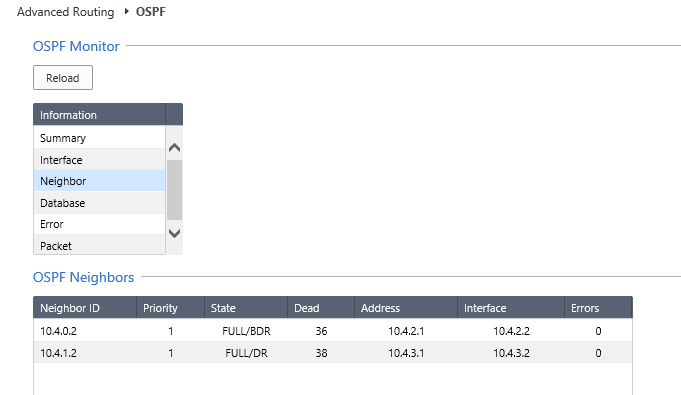
On your routers you should see a similar result

Finally to verify your route table via the GUI:
Select Routing Monitor under Advanced Routing to see a complete route table
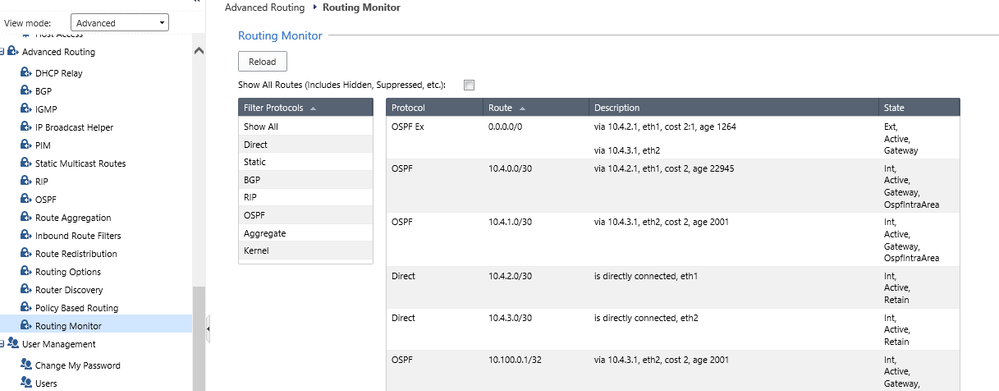
To review the route table and neighbor relationships from the gateway CLI:
"show route" to review the route table
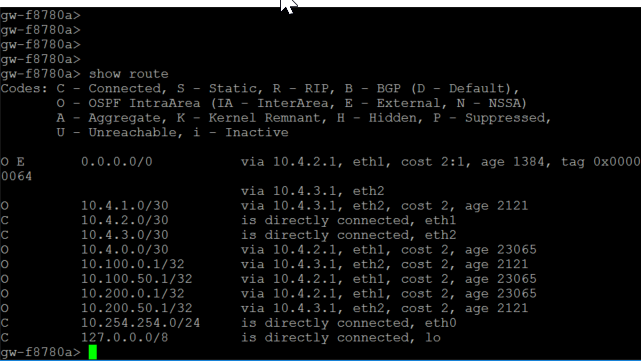
"show ospf neighbors" to review your neighbor status




