- Products
- Learn
- Local User Groups
- Partners
- More

MVP 2026: Submissions
Are Now Open!
What's New in R82.10?
Watch NowOverlap in Security Validation
Help us to understand your needs better
CheckMates Go:
Maestro Madness
Hello all,
I have Checkpoint MGMT R80.20 Smart Console and ClusterGateway R.80.20 . I looking logs with Smart Console.
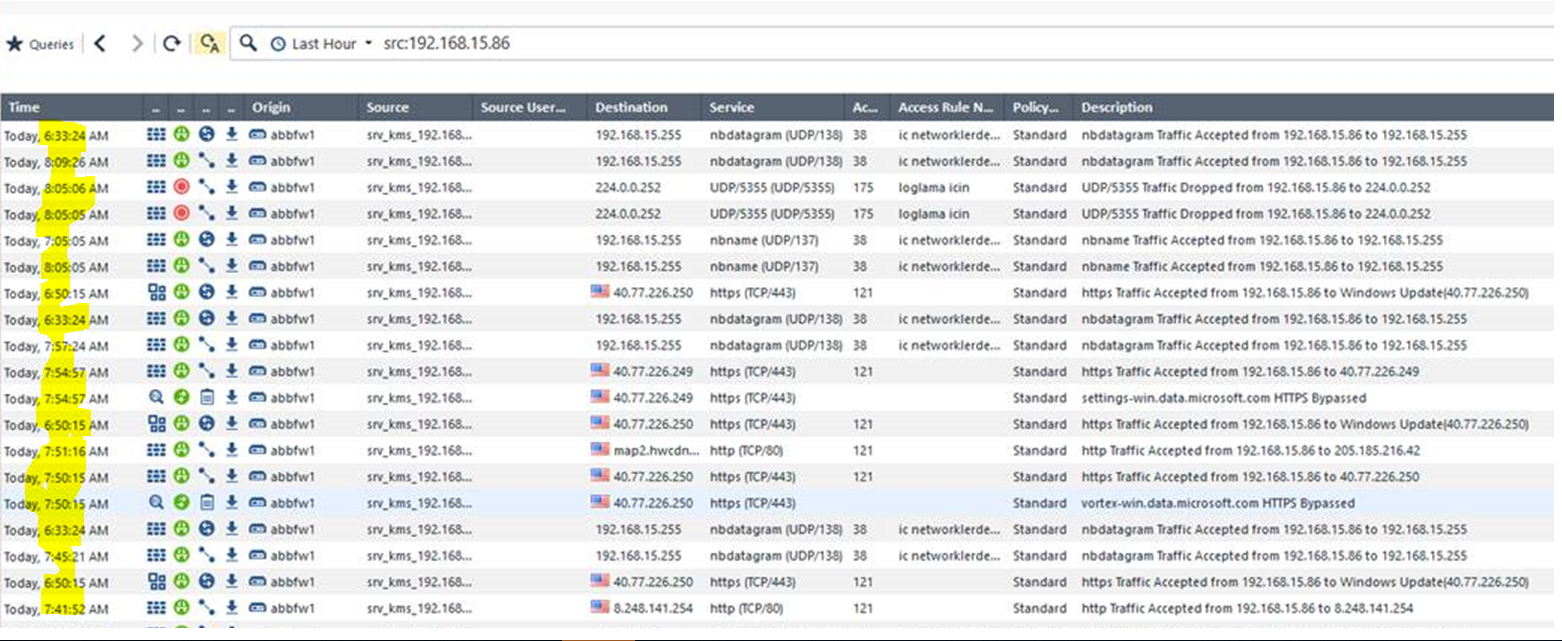
Why the time of the logs is different. The time of the mgmt time and the gateways are the same. ntp server is in use. they all appear the same time?
check
fw monitor -e "host(x.y.z.w) and host(a.b.c.d), accept;"
are the time-stamps in a proper time frames to the MGMT/GW ?
also check the fw log and cpview - ntp must be not entirely in SYNC with NTP servers or you've got some routing issues mate
What you might be seeing is consolidated logs and the time shown is the "start" of the the consolidated session.
You might drill into a few of those just to confirm that suspicion.
Actually if you drill down on it it will (literally) sort itself out.
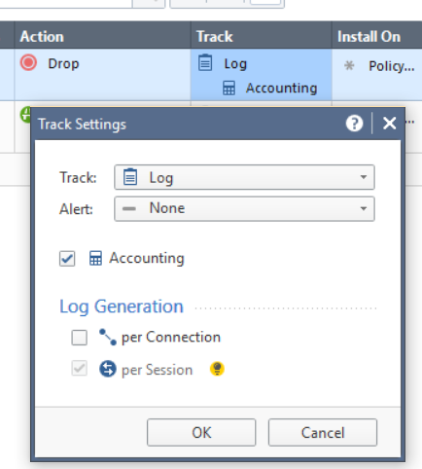
If you log both connections and sessions you will see the connection as soon as the SYN packet is received.
The session will only show in the log when it is finished.
This is something people really need to get used to with R80.
A sound understanding of Connections, Sessions and how the Acess Control is different from the Threat Prevention takes a bit of playing around with in order to full get a grasp on it.
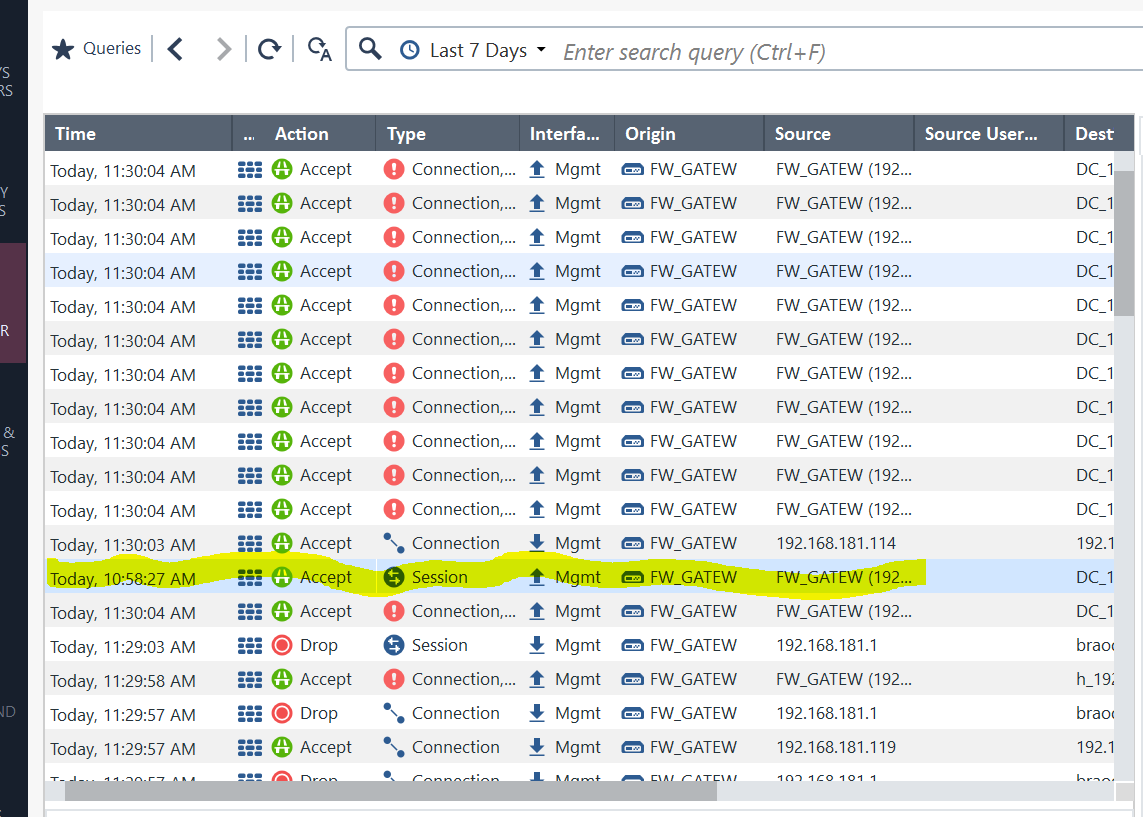
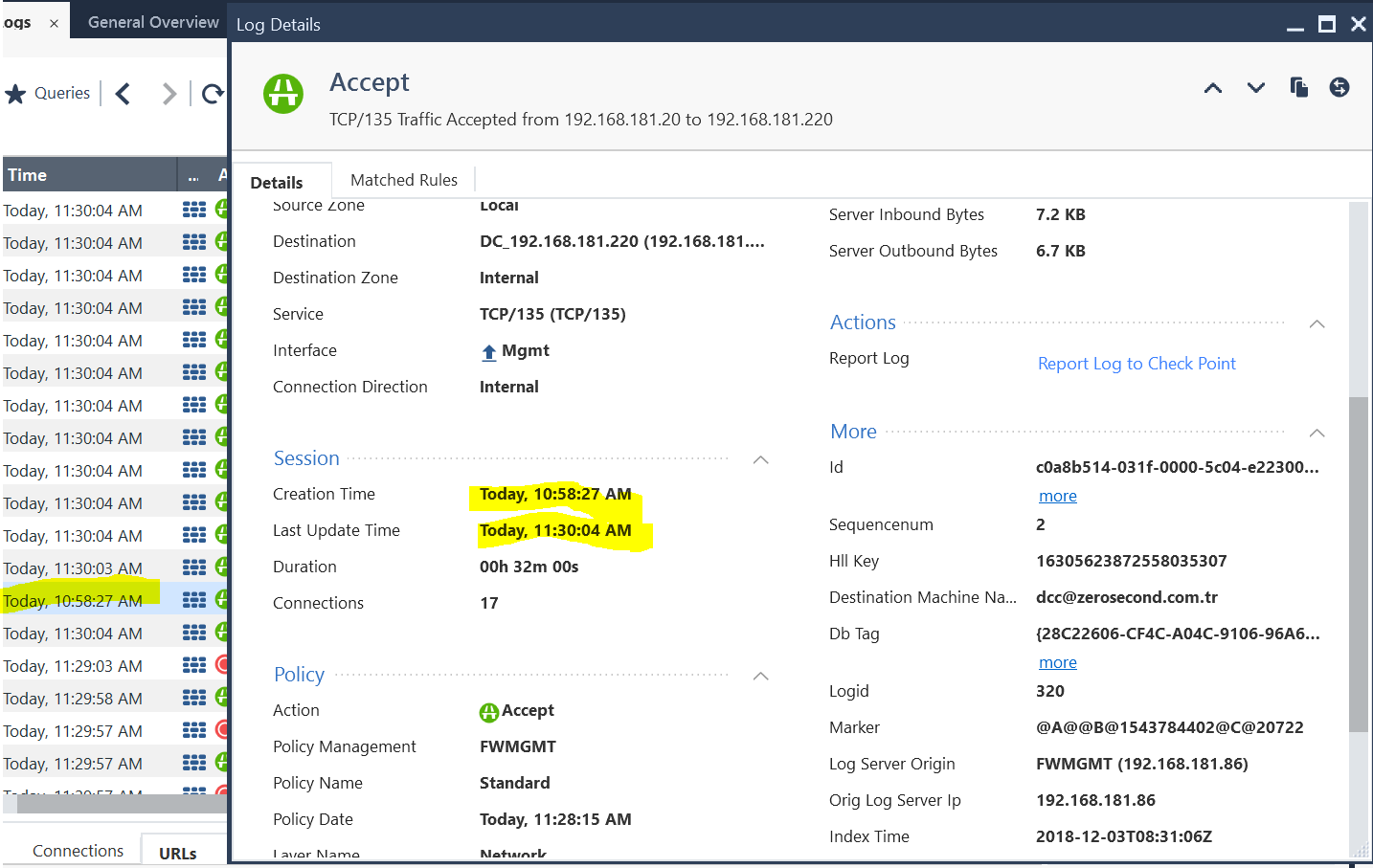
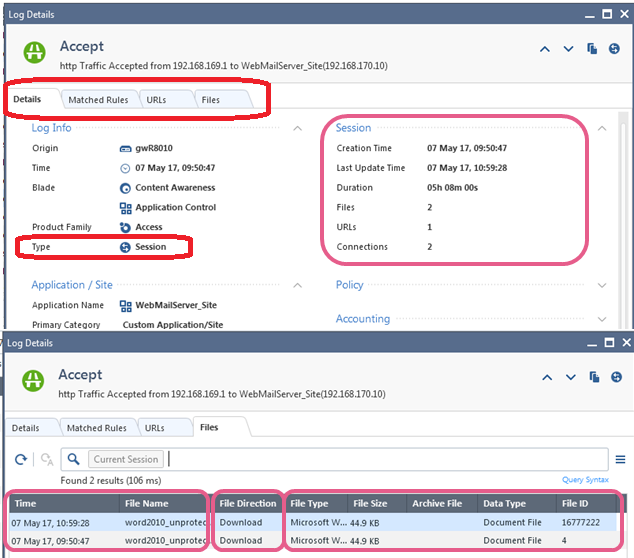
When I look log out put , I see the session logs time is creation time .so the real time seeming wrong . is this normal? how can ı see last update time in logs.. ??
Actually. The log is correct.
The session starts at 10:58 so that information is shown in the overview.
The session can only be listed once it's done so that happens at 11:30
So you will see it among other entries around 11:30 when you follow the log in real-time.
This is exactly the point I am trying to make.
It takes getting used to the way how sessions and connections can be logged completely differently.
Each timestamp is for the start of the log event. Not the end time.
I don't see why you want to see the end times in the overview. I would say the start of events is the most relevant information.
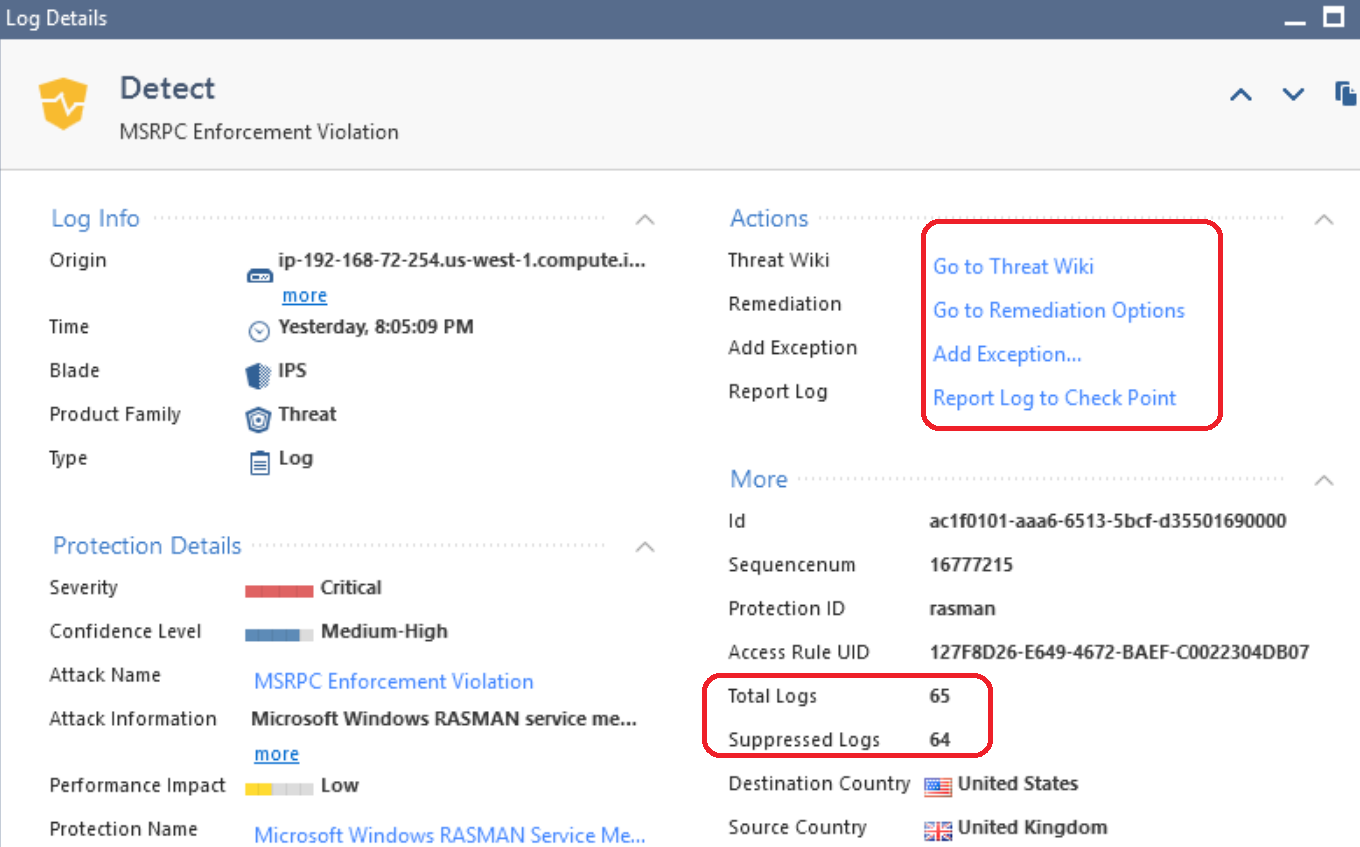
Session Logging is new in R80+ management, while Log Suppression was around earlier than that and sometimes gets confused with Session Logging. Here is an excerpt from some content I recently developed explaining the difference with screenshots:
Module 6 – IPS Logging
Session Logging


◦ Viewing the attack attributes at the Check Point ThreatWiki website
◦ Creating an Exception (covered later in this module)
◦ Viewing Remediation Options
--
Second Edition of my "Max Power" Firewall Book
Now Available at http://www.maxpowerfirewalls.com
Leaderboard
Epsum factorial non deposit quid pro quo hic escorol.
| User | Count |
|---|---|
| 17 | |
| 15 | |
| 7 | |
| 5 | |
| 5 | |
| 5 | |
| 4 | |
| 4 | |
| 4 | |
| 4 |
Tue 16 Dec 2025 @ 05:00 PM (CET)
Under the Hood: CloudGuard Network Security for Oracle Cloud - Config and Autoscaling!Thu 18 Dec 2025 @ 10:00 AM (CET)
Cloud Architect Series - Building a Hybrid Mesh Security Strategy across cloudsTue 16 Dec 2025 @ 05:00 PM (CET)
Under the Hood: CloudGuard Network Security for Oracle Cloud - Config and Autoscaling!Thu 18 Dec 2025 @ 10:00 AM (CET)
Cloud Architect Series - Building a Hybrid Mesh Security Strategy across cloudsAbout CheckMates
Learn Check Point
Advanced Learning
YOU DESERVE THE BEST SECURITY