- Products
- Learn
- Local User Groups
- Partners
- More
AI Security Masters
E1: How AI is Reshaping Our World
MVP 2026: Submissions
Are Now Open!
What's New in R82.10?
Watch NowOverlap in Security Validation
Help us to understand your needs better
CheckMates Go:
Maestro Madness
Hello,
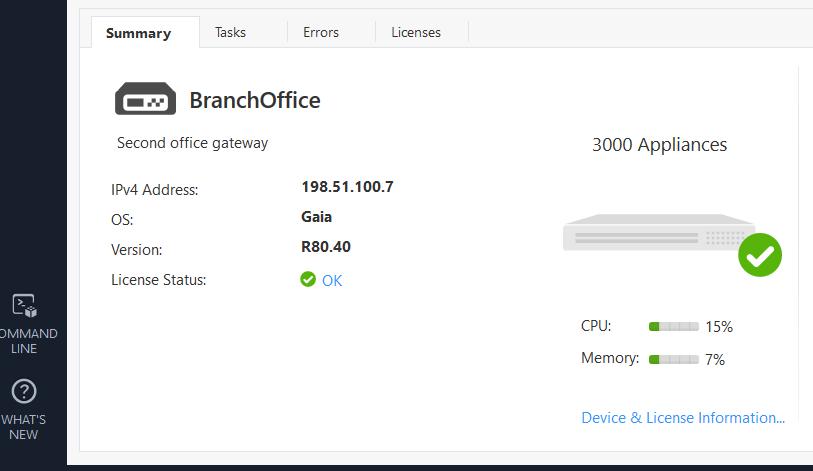
I have installed R81.10 on my gateways and management. With R80.40 I could see in the smart console the CPU and RAM usage (in Percent) in the summary dashboard.
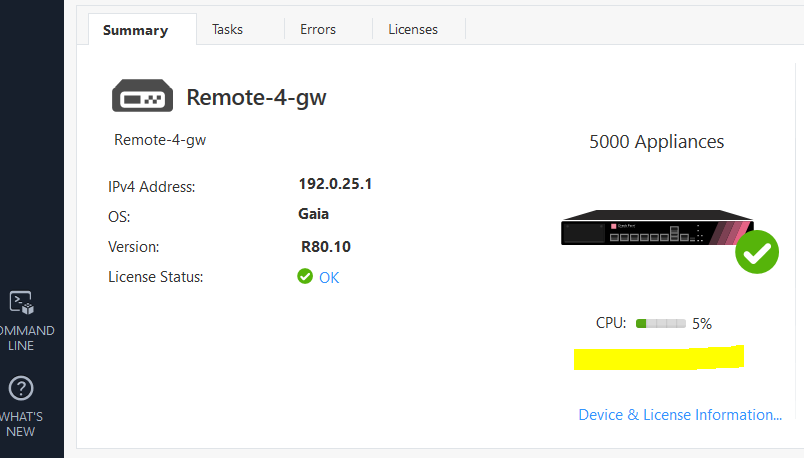
With R81.10 I only see the CPU usage. Does anybody where I see the RAM usage?
Best regards.
Upper left: Select Columns: Health 8)
Thanks for the info. But if I switch to the health colum I see the total memory, but the free memory only shows N/A. Do I have to activate something else?
Thanks for highlighting this will query it internally (Summary tab context) and revert.
R81:
R81.10
This is exactly what I meant.
No worries @G_W_Albrecht workaround should be helpful in the interim, but will come back to you with some feedback ASAP.
Hi
This is a known issue and will be soon added to an upcoming JHF. Please follow sk175186:
Thanks
sk177135: Free Memory details are not displayed on SmartConsole
Leaderboard
Epsum factorial non deposit quid pro quo hic escorol.
| User | Count |
|---|---|
| 16 | |
| 15 | |
| 7 | |
| 5 | |
| 5 | |
| 5 | |
| 4 | |
| 4 | |
| 4 | |
| 4 |
Tue 16 Dec 2025 @ 05:00 PM (CET)
Under the Hood: CloudGuard Network Security for Oracle Cloud - Config and Autoscaling!Thu 18 Dec 2025 @ 10:00 AM (CET)
Cloud Architect Series - Building a Hybrid Mesh Security Strategy across cloudsTue 16 Dec 2025 @ 05:00 PM (CET)
Under the Hood: CloudGuard Network Security for Oracle Cloud - Config and Autoscaling!Thu 18 Dec 2025 @ 10:00 AM (CET)
Cloud Architect Series - Building a Hybrid Mesh Security Strategy across cloudsThu 08 Jan 2026 @ 05:00 PM (CET)
AI Security Masters Session 1: How AI is Reshaping Our WorldAbout CheckMates
Learn Check Point
Advanced Learning
YOU DESERVE THE BEST SECURITY