- Products
- Learn
- Local User Groups
- Partners
- More

MVP 2026: Submissions
Are Now Open!
What's New in R82.10?
10 December @ 5pm CET / 11am ET
Announcing Quantum R82.10!
Learn MoreOverlap in Security Validation
Help us to understand your needs better
CheckMates Go:
Maestro Madness
Hi Team,
Pls help me for the configuration.
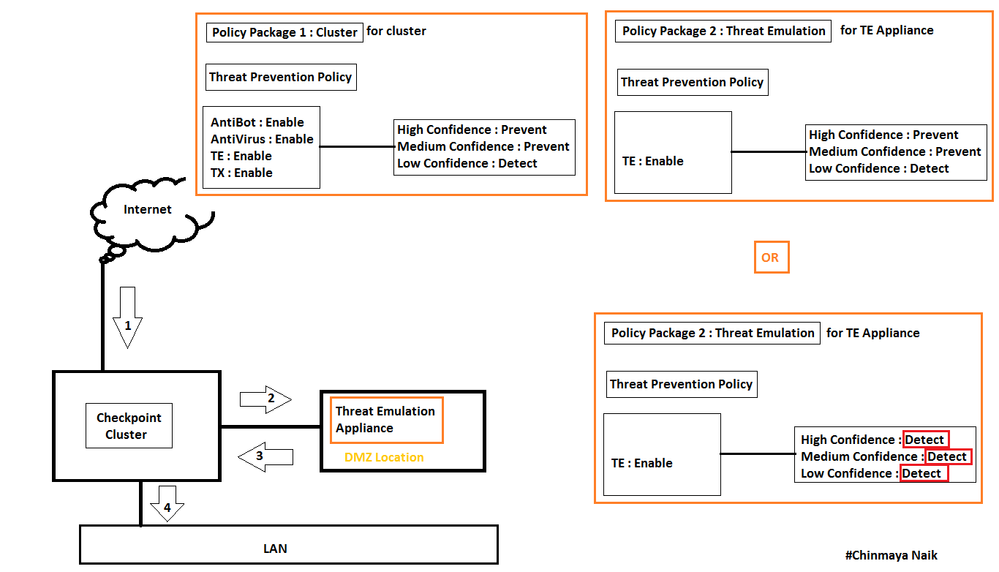
As per the Diagram, we have Gateway with TE Appliance.
So basically we are using TE appliance only for emulation, not for extraction, ThreatExtraction happening on Gateway.
So for any file we are download from the Internet then first come to the gateway then gateway sends that file to TE for emulation then TE gives the verdict to Gateway then gateway sends the file to the end-user base on the policy. Correct me I am wrong.
I need a clear idea about configuration and working.
Is this required to set Threat Prevention policy as Detect mode in TE Policy Package 2 ?
If I enable Threat Extraction on TE policy package 2 then?
Your diagram and notes seem correct. I would recommend to set the policy on detect the first few days so you can see how it works.
Another important part is to decide the file extensions that you will be checking and if you want to go with a fail open or fail close policy for your emulations.
Regards,
Thanks for the quick response.
I need to understand which one is the best practise to "set TE policy package threat prevention profile mode as DETECT or Prevent".
I also need to understand, as per my current scenario If am enable the Threat Extraction on TE policy package threat prevention profile then?
Regards
I must confess that your diagram confuses me ! I have a similar (LAB) configuration with a single GW instead of a cluster and a local TE appliance. But i have configured it differently:
- My TE has only FW and TE blades enabled - i see no point in enabling ABot and AV in both GW and TE. As the GW AV will check the hash before sending to TE, AV on TE seems useless.
- TE does three passes for a verdict and the sums it up. There is no confidence level involved here, as the GW will send according to File Type and size only to TE and TX
Thanks for the update. I updated my diagram.
So basically you mean to say that, there not required to create a separate policy package for TE appliance.
So when I will install the Threat prevention policy on standard policy package then it needs to select the TE object as well? ,
Correct me If I am wrong.
Regards
Chinmaya_Naik
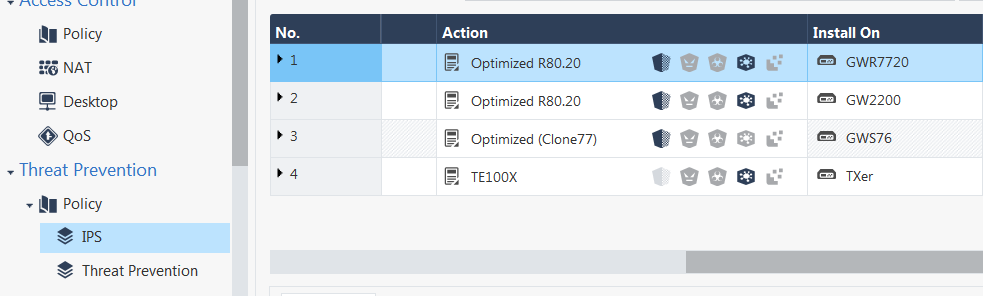
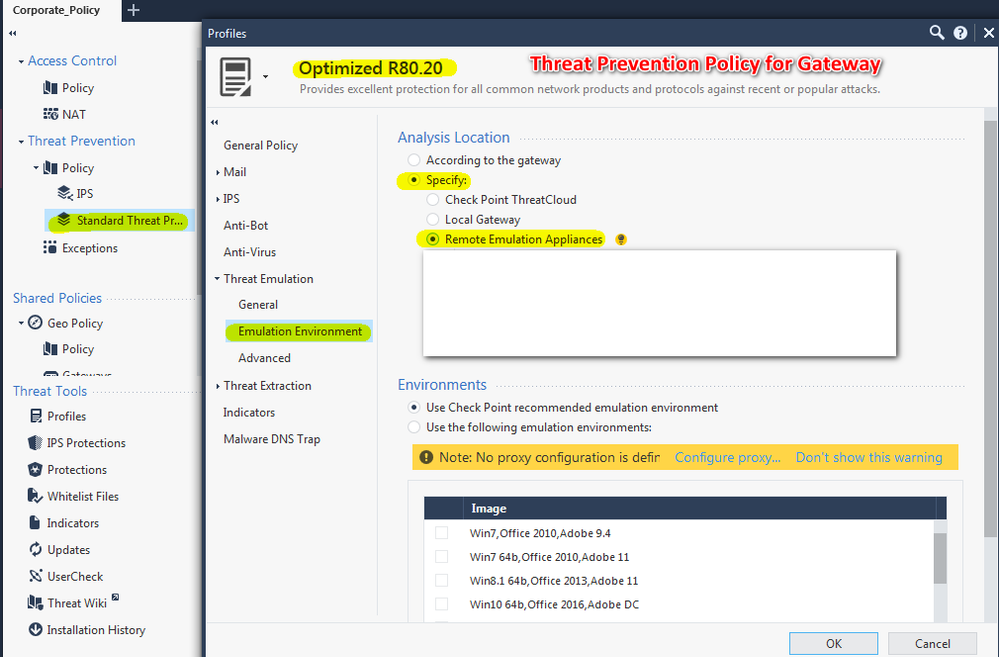
No - i have a separate TP policy for GWs (with enabled AV, ABOT, IPS and TE on remote appliance) and for TE (only TE enabled with local emulation).
What is important for your configuration:
| Cluster |
|
See sk114806: ATRG: Threat Emulation and sk102309 - Threat Emulation support for Multiple Private Cloud Appliances.
Thanks for the update.
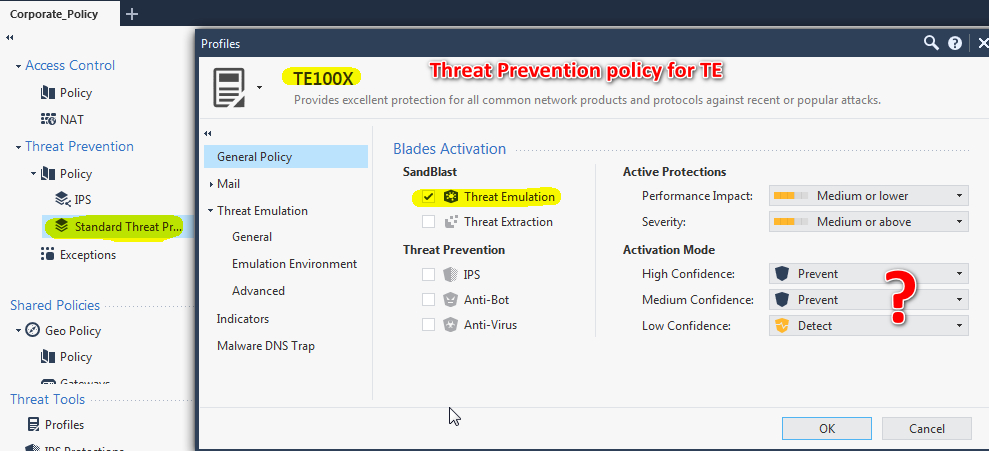
Find the below screenshot.
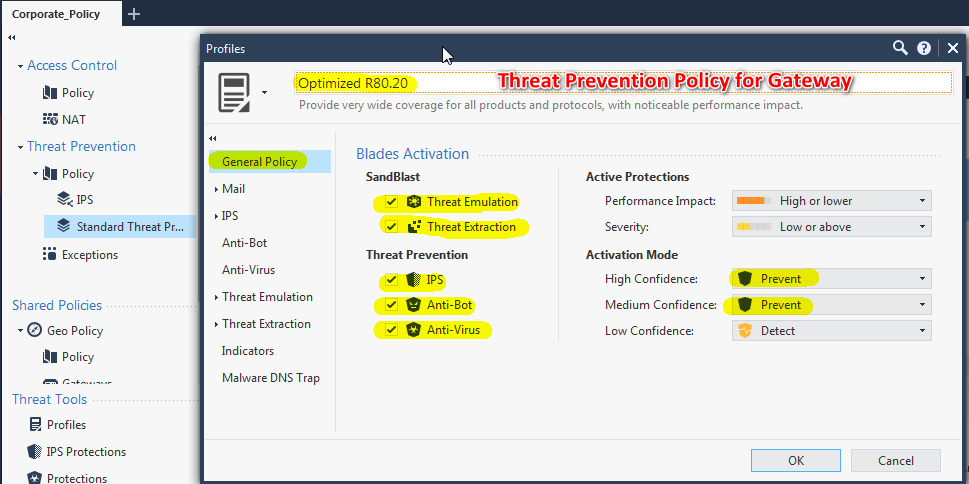
As last screenshot , this is what I need to know that what I need to set on Activation Mode.
Still, I am not face any issue, I need to understand the proper configuration because I see some different configuration on two different places but still both are working.
Thank You
Chinmaya Naik
Leaderboard
Epsum factorial non deposit quid pro quo hic escorol.
| User | Count |
|---|---|
| 21 | |
| 20 | |
| 16 | |
| 5 | |
| 4 | |
| 4 | |
| 3 | |
| 3 | |
| 3 | |
| 3 |
Fri 12 Dec 2025 @ 10:00 AM (CET)
Check Mates Live Netherlands: #41 AI & Multi Context ProtocolTue 16 Dec 2025 @ 05:00 PM (CET)
Under the Hood: CloudGuard Network Security for Oracle Cloud - Config and Autoscaling!Fri 12 Dec 2025 @ 10:00 AM (CET)
Check Mates Live Netherlands: #41 AI & Multi Context ProtocolTue 16 Dec 2025 @ 05:00 PM (CET)
Under the Hood: CloudGuard Network Security for Oracle Cloud - Config and Autoscaling!Thu 18 Dec 2025 @ 10:00 AM (CET)
Cloud Architect Series - Building a Hybrid Mesh Security Strategy across cloudsAbout CheckMates
Learn Check Point
Advanced Learning
YOU DESERVE THE BEST SECURITY