- Products
- Learn
- Local User Groups
- Partners
- More

MVP 2026: Submissions
Are Now Open!
What's New in R82.10?
Watch NowOverlap in Security Validation
Help us to understand your needs better
CheckMates Go:
Maestro Madness
Hello!
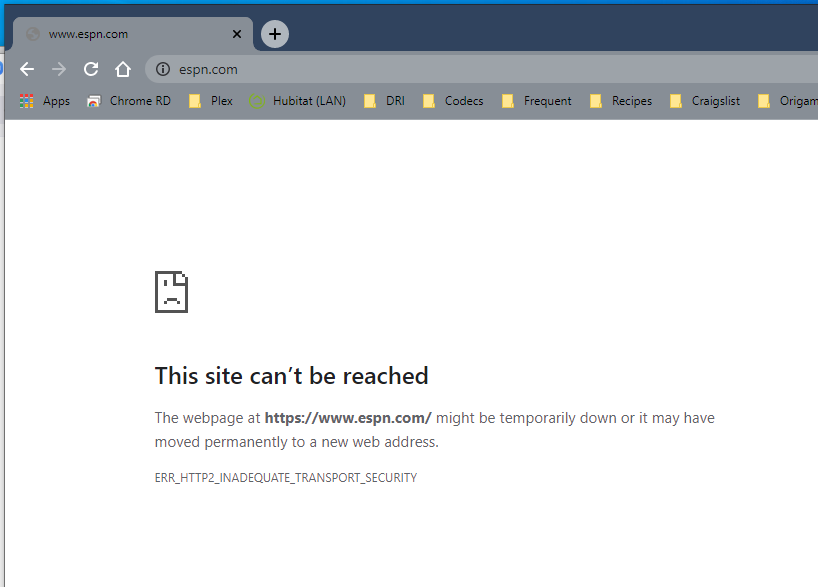
We are on R80.40 JFA 125. I have implemented https inspection, generated a certificate off of Smartconsole, downloaded and installed that on a few test machines, and built a ruleset. The bypass rules are working for banking/medicare, and everyone I don't want inspection for, but the inspection rule results in the attached error message for any website from Edge, Firefox, and Chrome on both PCs and Macs.
The only space it is working in, is safari on a mac. Does anyone have any idea why https inspection is not working for all of the other browsers? I have read the common SKs, and have a ticket in with support, they suggested a hotfix wrapper which we installed with no change. We are escalating it as we speak, but wanted to reach out to the group in case anyone has seen this.
When we generated the certificate from SmartDashboard, we then exported it, and put it in the trusted certificate root authorities folder on our PCs and in the system keychain on the Mac.
Thanks all!
The client doesn't like something about the TLS negotiation. Get a packet capture and see what algorithms are proposed by each end.
I will give that a try, is there a way to tweak what CheckPoint proposes if I find a discrepancy, so that I don't have to tweak anything on each individual client?
Hey @Ryan_Coots
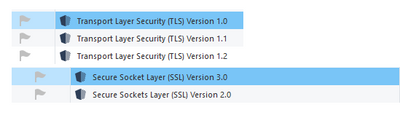
If you haven't already, you could enable the SSL/TLS signatures in Detect mode to see which version is being used on your connections:
You can also set the minimum/maximum SSL/TLS versions in GUIDBedit. The update from Heiko Ankenbrand details how to do this (if necessary): https://community.checkpoint.com/t5/General-Topics/Disable-TLS-1-0/td-p/70338
Since I spent I can't even count how many hours with TAC troubleshooting https inspection issues, I will list few things I always found to be a problem.
-when you see error like one you attached, first thing I always do is check pop monitor user command to see if access roles are matched (this ONLY if you use identity awareness)
-if you don't use IA blade, regardless, make sure the inspection rules have block user check enabled in the action column
-verify that trusted cert list is updated and valid
-in dashboard, make sure that you filter logs for https inspection blade and observe the message
Those are just some basic things to look at. Be free to message me privately if you need help, Im sure I could help you out with this,
Thanks for the info, we do not use IA, so I am looking into the Block User Check action now and in the https inspection rulebase, all I have the option for is Inspect/Bypass.
Trusted cert list is updated, and the logs look good as best I can tell. They appear to be inspected, just not functional client side.
Ok, fair enough. Regardless for the fact you don't use IA blade, which is totally fine in this case, maybe do fw monitor when client gets this problem, so then we can filter for tls lines in Wireshark. Either way, you should see block notification user check page, 100%. There is one kernel parameter I found to sometimes cause this, but I don't want to mention it here, as I got in trouble for it before : )
Leaderboard
Epsum factorial non deposit quid pro quo hic escorol.
| User | Count |
|---|---|
| 19 | |
| 17 | |
| 14 | |
| 8 | |
| 7 | |
| 3 | |
| 3 | |
| 3 | |
| 3 | |
| 2 |
Tue 16 Dec 2025 @ 05:00 PM (CET)
Under the Hood: CloudGuard Network Security for Oracle Cloud - Config and Autoscaling!Thu 18 Dec 2025 @ 10:00 AM (CET)
Cloud Architect Series - Building a Hybrid Mesh Security Strategy across cloudsTue 16 Dec 2025 @ 05:00 PM (CET)
Under the Hood: CloudGuard Network Security for Oracle Cloud - Config and Autoscaling!Thu 18 Dec 2025 @ 10:00 AM (CET)
Cloud Architect Series - Building a Hybrid Mesh Security Strategy across cloudsAbout CheckMates
Learn Check Point
Advanced Learning
YOU DESERVE THE BEST SECURITY