- Products
- Learn
- Local User Groups
- Partners
- More

MVP 2026: Submissions
Are Now Open!
What's New in R82.10?
Watch NowOverlap in Security Validation
Help us to understand your needs better
CheckMates Go:
Maestro Madness
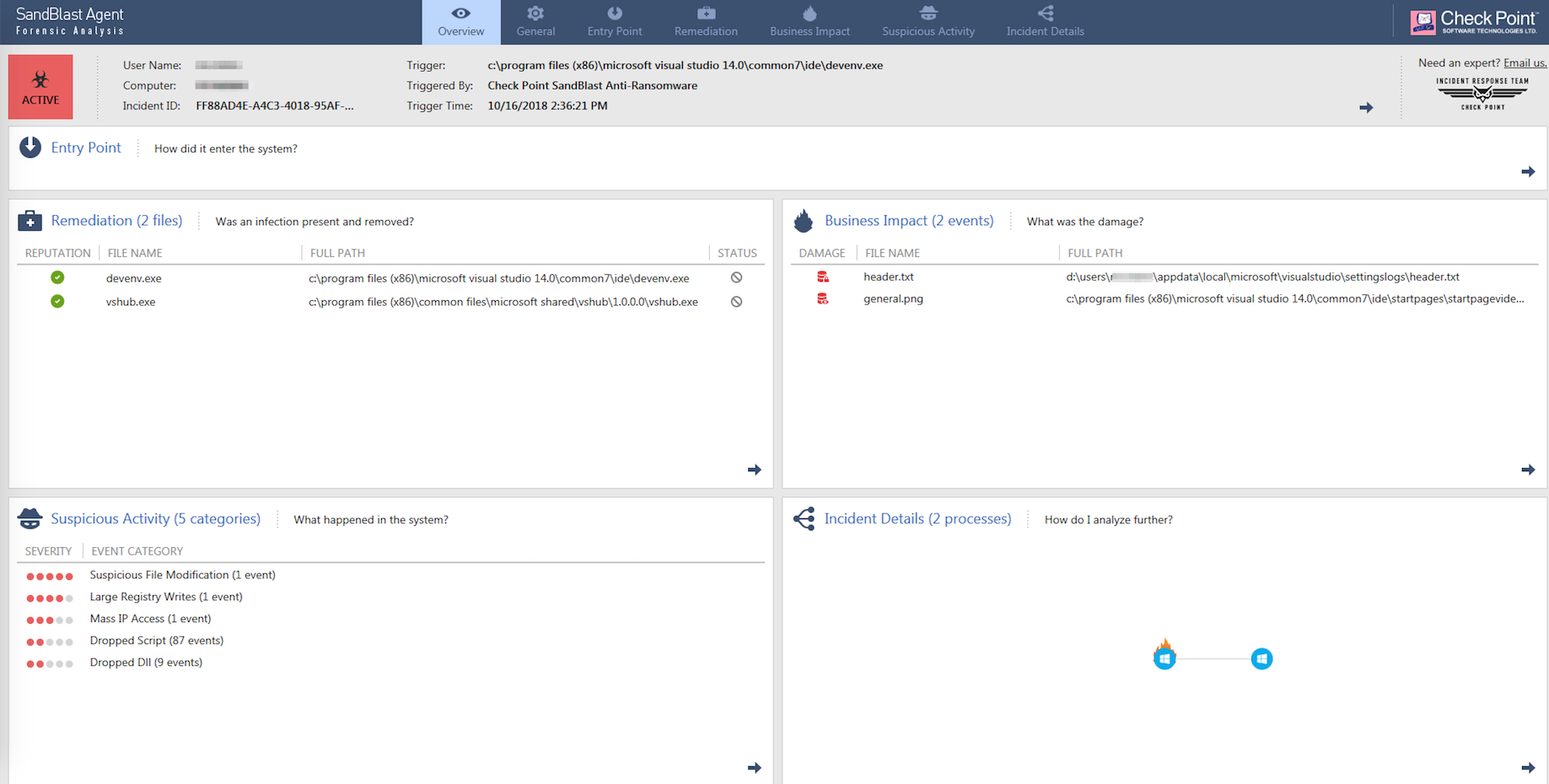
Good Morning. We have a customer running one of the latest endpoint deployments. The client is at 80.83.xxx. Regular users have no problem, but developers have problems when they go to deploy code or do "things" in Visual Studio. They are getting a false positive pop up from Anti-Ransomeware. At times it freezes/crashes the VS app, other times it completes. Every time though its causing help-desk calls and its getting visible. Specifically c:/program files (x86)\microsoft visual studio 14.0\common7\ide\devenv.exe is the trigger. Is there a way to eliminate or explicitly trust this executable? There is another exe that I need to do as well which is vshub.exe.
Thanks in advance for your time. I'm attaching the overview for your reference.
Paul
Did you already try to use a whitelist for TP following Threat Prevention Administration Guide R80.20 p.110f ?
I did not because my question is geared towards endpoint management, not firewall or network management. Your guide is talking about gateway management unless I'm mistaking.
Thanks,
Paul
That is true - for Endpoint Server, the procedure is given in e.g. Endpoint Security Administration Guide R77.30.03 Management Server p.182:
To configure trusted processes:
1. In the Properties of the Scan all files on Access Action, click Add.
2. In the Trusted Processes window, enter the fully qualified path or an environment variable for the trusted executable file. For example:
• C:\Program Files\MyTrustedDirectory\MyTrustedProgram.exe
• %programdata%\MyTrustedProgram.exe
3. Click OK.
The trusted program shows in the Trusted Processes list.
Hi Paul
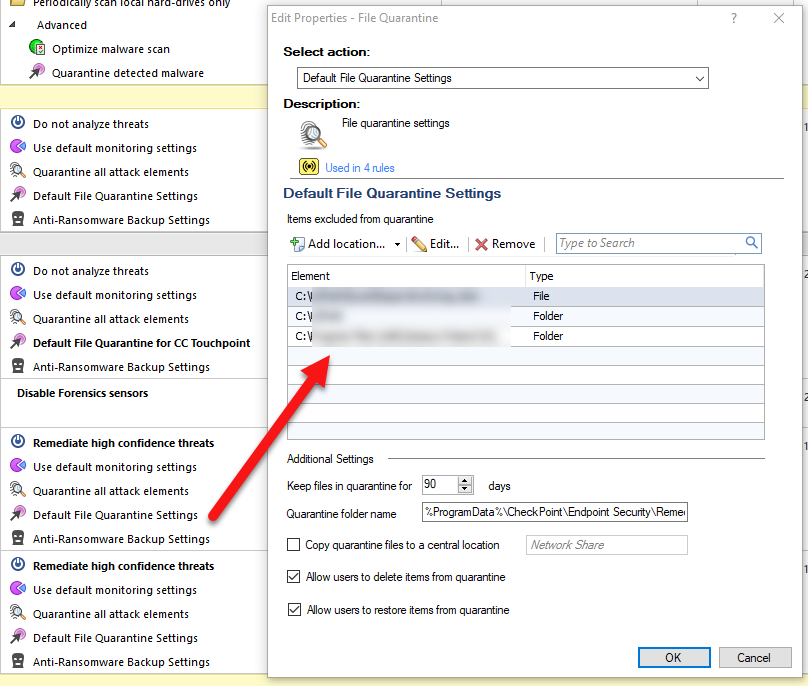
We made a rule that excluded the path to the development.
We got a rpa server calling powershell scripts and everytime it was called the anti-ransomware blade triggered and deleted the script.
So we were recommended to create a rule in the endpoint mgmt server that would bypass the path to the script for the given server.
So create a rule which include your development server and bypass the Application and it working directory.
You might also do this for the folders were you compile codes into executeble files.
By the way. Latest stable version is e80.87 but as I recall there shouldnt be any difference between the versions in regards to handling the issue you are mention in your question.
Hope this would help
Best regards
Kim
example of exclude folder/file on the antiransomeware blade for the endpoint.

To exclude a process from monitoring:
Awesome Dameon. Thanks much!
Leaderboard
Epsum factorial non deposit quid pro quo hic escorol.
| User | Count |
|---|---|
| 20 | |
| 20 | |
| 16 | |
| 8 | |
| 7 | |
| 3 | |
| 3 | |
| 3 | |
| 3 | |
| 3 |
Fri 12 Dec 2025 @ 10:00 AM (CET)
Check Mates Live Netherlands: #41 AI & Multi Context ProtocolTue 16 Dec 2025 @ 05:00 PM (CET)
Under the Hood: CloudGuard Network Security for Oracle Cloud - Config and Autoscaling!Fri 12 Dec 2025 @ 10:00 AM (CET)
Check Mates Live Netherlands: #41 AI & Multi Context ProtocolTue 16 Dec 2025 @ 05:00 PM (CET)
Under the Hood: CloudGuard Network Security for Oracle Cloud - Config and Autoscaling!About CheckMates
Learn Check Point
Advanced Learning
YOU DESERVE THE BEST SECURITY