- Products
- Learn
- Local User Groups
- Partners
- More

MVP 2026: Submissions
Are Now Open!
What's New in R82.10?
10 December @ 5pm CET / 11am ET
Announcing Quantum R82.10!
Learn MoreOverlap in Security Validation
Help us to understand your needs better
CheckMates Go:
Maestro Madness
Hello Guys,
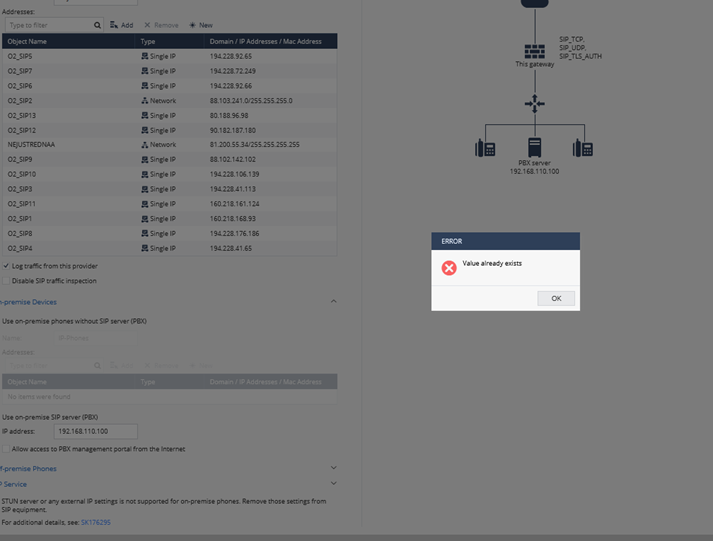
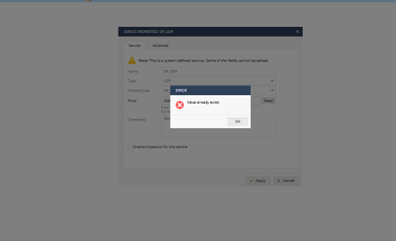
I am seeking advice for two 1600 HA locally managed cluster appliances. The customer was trying to configure SIP over the firewall but some bug in the config started that any change in the VoIP page I mean ANY is not possible, there is always an error and SIP inspection is not working.
We are struggling with that for three months and two TAC tickets as it was resolved one time partially with R80.20.40 firmware but the issue is back even with R81 firmware. R&D replicated config(CPINFO) in the lab and there were no such issues.
My question is: Does help if we reset one appliance, upgrade it and put back config? Or the bug is probably in the DB of the appliance and backup will not help.
Is it possible to restore config from CLI commands only? If yes, where is text file of this config or how to save it to a file from CLISH?
Many Thanks
Sounds similar to an older bug sk109403 please share your SR with me in private if you have an ongoing case.
Was a backup (not CPinfo) of the appliance provided to TAC at all?
no only CPINFO was shared.
TAC and R&D requested only CPINFO.
I would suggest to go back to a firmware version where the issue is partly resolved. Found sk109403 but that is only for R77.20.xx and R75.20.xx. CLI config backup/restore is explained here: Configuration transfer between different SMB models
Thanks for the link.
Back to my question
My question is: Does help if we reset one appliance, upgrade it and put back config? Or the bug is probably in the DB of the appliance and backup will not help.
or at least restore config from CLI?
Just make sure to save current config by running from expert command as in -> clish -c "show configuration" > /var/log/configAugust82022.txt
Then, once reset, you can copy it back I think by running from clish load configuration filename path.
I did the restoration of Backup to the fresh appliance, no luck, errors are still there.
What made me crazy was that putting CLI config back is nightmare, we have 7000 lines of config and there are a lot of errors like this
add net-obj name "194.228.224.194" type "single" exclude-from-dhcp "on" dhcp-reserve-ip-addr-to-mac "off" mac-reserved-in-dhcp "off" dns-resolving "true" ipv4-address "194.228.224.194"
Could not set host: Invalid object name. Name should begin with a letter and contain up to 32 alphanumeric (0-9, a-z, _ ~ - .) characters without spaces
same with application, you have to edit all this kind of things manualy
add application application-name "*sec.tunnel.com" category "General" regex-url "false" application-url ".sec.tunnel.com"
Also need to mention that I am missing static routes in CLI config at all.
Leaderboard
Epsum factorial non deposit quid pro quo hic escorol.
| User | Count |
|---|---|
| 4 | |
| 2 | |
| 2 | |
| 2 | |
| 1 | |
| 1 | |
| 1 |
Fri 12 Dec 2025 @ 10:00 AM (CET)
Check Mates Live Netherlands: #41 AI & Multi Context ProtocolTue 16 Dec 2025 @ 05:00 PM (CET)
Under the Hood: CloudGuard Network Security for Oracle Cloud - Config and Autoscaling!Fri 12 Dec 2025 @ 10:00 AM (CET)
Check Mates Live Netherlands: #41 AI & Multi Context ProtocolTue 16 Dec 2025 @ 05:00 PM (CET)
Under the Hood: CloudGuard Network Security for Oracle Cloud - Config and Autoscaling!About CheckMates
Learn Check Point
Advanced Learning
YOU DESERVE THE BEST SECURITY