- Products
- Learn
- Local User Groups
- Partners
- More

AI Security Masters
E1: How AI is Reshaping Our World
MVP 2026: Submissions
Are Now Open!
What's New in R82.10?
Watch NowOverlap in Security Validation
Help us to understand your needs better
CheckMates Go:
Maestro Madness
Hi mates,
Is there any way to see end-users connected via CLI in a 1570 appliance?
Thanks in advance
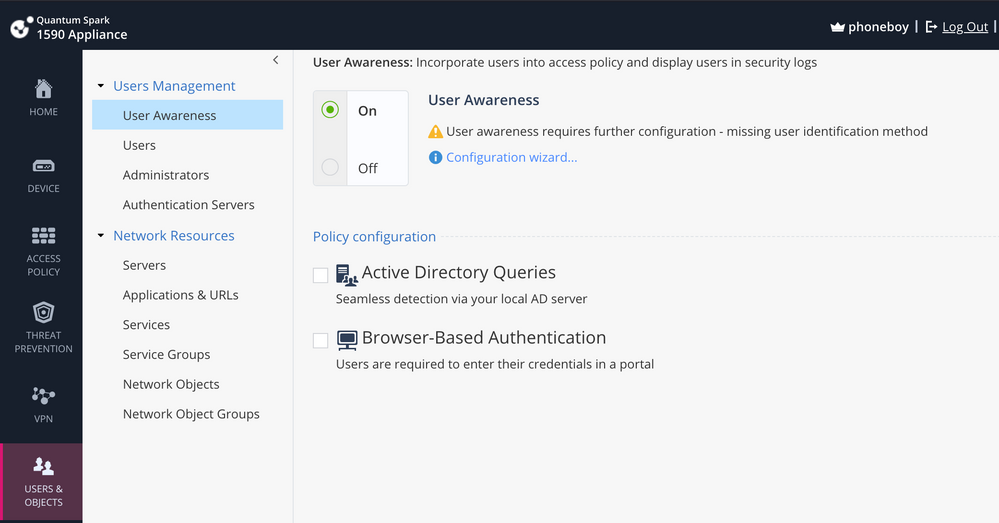
It's what allows you to associate IP addresses to usernames and requires a connection to your Active Directory server.
You configure it here:
Unfortunately, the only method supported on the SMB appliances currently is ADQuery, which may not work if your AD servers have recently been patched.
Refer to: https://community.checkpoint.com/t5/Security-Gateways/WMI-Permission-denied-From-this-months-Windows...
Just to confirm are you asking about VPN users or Admins connected via SSH or something else?
Users connected to LAN or WIFI
Is Identity Awareness enabled?
No, could you tell me about that?
It's what allows you to associate IP addresses to usernames and requires a connection to your Active Directory server.
You configure it here:
Unfortunately, the only method supported on the SMB appliances currently is ADQuery, which may not work if your AD servers have recently been patched.
Refer to: https://community.checkpoint.com/t5/Security-Gateways/WMI-Permission-denied-From-this-months-Windows...
Try this one (I assume you mean VPN clients):
vpn tu tlist
vpn tu -t tlist
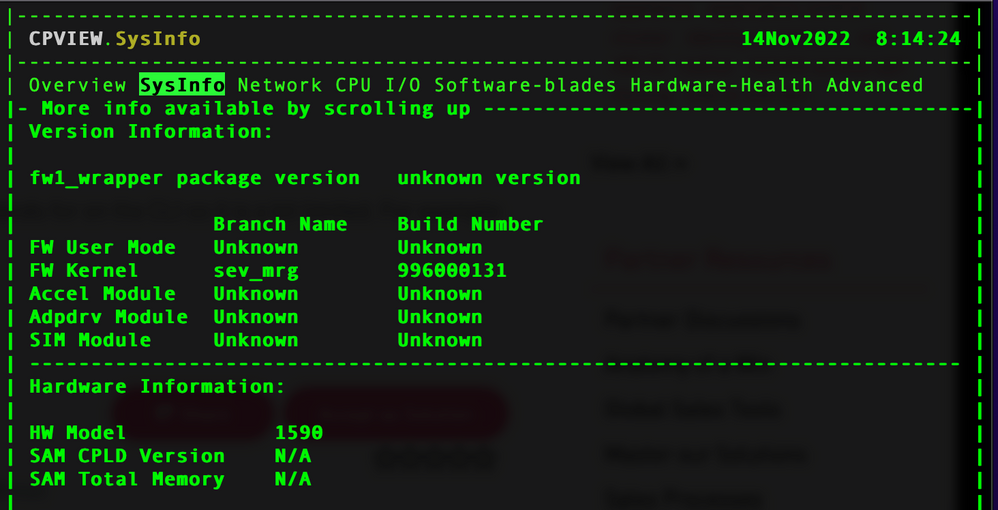
To be honest I would recommend the web interface. GAIA embedded has less commands for on the CLI so it is a bit limited. For example you cannot run cpview.
cpview is available on SMB appliances with R81.10 firmware:
Not sure if information about connected VPN users is there.
Hi,
sorry, I mean users connected to LAN or WIFI. Thanks for the tip
Use WebGUI - not CLI...
Hi,
It is a specific need to do it through the CLI to run it with a troubleshooting script. Shouldn't it be possible to do it if it's also done via GUI?
Thanks for your help
I think the scripting used for GUI can read details that are not directly available as commands in clish / bash. This would be a RFE...
If you have Identity Awareness enabled, you can use the various CLI commands to query said database (for example adlog a query all).
These are for regular gateways but the commands here should also work on the SMB appliances in expert mode: https://sc1.checkpoint.com/documents/R81.10/WebAdminGuides/EN/CP_R81.10_IdentityAwareness_AdminGuide...
Leaderboard
Epsum factorial non deposit quid pro quo hic escorol.
| User | Count |
|---|---|
| 5 | |
| 2 | |
| 2 | |
| 2 | |
| 1 | |
| 1 | |
| 1 |
Tue 16 Dec 2025 @ 05:00 PM (CET)
Under the Hood: CloudGuard Network Security for Oracle Cloud - Config and Autoscaling!Thu 18 Dec 2025 @ 10:00 AM (CET)
Cloud Architect Series - Building a Hybrid Mesh Security Strategy across cloudsTue 16 Dec 2025 @ 05:00 PM (CET)
Under the Hood: CloudGuard Network Security for Oracle Cloud - Config and Autoscaling!Thu 18 Dec 2025 @ 10:00 AM (CET)
Cloud Architect Series - Building a Hybrid Mesh Security Strategy across cloudsThu 08 Jan 2026 @ 05:00 PM (CET)
AI Security Masters Session 1: How AI is Reshaping Our WorldAbout CheckMates
Learn Check Point
Advanced Learning
YOU DESERVE THE BEST SECURITY