- Products
- Learn
- Local User Groups
- Partners
- More

MVP 2026: Submissions
Are Now Open!
What's New in R82.10?
10 December @ 5pm CET / 11am ET
Announcing Quantum R82.10!
Learn MoreOverlap in Security Validation
Help us to understand your needs better
CheckMates Go:
Maestro Madness
Hi All,
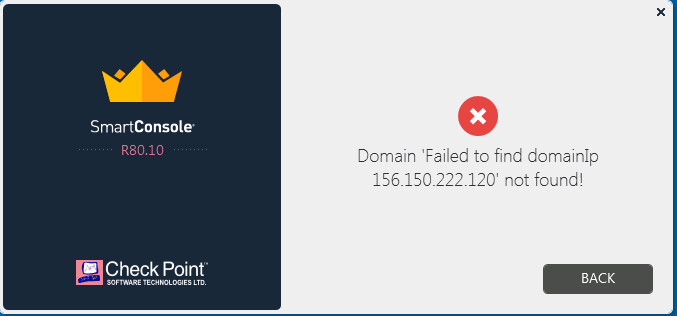
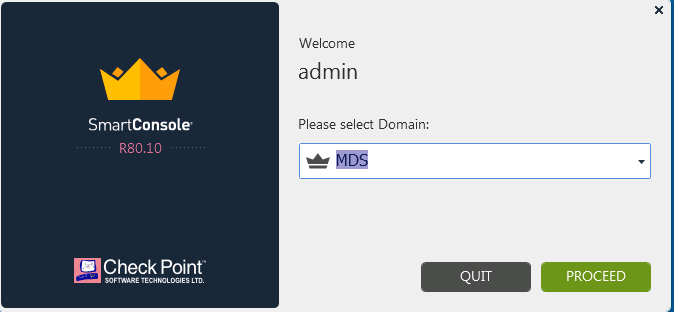
We have newly built setup of MDS server (Smart-1 5150) running with R80.10 with latest JumboHotfix. I can ssh and https, but can't access it via Smart Console. when I try to open it, I receive below error
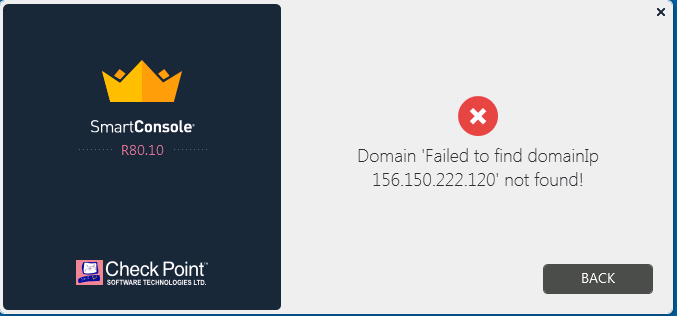
"Domain Failed to find domainIp
<IP_Address> not found."
Can anyone help to resolve this issue?
Thanks,
Arvind
Finally I raised a TAC case and they provided a solution for it. Actually when I changed the Leading IP via mdsconfig, it didn't update all the directory. Below are the steps I performed on new MDS
# $MDSDIR/bin/mdscmd change-mds-ip <Old IP address> <New IP address> ipv4 -x
For example, to change the IP from 192.168.1.1 to 10.1.1.1, run:
# $MDSDIR/bin/mdscmd change-mds-ip 192.168.1.1 10.1.1.1 ipv4 -x
Then run below psql queries and check in mdss.txt and cpnetwork.txt that new IP is updated on the MDS object in database:
#psql_client -c "select fwset from dleobjectderef_data where cpmitable='mdss' and not deleted and dlesession=0" -o mdss.txt cpm postgres
#psql_client -c "select name, ipaddress4 from cpnetworkobject_data where not deleted and dlesession=0" -o cpnetwork.txt cpm postgres
So you use R80.10 Jumbo Take 225 with SmartConsole package Build 137 ?
Can you trying changing the Mgmt Interface back just to see if login is successful?
Finally I raised a TAC case and they provided a solution for it. Actually when I changed the Leading IP via mdsconfig, it didn't update all the directory. Below are the steps I performed on new MDS
# $MDSDIR/bin/mdscmd change-mds-ip <Old IP address> <New IP address> ipv4 -x
For example, to change the IP from 192.168.1.1 to 10.1.1.1, run:
# $MDSDIR/bin/mdscmd change-mds-ip 192.168.1.1 10.1.1.1 ipv4 -x
Then run below psql queries and check in mdss.txt and cpnetwork.txt that new IP is updated on the MDS object in database:
#psql_client -c "select fwset from dleobjectderef_data where cpmitable='mdss' and not deleted and dlesession=0" -o mdss.txt cpm postgres
#psql_client -c "select name, ipaddress4 from cpnetworkobject_data where not deleted and dlesession=0" -o cpnetwork.txt cpm postgres
Leaderboard
Epsum factorial non deposit quid pro quo hic escorol.
| User | Count |
|---|---|
| 22 | |
| 15 | |
| 11 | |
| 7 | |
| 6 | |
| 5 | |
| 4 | |
| 4 | |
| 4 | |
| 4 |
Fri 12 Dec 2025 @ 10:00 AM (CET)
Check Mates Live Netherlands: #41 AI & Multi Context ProtocolTue 16 Dec 2025 @ 05:00 PM (CET)
Under the Hood: CloudGuard Network Security for Oracle Cloud - Config and Autoscaling!Fri 12 Dec 2025 @ 10:00 AM (CET)
Check Mates Live Netherlands: #41 AI & Multi Context ProtocolTue 16 Dec 2025 @ 05:00 PM (CET)
Under the Hood: CloudGuard Network Security for Oracle Cloud - Config and Autoscaling!Thu 18 Dec 2025 @ 10:00 AM (CET)
Cloud Architect Series - Building a Hybrid Mesh Security Strategy across cloudsAbout CheckMates
Learn Check Point
Advanced Learning
YOU DESERVE THE BEST SECURITY