In this series, we will show examples of using layers in R80.10 Management and Gateways.
Every week we will post a new layer design pattern.
Reminder…
A layer is a set of rules, or a rule-base. You can separate your R80.10 policies into smaller building blocks, and gain:
- A clearer view of your security policy
- Different permission levels
- New ways of controlling access control.
Layers can work in different ways:
- Ordered layers
- Inline layers
Please see the following article regarding the enforcement of both options: Layers in R80
Pattern #1: Inspect additional content
Motivation:
R80.10 allows you for the first time to unify your networking, applications, and content within the same rule-base. However, you might still want to separate the different inspections to smaller layers:
- Ease of management: if the end goal is to separate a policy to smaller building blocks based on a separation criteria, one option for such separation criteria is the security function (networking vs. applications vs. content).
- If you are an upgrading user, your policy will not become unified until you change it. With R80.10 it will use ordered layers by default, because that's been the enforcement with pre-R80 gateways (see: How do I create an Access Policy for Pre-R80 GWs? ).
- Performance reasons: inspecting the data that passes through files, could take longer than stopping at the service-level. A rule-base has a first-match approach. Therefore, in order to make sure that the gateway does not perform deeper inspections before matching a networking-only rule, we can place deeper inspection rules in layers that get evaluated after matching on simpler rules.
- Reuse: Is your application control set exactly the same across all your security policies? Now you can share this layer and use the same instance.
Before:
Let's see a typical pre-R80 policy after it's upgraded to an R80.10 management:
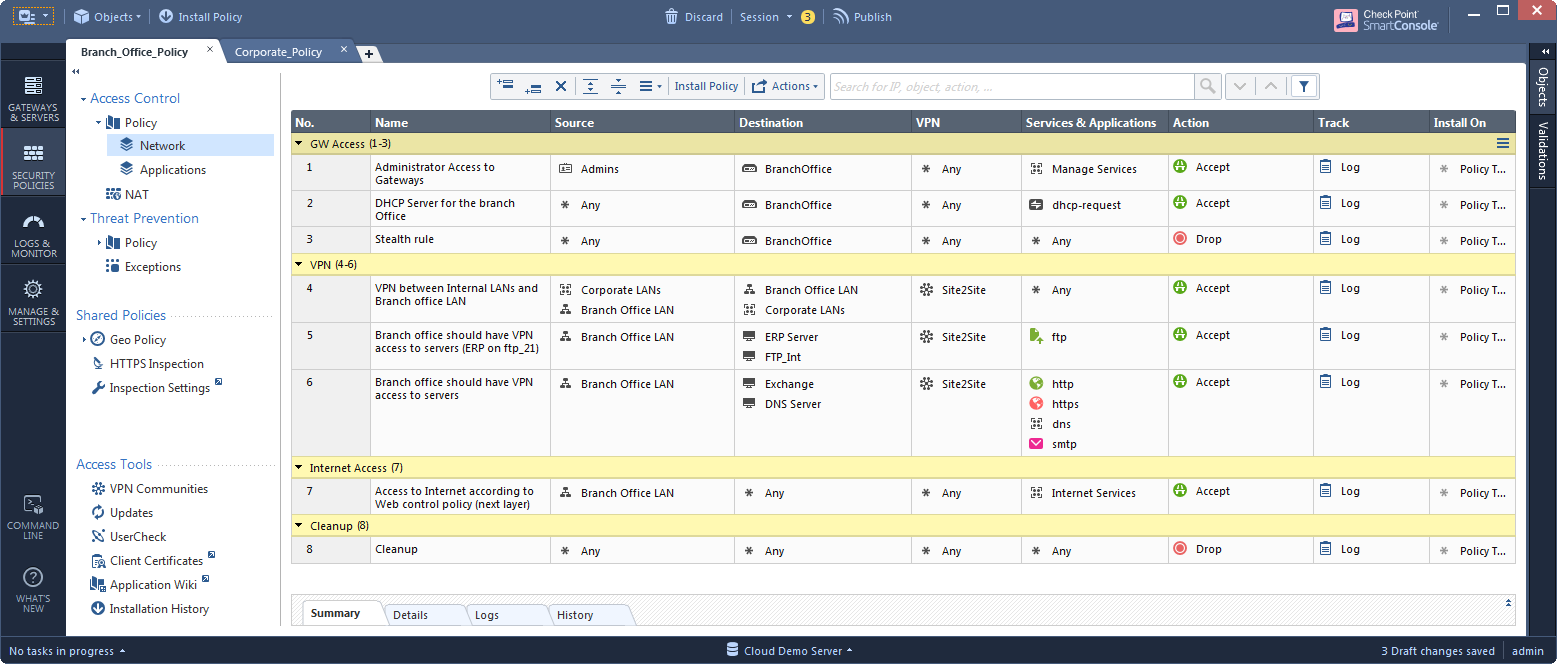
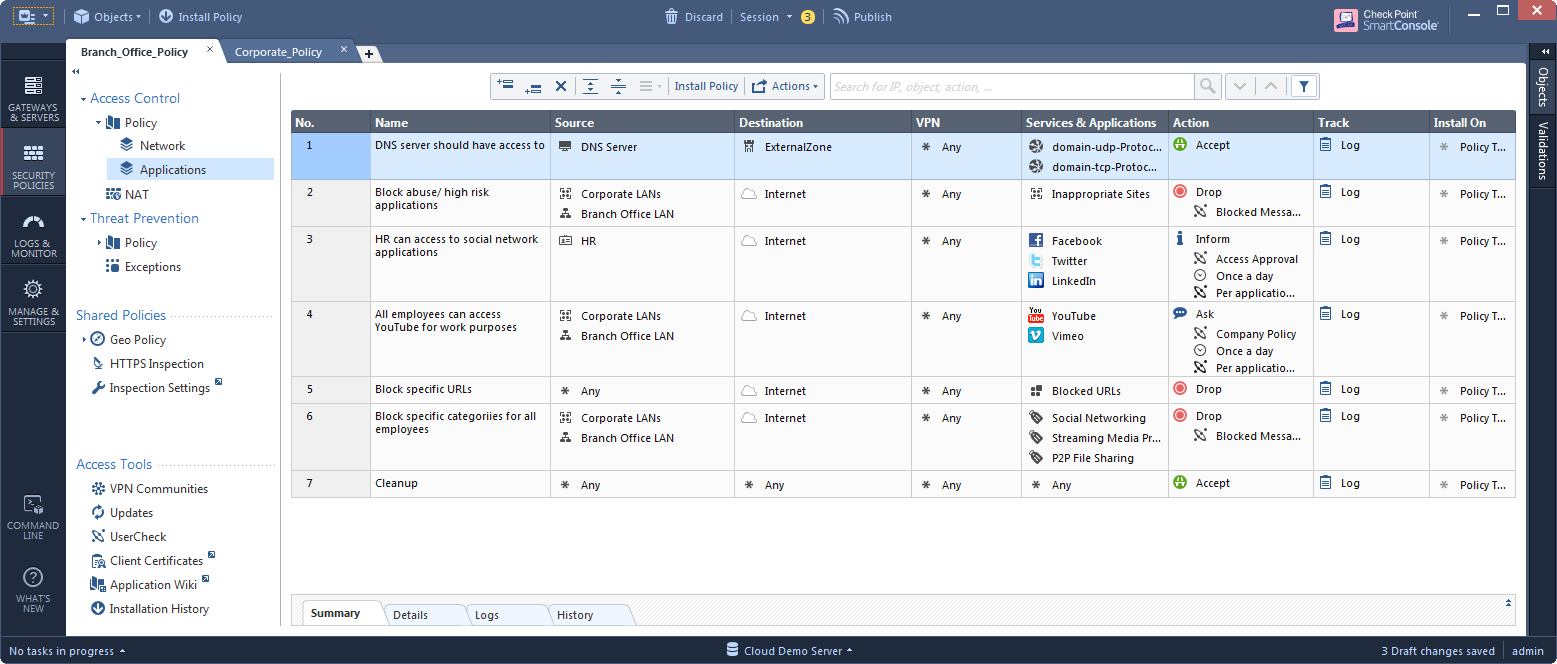
Implementation A:
Let's say that we want to see all our rules in one place, and not to jump between the Network and the Application views. But we are still not sure about unifying them into one layer. The easiest step that we can do is:
1. Enable "sharing" on the Applications layer:
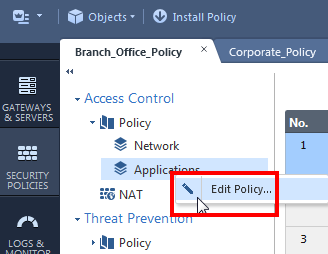
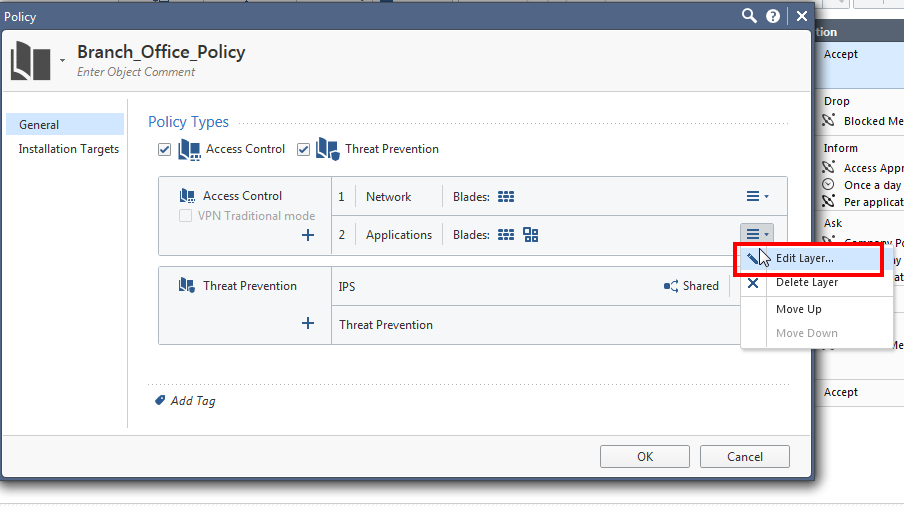
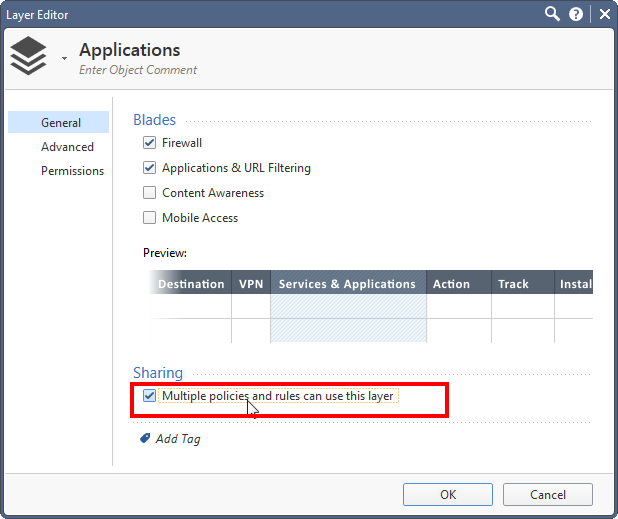
2. Still in the policy editor, remove the Application layer from the policy ordered layers:
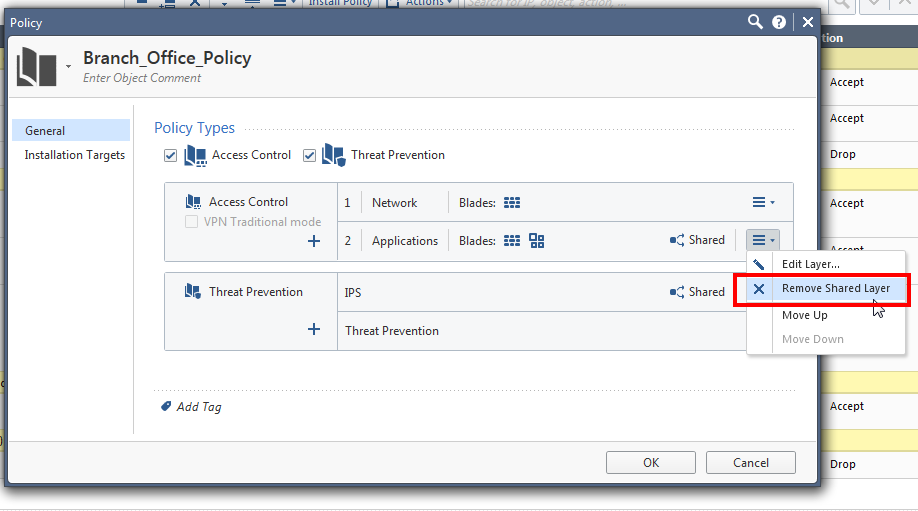
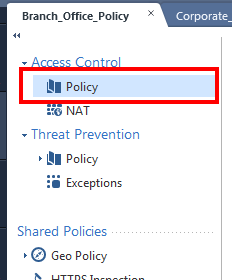
At this point, your policy is composed of a single layer, so instead of a tree, it is simply one "Policy" view.
3. Identify the Internet-facing rules that have their action as “accept”:
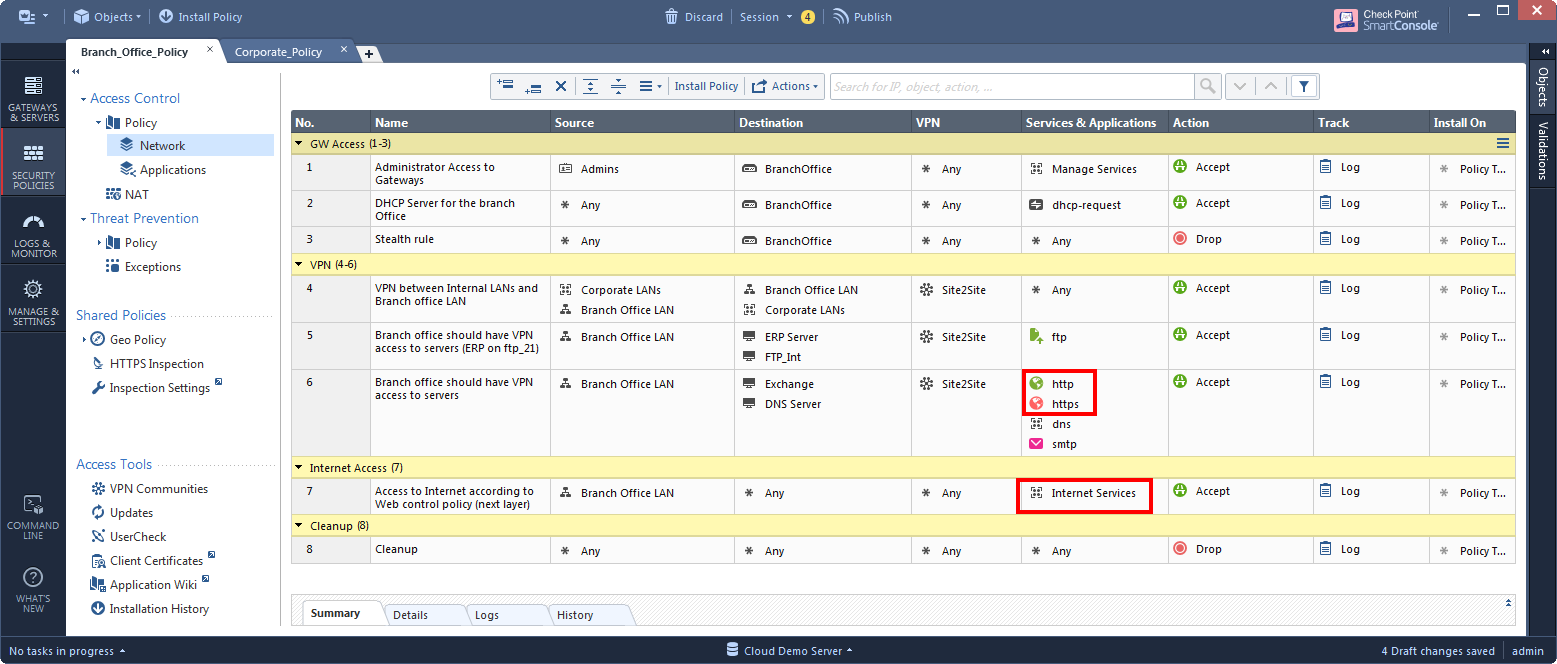
4. For each rule from step 3, change its action from "accept" to the Applications layer.

Now the Application layer is be used as an inline layer.
After:
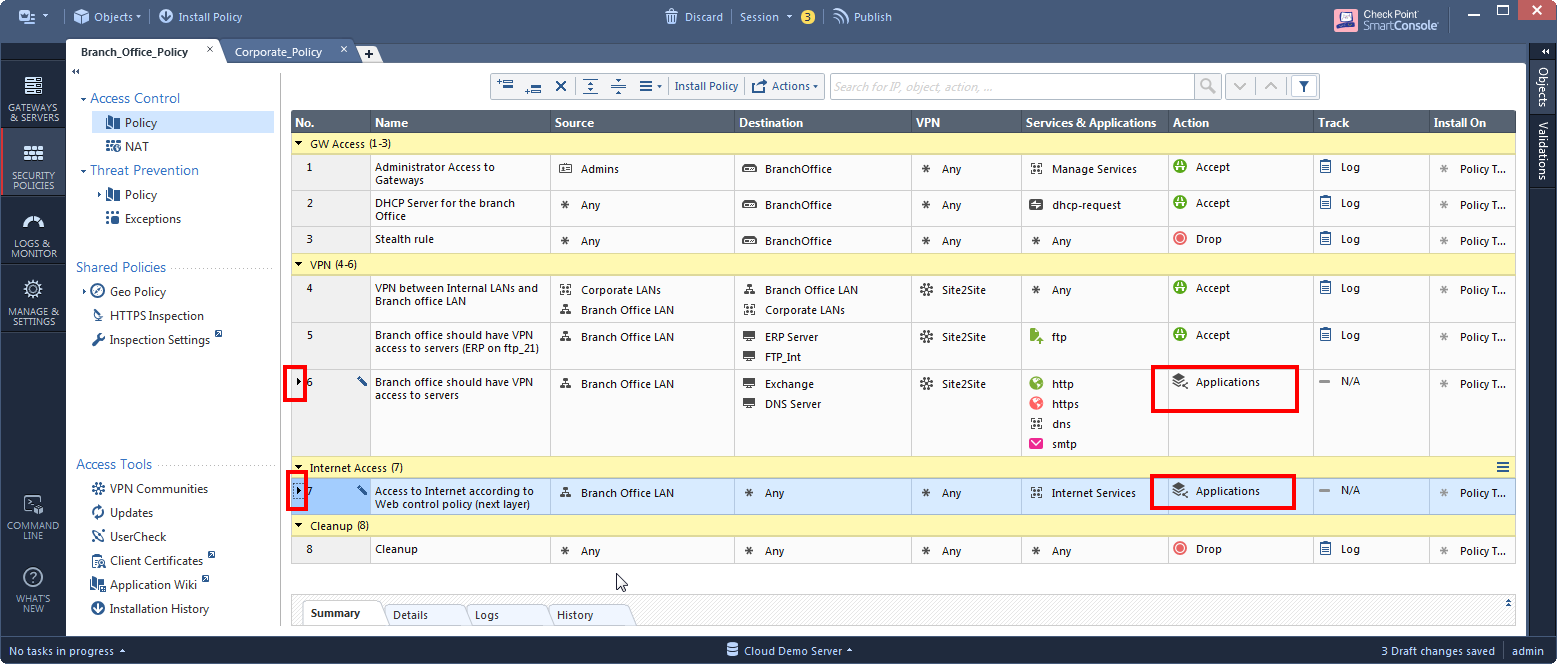
Implementation B:
What if we have so many Internet-facing rules, that make the inline layer appear under so many rules that it looks more complex than before? Or worse, what if the Internet-facing rules are not so clearly defined?
Adding an ordered layer for every additional inspection of a blade could make sense. With the introduction of Content Awareness, we could continue to separate our policy to ordered layers:
After:
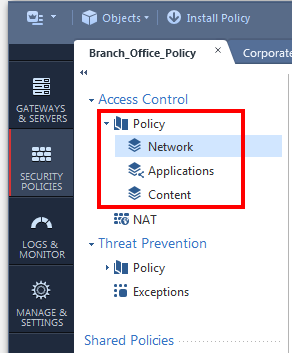
Q: are we multiplying the inspections for all the rules when we add an ordered layer?
Enforcement with ordered layers is executed on the gateway in a way that does not add a performance impact with every new layer.
It is more likely that a large number of ordered layers will be harder to manage by the admin, before any performance impact will kick in (imagine that "Tree" of Access Control Policy composed of over 10 ordered layers.. Maybe not the best visibility).
Q: my networking layer has 40% non-Internet rules. Isn't it redundant to include an application ordered layer that will be inspected for all of its rules?
Please note that although on first glance it looks like the next ordered layer’s rules are inspected in any case, applications are actually only inspected when specific protocols are identified. So in this example, a rule from the first layer that does not use a web-browsing service, will not get a performance impact by the Applications ordered layer:
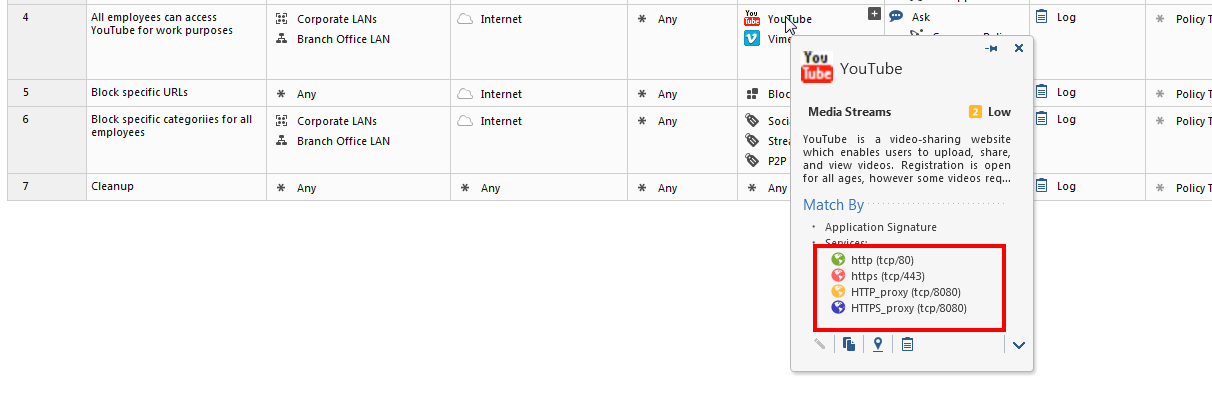
We also recommend to always limit the source and destination of every rule. In this example, all the rules in the Applications layer have the Internet as the destination except for the last rule. Therefore, traffic that gets accepted in the first layer and does not go to the Internet, will only get matched in the last "clean-up rule", which in this case is "accept". Because this rule does not contain applications (or any of the “detailed log” options), this match will happen without inspecting any applications.
In our next layer design patterns, we will demonstrate separating a policy to layers based on different criteria's.