- Products
- Learn
- Local User Groups
- Partners
- More

MVP 2026: Submissions
Are Now Open!
What's New in R82.10?
Watch NowOverlap in Security Validation
Help us to understand your needs better
CheckMates Go:
Maestro Madness
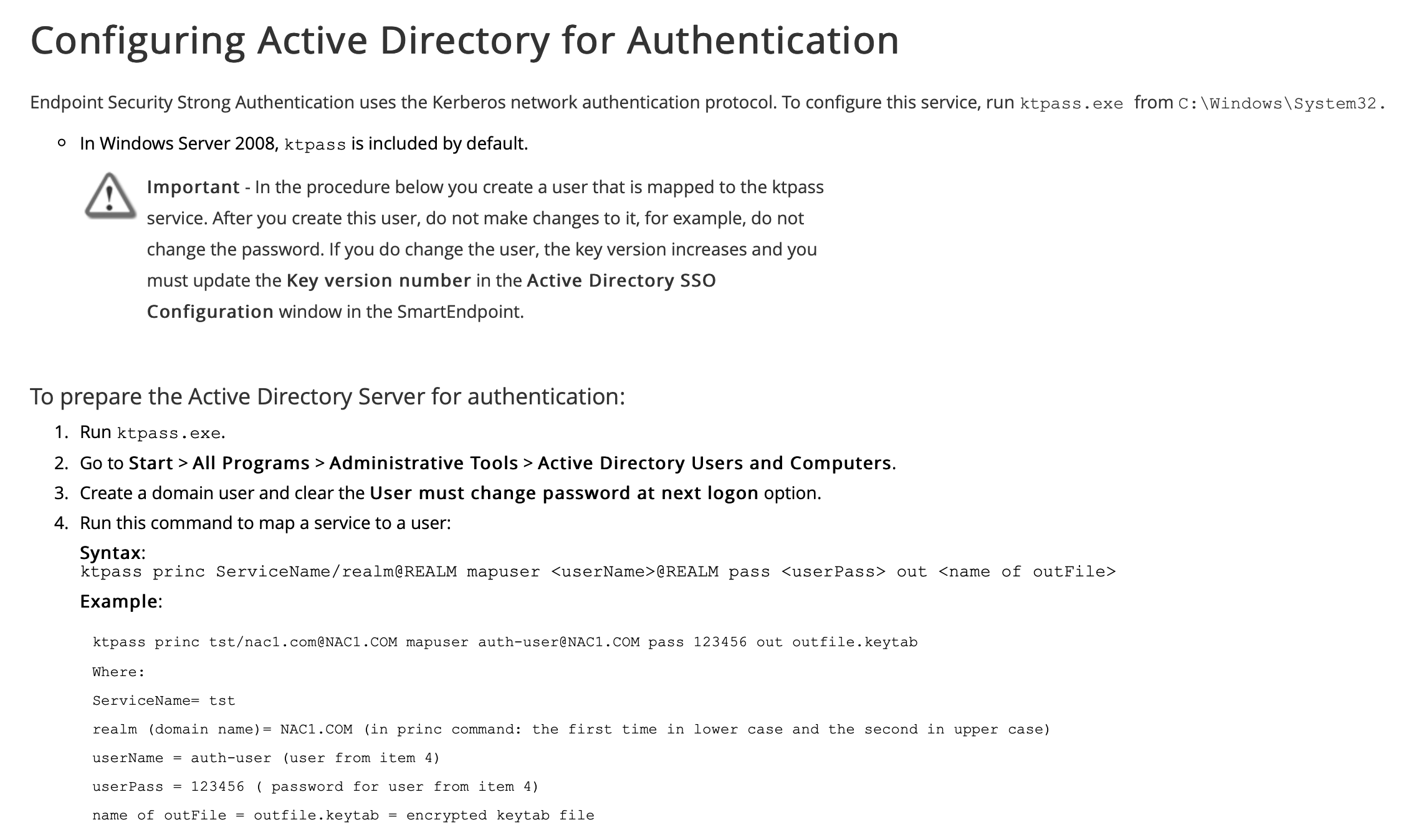
From the Endpoint Security Management Server R80.20 Administration Guide there's a process to get AD ready for kerberos authentication which looks like:

Running this on Server 2016 doesn't work as the command errors out with the following:
Targeting domain controller: domaincontroller.domain.com
Failed to retrieve values for property ?????????: 0x10.
Failed to set property 'servicePrincipalName' to 'cpepauthsrv/domain.com' on Dn 'CN=Check Point Endpoint Authentication,OU=Service Accounts,DC=domain,DC=com': 0x32.
WARNING: Unable to set SPN mapping data.
If cpepauth already has an SPN mapping installed for cpepauthsrv/domain.com, this is no cause for concern.
Failed to retrieve user info for cpepauth: 0x5.
Aborted.
What needs changing in order to make this work on Server 2016?
TIA
Best to open a TAC case on this.
Cheers Dameon. SR raised.
As KTPASS is a Microsoft tool, I strongly suggest consulting with Microsoft support regarding this matter.
Then again, considering that Endpoint apparently needs this to be working, it's certainly an idea for this issue to be flagged up in this community so that we can share the solution, isn't it? Fobbing it off as "a Microsoft issue" doesn't really cure the problem or help anyone else who has the same problem...
To add further clarification, it looks like Server 2016 needs more parameters than detailed in the Admin Guide so knowing what they need to be might be helpful...
My point was to get details from Microsoft as it can be much faster for the direct customer.
We will contact the development team for clarifications regarding this matter too.
No problem.
I do think there's a simple solution, though. I've added this on to the sk but it seems that UAC could be causing the problem on Server 2016. Running the following command:
ktpass /princ cpepauthsrv/cpepauth.domain.com@DOMAIN.COM /mapuser cpepauth@DOMAIN.COM /pass C00l!Password /out cpepauth.keytab
under a command prompt which had been executed with the option "Run as Administrator" generated the following output:
Targeting domain controller: Dc1.domain.com
Successfully mapped cpepauthsrv/cpepauth.domain.com to cpepauth.
Password successfully set!
WARNING: pType and account type do not match. This might cause problems.
Key created.
Output keytab to cpepauth.keytab:
Keytab version: 0x502
keysize 85 cpepauthsrv/cpepauth.domain.com@DOMAIN.COM ptype 0 (KRB5_NT_UNKNOWN) vno 4 etype 0x17 (RC4-HMAC) keylength 16 (0x95352e2ef03ebd4a5de4c2a922432bc1)
which follows the output of the Admin Guide more closely.
Note that the switch format in the command with the preceding '/' was taken from a Microsoft TechNet article.
First of all, thank you for your time to check this.
The found changes in command and requirement to use elevated command prompt looks legit to us.
We checked with the development team regarding this - and they have confirmed that after applying the above changes, authentication should work properly.
Warning from the output of the ktpass command should be ignored.
Leaderboard
Epsum factorial non deposit quid pro quo hic escorol.
| User | Count |
|---|---|
| 16 | |
| 15 | |
| 7 | |
| 5 | |
| 5 | |
| 5 | |
| 4 | |
| 4 | |
| 4 | |
| 4 |
Tue 16 Dec 2025 @ 05:00 PM (CET)
Under the Hood: CloudGuard Network Security for Oracle Cloud - Config and Autoscaling!Thu 18 Dec 2025 @ 10:00 AM (CET)
Cloud Architect Series - Building a Hybrid Mesh Security Strategy across cloudsTue 16 Dec 2025 @ 05:00 PM (CET)
Under the Hood: CloudGuard Network Security for Oracle Cloud - Config and Autoscaling!Thu 18 Dec 2025 @ 10:00 AM (CET)
Cloud Architect Series - Building a Hybrid Mesh Security Strategy across cloudsAbout CheckMates
Learn Check Point
Advanced Learning
YOU DESERVE THE BEST SECURITY