- Products
- Learn
- Local User Groups
- Partners
- More

Step Into the Future of
AI-Powered Cyber Security
The State of Ransomware Q1 2026
Key Trends and Their Impact
AI Security Masters E8:
Claude Mythos: New Era in Cyber Security
Blueprint Architecture for Securing
The AI Factory & AI Data Center
Call For Papers
Your Expertise. Our Stage
CheckMates Go:
CheckMates Fest
Hi Everyone,
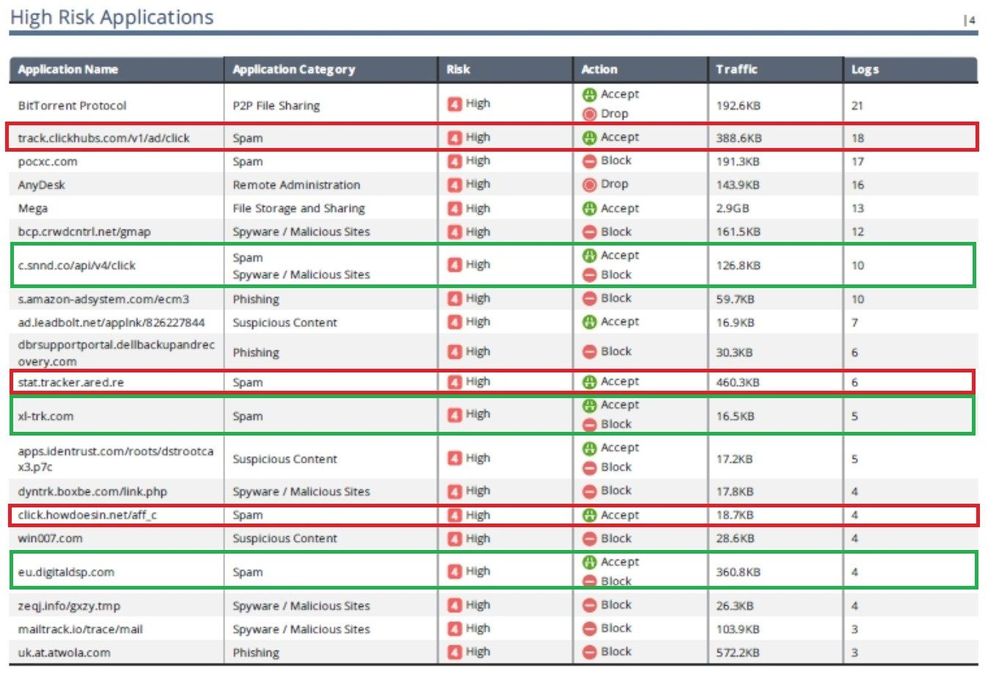
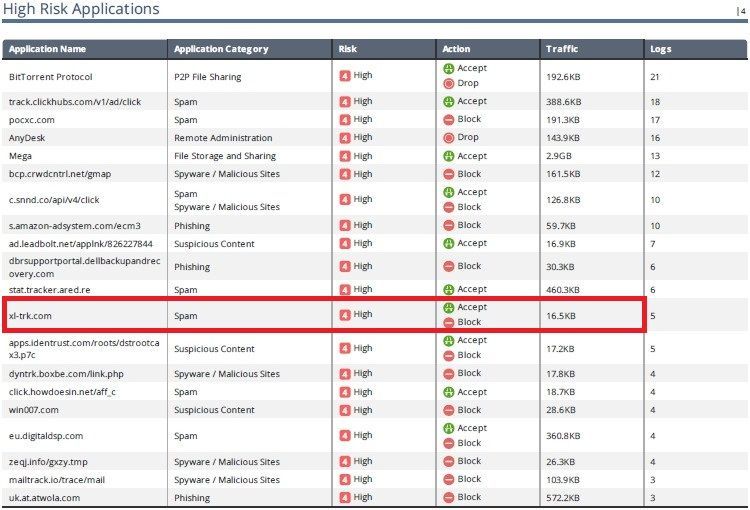
I'm doubting about the High-Risk Applications report was showing different action, although the application name was showing as the same category
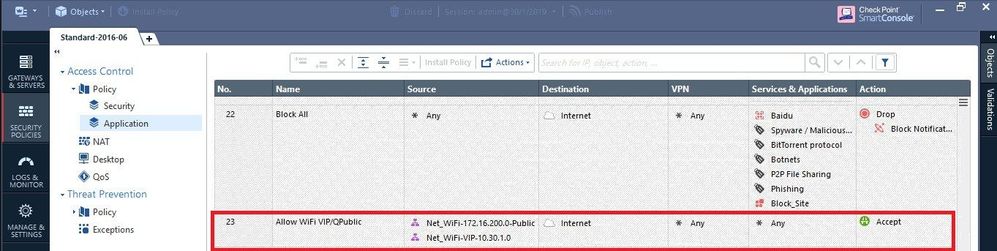
I have 2 highlights, one is the red margin and another one is the green margin. Look at the red margin is shown to accept but not blocking. but the green margin is to show status alternately ( accept then block ) but some only show block
Does anyone describe above to me?
Really appreciate every comment
Regards,
Sarm
You have different rules in your policy which allow the same URL/category for some user/source-ip and deny it for others. That's why it is reported that way.
Drill-Down to see the logs related to the entries and look on the matched rules!
Hi Norbert
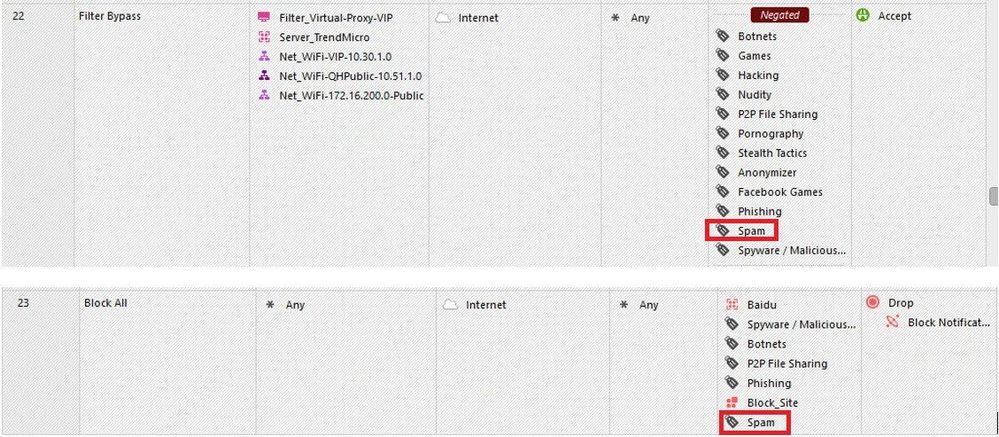
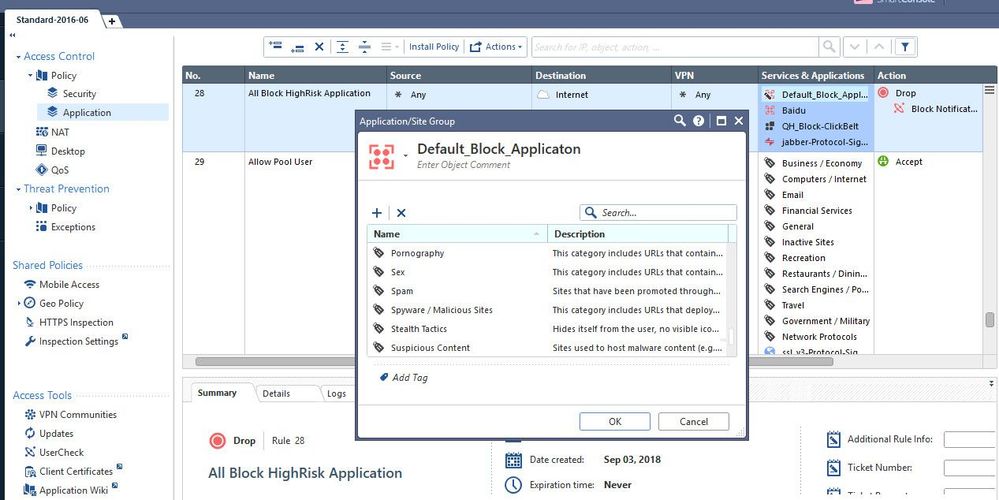
Look at rule no.22 and 23 these should be blocked spam, right?
Regards,
Sarm
Rule 22 is negated in application column, so this is not relevant for spam.
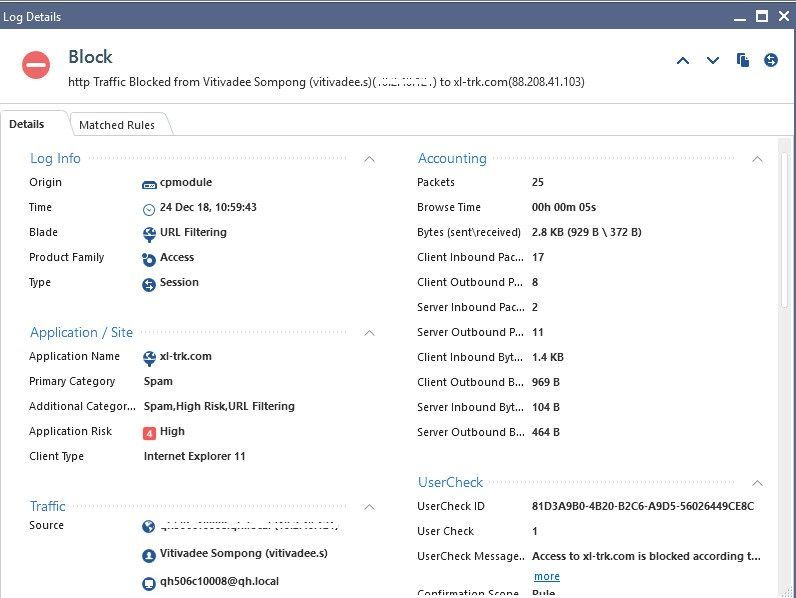
Please show details of the logs allowing or blocking the same destination traffic. Then I might be able to tell you why the action is different.
e.g. double-click this line in the view:
Hi Norbert
Okay, let me check if I can see the log entries that relevant spam in the reports due to that report was correct since Nov 2018 - Jan 2019
I will update two of you again.
By the way, Is there any way to filter out with application name in the log entries view?
Thank you.
Hi All,
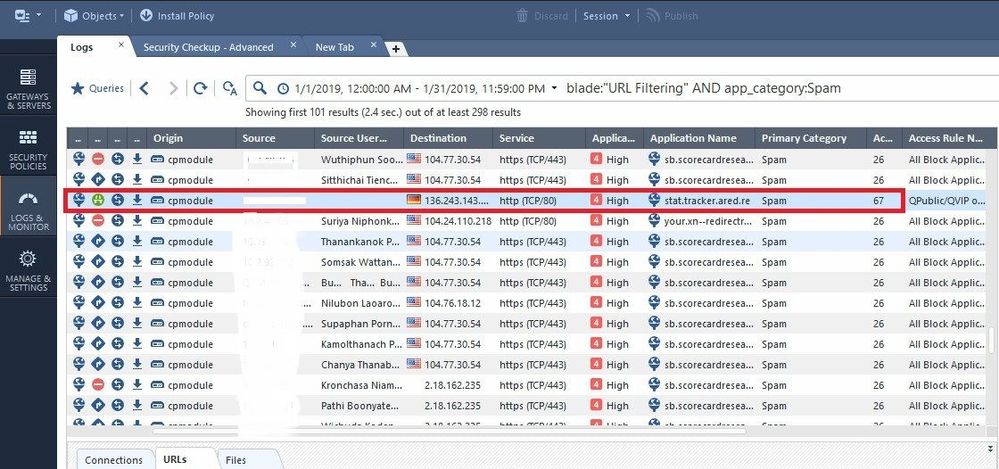
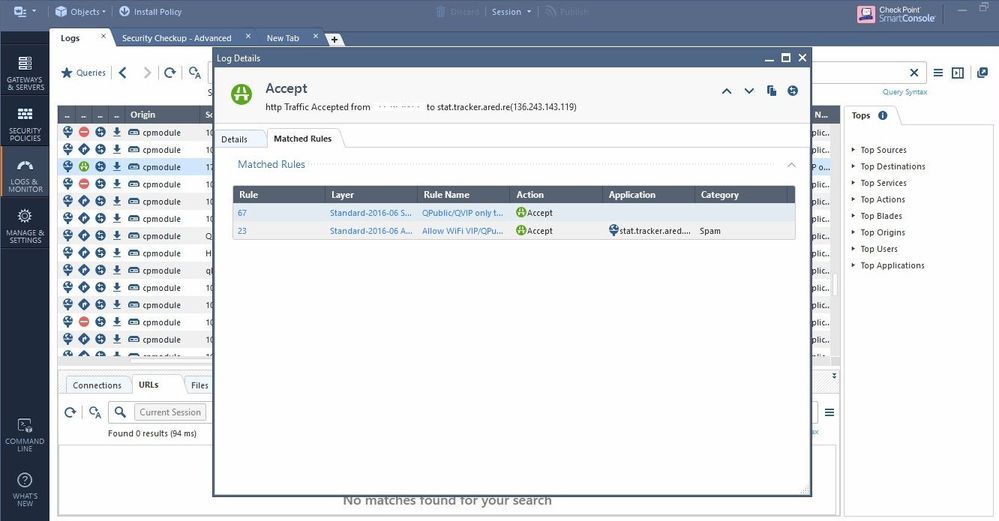
Please see the log entries that I was able to find some of them below.
For example, "stat.tracker.ared.re

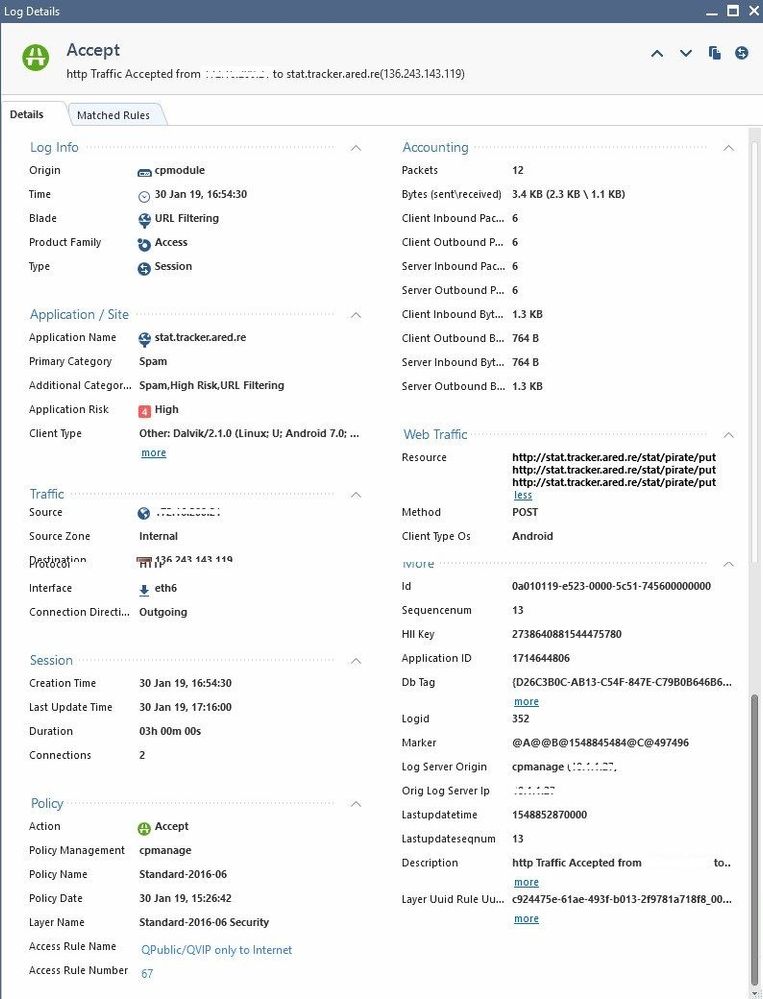
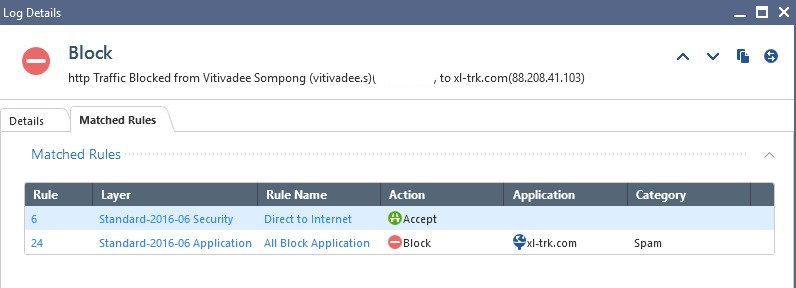
The rule matched on application layer was rule number 23, but it looks like it was a different then the one you showed with block. The rule name is different, it is „Allow WiFi VIP.....“.
Click the rule name in the log and you will get to the matching rule.
The logs you are showing are from 30 Jan 2019. The installed policy is from some hours earlier.
Today we had March 25. Maybee you changed something in the rulebase and as a result the shown rulenumbers doesn‘t match.
As the other checkmates members wrote, clicking the rule entry in the logs brings up the matching rules.
The rule UIDs are not changing over time, but the rule numbers at the beginning of a rule line.
Wolfgang
Hi All
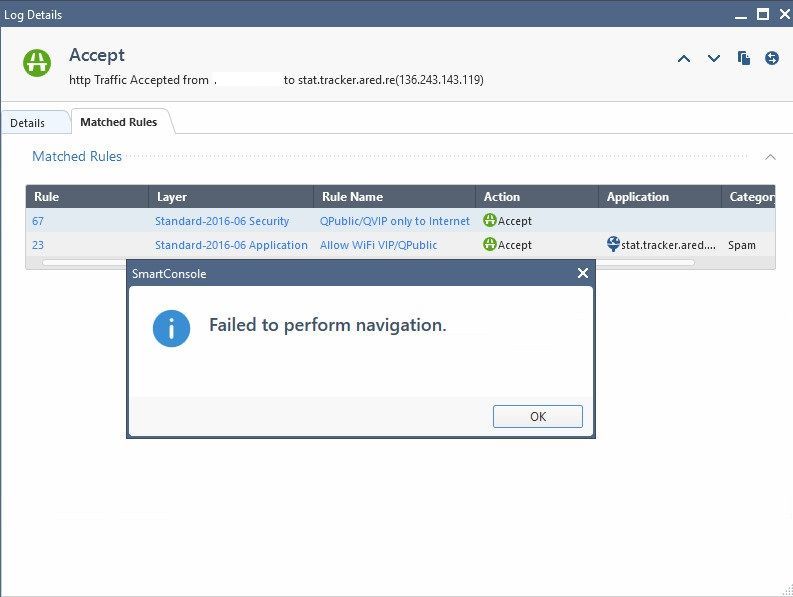
I tried to click the rule entry that problematic, found an error "failed to perform navigation" when clicking both rule number and a rule name column. They might be changed something but not sure this would be related to my report showing since 1Nove2018 - 31Jan 2019. As a result, we saw a spam site allowing in the report.
Please kindly advise me if I'm wrong.
Thank you.
Sarm
Looks like the rule doesn't exist anymore.
You could try to find the rule by opening a revision from the history looking at the timeframe of the log entries.
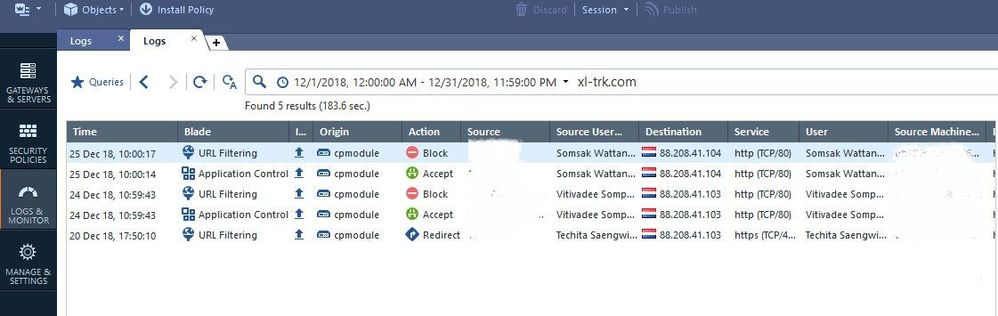
How can we filter the application with xl-trk.com? Because I need to retrieve the historical data that relevant to this log entry. It will help me faster to query.
Easiest way is double-clicking the view on the relevant row.
But you can try free text search...
Hi Norbert
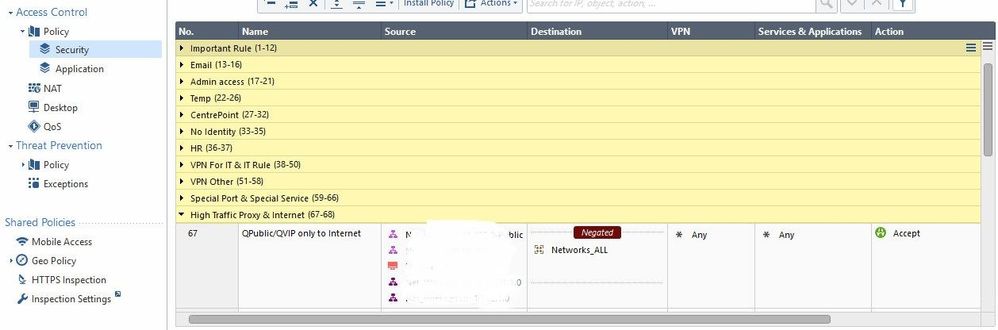
Please see screenshots as below

Leaderboard
Epsum factorial non deposit quid pro quo hic escorol.
| User | Count |
|---|---|
| 5 | |
| 4 | |
| 4 | |
| 3 | |
| 3 | |
| 3 | |
| 3 | |
| 3 | |
| 2 | |
| 2 |
Wed 13 May 2026 @ 11:00 AM (EDT)
TechTalk: The State of Ransomware Q1 2026: Key Trends and Their ImpactThu 14 May 2026 @ 07:00 PM (EEST)
Under the Hood: Presentando Check Point Cloud Firewall como ServicioAbout CheckMates
Learn Check Point
Advanced Learning

YOU DESERVE THE BEST SECURITY