- Products
- Learn
- Local User Groups
- Partners
- More

MVP 2026: Submissions
Are Now Open!
What's New in R82.10?
Watch NowOverlap in Security Validation
Help us to understand your needs better
CheckMates Go:
Maestro Madness
I have successfully setup SmartConsole SAML SSO, using an Identity Provider object in SmartConsole.
When creating this Identity Provider object, the IdP "Return URL" is automatically populated like: "https://192.168.100.241/...", where 192.168.100.241 is the IP address of the management server. You cannot edit this value.
I'd like to replace the IP address with the FQDN of the management server, like "https://sms.mydomain.com/...".
Is this possible? If so, how?
Thanks in advance!
-Frank
SOLVED
It is in the "R81.20 Quantum Security Management Administration Guide", as explained by CP TAC, although a bit hidden: search for "SAML_IP_OR_NAME".
SAML_IP_OR_NAME=example.com; export SAML_IP_OR_NAME
NOTE:
When creating an Identity Provider object for SmartConsole ("Managing Administrator Access"), the Return URL still shows the IP address. However, when SmartConsole performs the SAML request, it uses the FQDN in the Return URL silently. So, you MUST manually change the IP address for the FQDN when configuring the Return URL on the IdP (EntraID or similar).
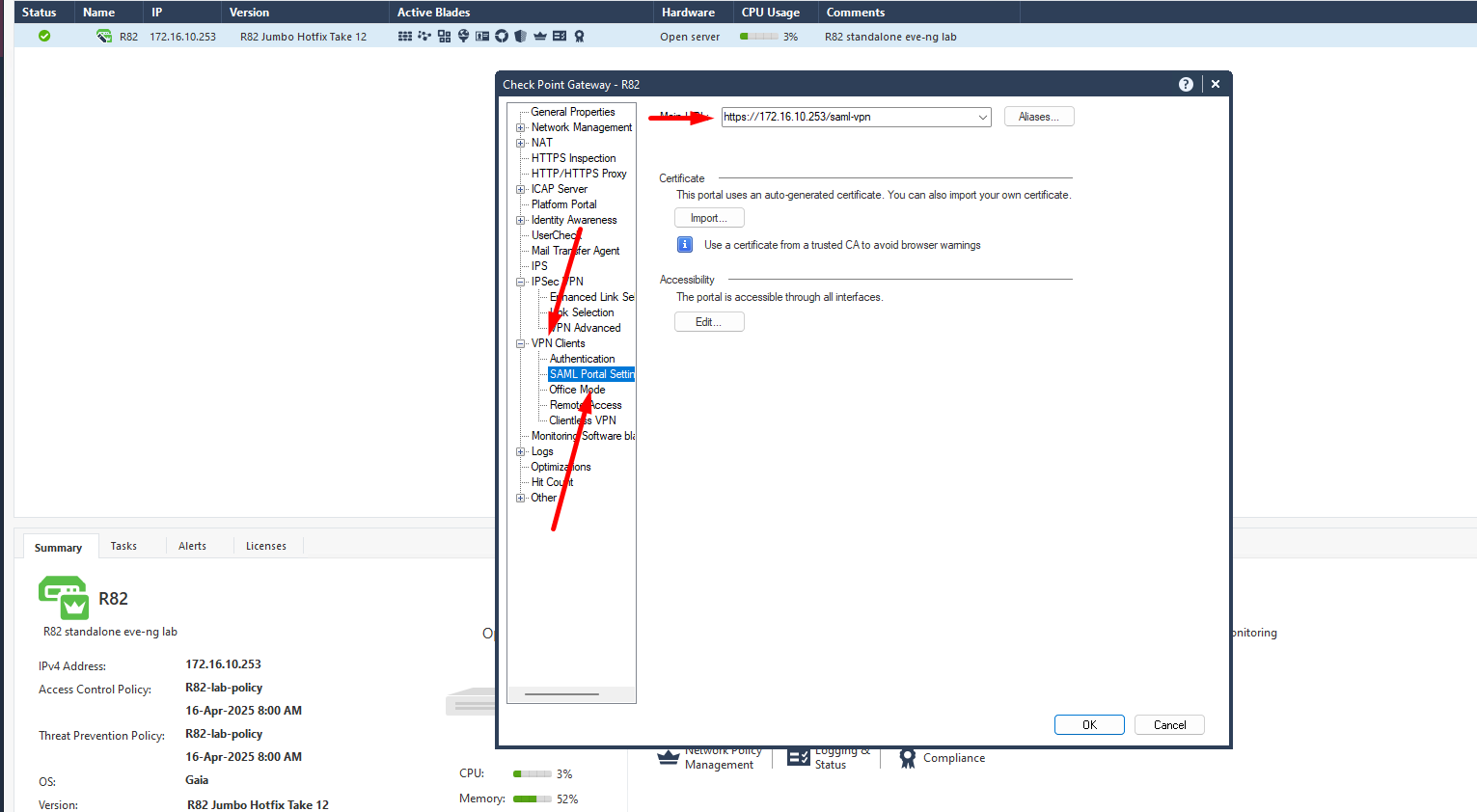
if this would work, it only works on standalone installation. management server objects don´t have VPN Portal settings 🙂
i believe, you will have to change simple-saml config files or something like that. would suggest having TAC involved.
Funny enough, that lab is standalone : - )
Note that I'm using the SmartCenter Server as a SAML service provider. I'm not authenticating agains the gateway (or gateways) for Client VPN. Or are you referring to a management server cluster (management HA)?
This is for IA (or Remote Access VPN) IdP. I don't think these settings apply to the management server as a SAML SP.
I have submitted a TAC case and will update when (if) I get a solution.
SOLVED
It is in the "R81.20 Quantum Security Management Administration Guide", as explained by CP TAC, although a bit hidden: search for "SAML_IP_OR_NAME".
SAML_IP_OR_NAME=example.com; export SAML_IP_OR_NAME
NOTE:
When creating an Identity Provider object for SmartConsole ("Managing Administrator Access"), the Return URL still shows the IP address. However, when SmartConsole performs the SAML request, it uses the FQDN in the Return URL silently. So, you MUST manually change the IP address for the FQDN when configuring the Return URL on the IdP (EntraID or similar).
Awesome, thanks for that! For the reference, page 84.
Andy
Leaderboard
Epsum factorial non deposit quid pro quo hic escorol.
| User | Count |
|---|---|
| 12 | |
| 10 | |
| 9 | |
| 8 | |
| 6 | |
| 3 | |
| 2 | |
| 2 | |
| 2 | |
| 1 |
Tue 16 Dec 2025 @ 05:00 PM (CET)
Under the Hood: CloudGuard Network Security for Oracle Cloud - Config and Autoscaling!Thu 18 Dec 2025 @ 10:00 AM (CET)
Cloud Architect Series - Building a Hybrid Mesh Security Strategy across cloudsTue 16 Dec 2025 @ 05:00 PM (CET)
Under the Hood: CloudGuard Network Security for Oracle Cloud - Config and Autoscaling!Thu 18 Dec 2025 @ 10:00 AM (CET)
Cloud Architect Series - Building a Hybrid Mesh Security Strategy across cloudsAbout CheckMates
Learn Check Point
Advanced Learning
YOU DESERVE THE BEST SECURITY