- Products
- Learn
- Local User Groups
- Partners
- More

MVP 2026: Submissions
Are Now Open!
What's New in R82.10?
10 December @ 5pm CET / 11am ET
Announcing Quantum R82.10!
Learn MoreOverlap in Security Validation
Help us to understand your needs better
CheckMates Go:
Maestro Madness
Hello ,
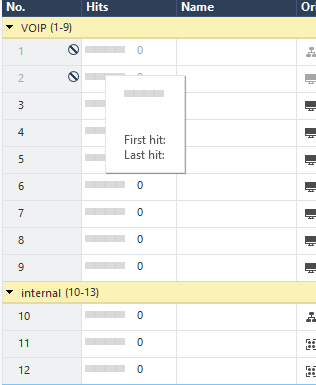
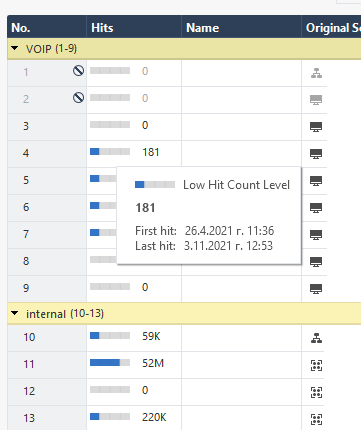
I have upgraded MGMT and GW from R80.40 to R81 few weeks ago and wanted to see if hitcount in NAT rules is working, but there are only '0'
Tried to disable/enable hitcount in General properties, but result is the same.
Is there some magic to be done to enable NAT hitcount ? (Access role hitcount is working properly)
Thanks
The hit counts are tracked on the gateway itself (they are not the result of log analysis on the SMS/Log Server) and the NAT hit counter function was added in version R81, so unless the gateway itself has been upgraded to R81+ as well I'm pretty sure those hit counts will always be zero.
My understanding is, the topic-starter's GW is already R81
Yup, GW is R81 JHF29. Will try JHF 36 these days.
GW is upgraded, not clean install and I suppose some registry entrée or something should be set to true 🙂
We have this exact same problem. Management server running R81.10 and gateways running the current recommeneded release of R81 with Jumbo HF Take 36. The NAT hit counter worked for a few days, I thought this will be really useful feature, but then it stopped working and all NAT hit count values have been zero ever since, even after a right click and refresh. Policy hit count rules are still working though.
Just to share a progress - I did a Advanced upgrade on the management from R81 to R81.10 on a new VM and suddenly the NAT hit count is available 🙂
And first hit shows a date from April 2021, when R80.40 to R81 upgrade was done.
So NAT hits have been collected since April, but not displayed in the SmartConsole somehow.
They work for me but I noticed values are refreshed only on policy install. Think that is by design.
Do you know why it was designed that way then? I only see hit counts after the policy install. I was really hoping to use this feature to monitor usage and potentially clean up unused rules.
Yes, it is by design. The other way is to right-click on the rule and choose "refresh"
Hi
We encountered similar cases before.
We strongly suggest installing Take_44 is the latest R81 Jumbo Hotfix Accumulator General Availability release that can be directly downloaded from Check Point Cloud using CPUSE and from this article:
https://supportcenter.checkpoint.com/supportcenter/portal?eventSubmit_doGoviewsolutiondetails=&solut...
If the problem still occurs, please open a ticket to CheckPoint.
Thanks
Leaderboard
Epsum factorial non deposit quid pro quo hic escorol.
| User | Count |
|---|---|
| 16 | |
| 12 | |
| 8 | |
| 7 | |
| 6 | |
| 4 | |
| 3 | |
| 3 | |
| 2 | |
| 2 |
Fri 12 Dec 2025 @ 10:00 AM (CET)
Check Mates Live Netherlands: #41 AI & Multi Context ProtocolTue 16 Dec 2025 @ 05:00 PM (CET)
Under the Hood: CloudGuard Network Security for Oracle Cloud - Config and Autoscaling!Fri 12 Dec 2025 @ 10:00 AM (CET)
Check Mates Live Netherlands: #41 AI & Multi Context ProtocolTue 16 Dec 2025 @ 05:00 PM (CET)
Under the Hood: CloudGuard Network Security for Oracle Cloud - Config and Autoscaling!Thu 18 Dec 2025 @ 10:00 AM (CET)
Cloud Architect Series - Building a Hybrid Mesh Security Strategy across cloudsAbout CheckMates
Learn Check Point
Advanced Learning
YOU DESERVE THE BEST SECURITY