- Products
- Learn
- Local User Groups
- Partners
- More

What's New in R82.10?
Watch HereWhen the Agents Attack
A Live Look at Agentic Exposure Validation
AI Security Masters E8:
Claude Mythos: New Era in Cyber Security
CheckMates Go:
CheckMates Fest
Hello Everyone.
Thanks to all reading my query and taking out your precious time to comment.
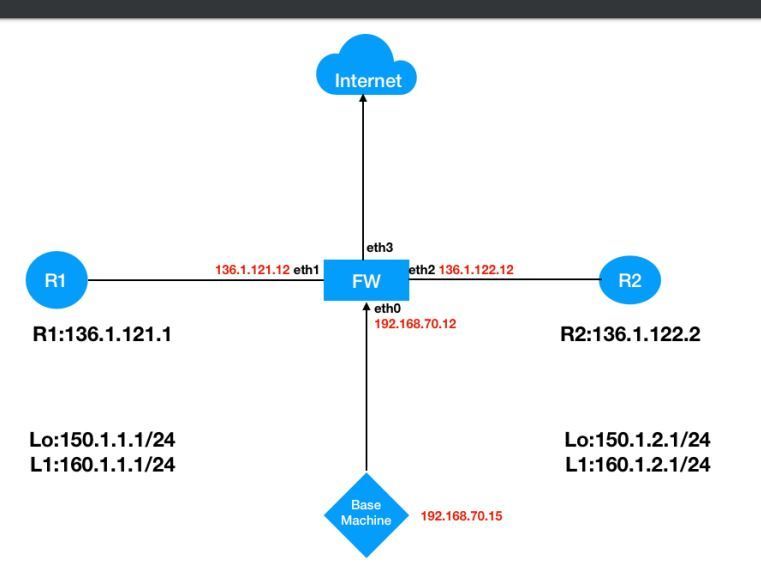
So, I have the below setup and trying to setup a home lab using Vmware Workstation.
Lab_Topology
What do I have?
1) Windows 10 Home basic - Host OS
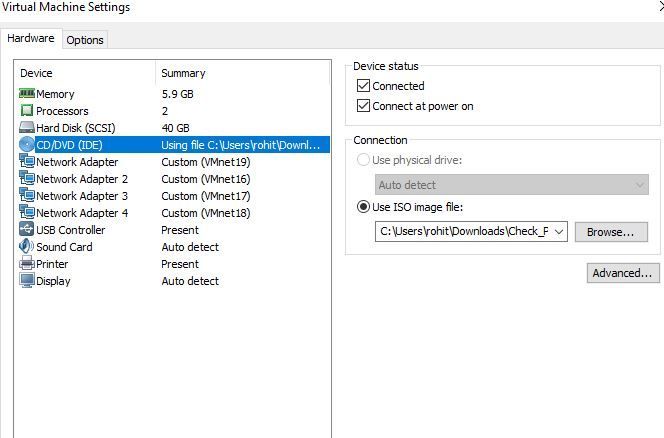
2) 16 GB total RAM, assigned 6 GB to Gaia R80.20
3) Tried the same setup on Vmware Workstation 14 & 15.5 version..
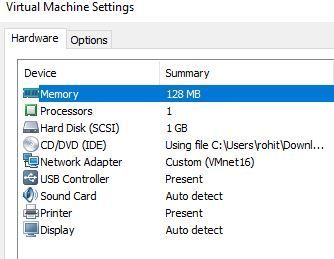
4) Two routers R1 & R2 with vyatta image.
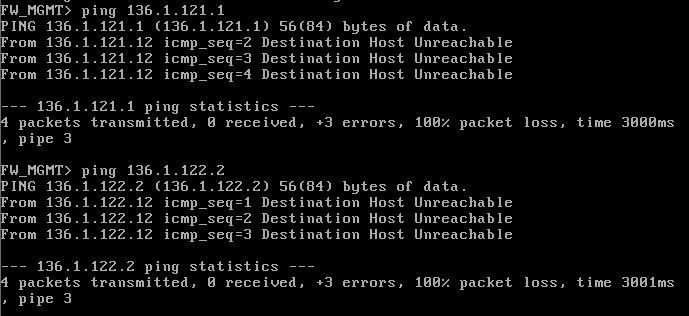
After doing installation, defining routers gateway & fw interface etc. I'm unable to ping R1 & R2 from the Firewall.
I've spent more than 6 hours on this.
I faced the same issue a week back , then I uninstalled vmware workstation 15 and installed 14 version, made some registry tweeks to make it compatible with windows 10. Then I just change the CD/IDE settings to Aconnection preference to "use physical device". And it worked all good.
This morning I again faced this issue. FW_ping checkdriving me nuts. I'm several times tried to do delete all vmnets, created new, installed gaia also a couple of times.
Don't know what is going wrong.
Last year, I created the same lab on my Windows 7 PC and never faced such silly issues.
Please have a look and let me know what you guys think the issue would be.
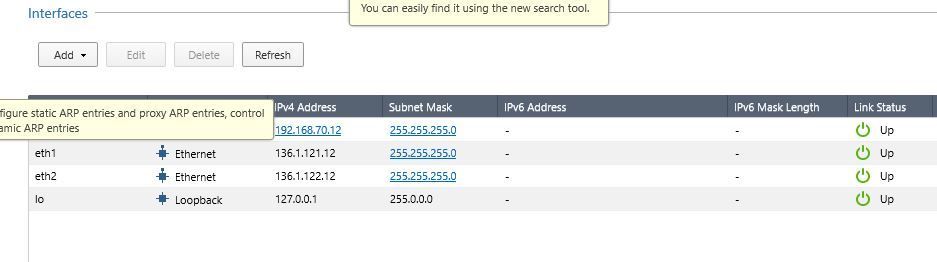
FW_interfaces
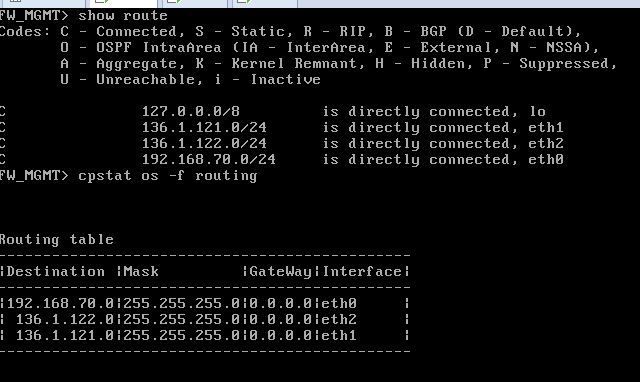
FW_route table
R1 properties
R2 properties
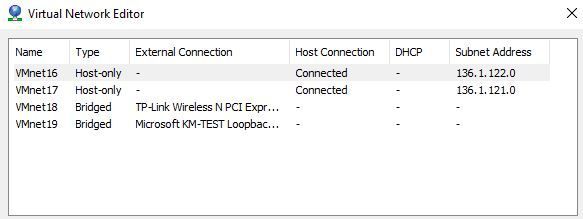
VMnet configuration
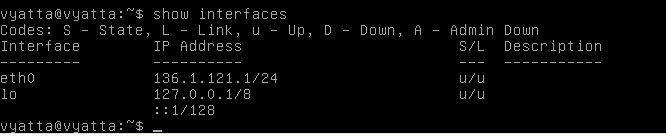
R1_vyatta interfaces
R2_vyatta interfaces
It has also happened that at one instance FW was able to ping R2 and not R1 but after I changed the vmnet settings, then again back to ground zero.
PS : Gateway on R1 is eth1 i.e. 136.1.121.12
Gateway on R2 is eth2 i.e. 136.1.122.12
Cannot see what doing wrong personally.
From your description then sounds like you get it working, change vmnet settings and stops.
Going to be something in your vmware that is causing to mess up but tbh always use ESXi rather then workstation and never had issues. It's free if for a single host and don't expect to phone vmware.
Leaderboard
Epsum factorial non deposit quid pro quo hic escorol.
| User | Count |
|---|---|
| 13 | |
| 11 | |
| 9 | |
| 7 | |
| 7 | |
| 5 | |
| 4 | |
| 3 | |
| 3 | |
| 3 |
Thu 02 Jul 2026 @ 06:00 PM (CST)
Revolucionando la Seguridad con IA Generativa: Prevención Inteligente en Tiempo RealThu 09 Jul 2026 @ 10:00 AM (CEST)
Schutz souveräner Workloads: Check Point & die AWS European Sovereign CloudThu 09 Jul 2026 @ 11:00 AM (CEST)
The Cloud Architects Series: Check Point Edge Protection SD-WAN & SASETue 14 Jul 2026 @ 10:00 AM (PDT)
AI Security Masters E11: READY OR NOT: Securing the AI Enterprise 3/5 - AI Workforce SecurityThu 30 Jul 2026 @ 10:00 AM (PDT)
AI Security Masters E12: READY OR NOT: Securing the AI Enterprise 4/5 - AI GatewayThu 20 Aug 2026 @ 10:00 AM (PDT)
AI Security Masters E13: READY OR NOT: Securing the AI Ent 5/5 - AI Research & Threat LandscapeTue 14 Jul 2026 @ 10:00 AM (PDT)
AI Security Masters E11: READY OR NOT: Securing the AI Enterprise 3/5 - AI Workforce SecurityThu 30 Jul 2026 @ 10:00 AM (PDT)
AI Security Masters E12: READY OR NOT: Securing the AI Enterprise 4/5 - AI GatewayThu 20 Aug 2026 @ 10:00 AM (PDT)
AI Security Masters E13: READY OR NOT: Securing the AI Ent 5/5 - AI Research & Threat LandscapeThu 02 Jul 2026 @ 06:00 PM (CST)
Revolucionando la Seguridad con IA Generativa: Prevención Inteligente en Tiempo RealAbout CheckMates
Learn Check Point
Advanced Learning
YOU DESERVE THE BEST SECURITY