Hello Everyone.
Thanks to all reading my query and taking out your precious time to comment.
So, I have the below setup and trying to setup a home lab using Vmware Workstation.
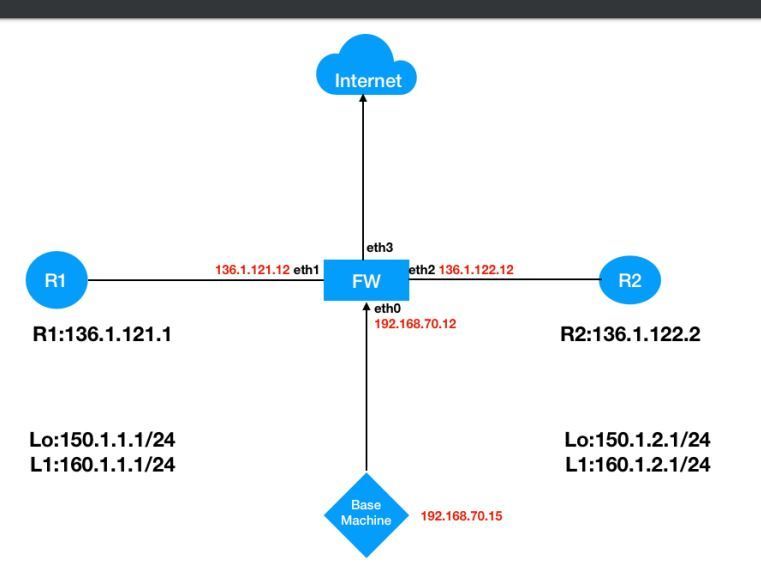 Lab_Topology
What do I have?
1) Windows 10 Home basic - Host OS
2) 16 GB total RAM, assigned 6 GB to Gaia R80.20
3) Tried the same setup on Vmware Workstation 14 & 15.5 version..
4) Two routers R1 & R2 with vyatta image.
After doing installation, defining routers gateway & fw interface etc. I'm unable to ping R1 & R2 from the Firewall.
I've spent more than 6 hours on this.
I faced the same issue a week back , then I uninstalled vmware workstation 15 and installed 14 version, made some registry tweeks to make it compatible with windows 10. Then I just change the CD/IDE settings to Aconnection preference to "use physical device". And it worked all good.
This morning I again faced this issue. 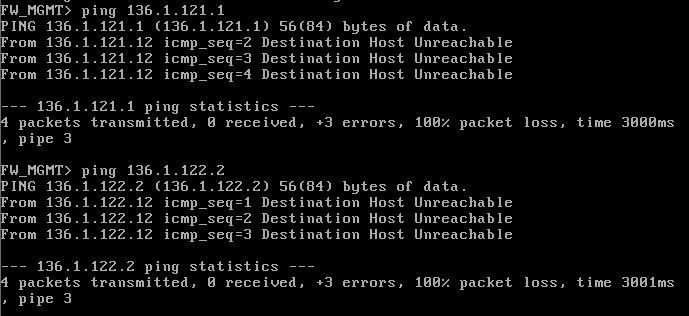 FW_ping checkdriving me nuts. I'm several times tried to do delete all vmnets, created new, installed gaia also a couple of times.
Don't know what is going wrong.
Last year, I created the same lab on my Windows 7 PC and never faced such silly issues.
Please have a look and let me know what you guys think the issue would be.
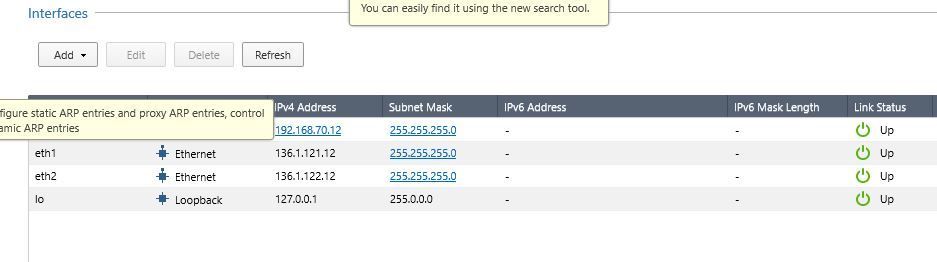 FW_interfaces
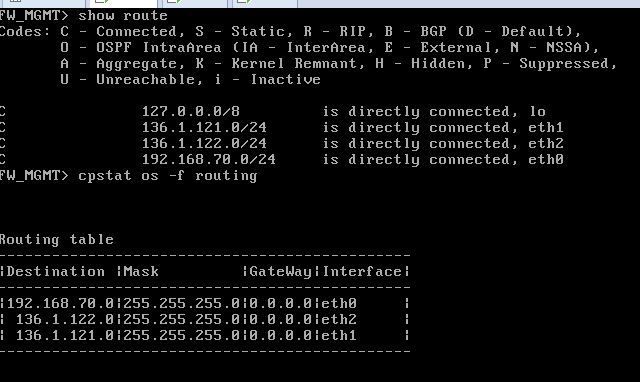 FW_route table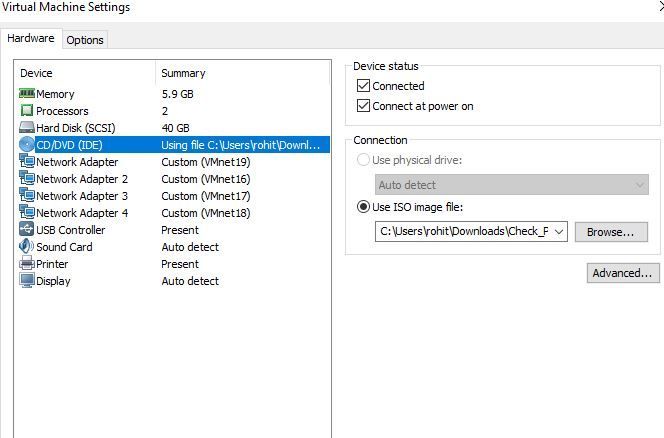
 R1 properties
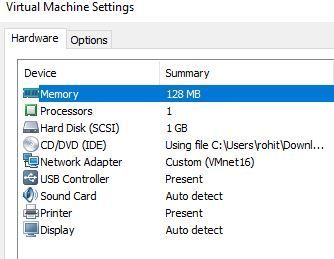 R2 properties
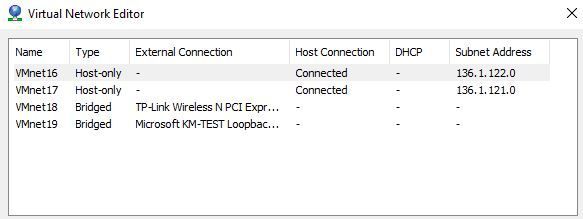 VMnet configuration
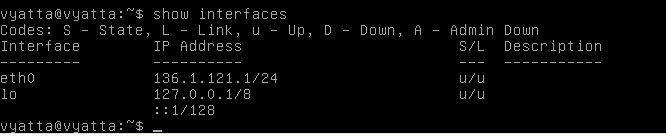 R1_vyatta interfaces
 R2_vyatta interfaces
It has also happened that at one instance FW was able to ping R2 and not R1 but after I changed the vmnet settings, then again back to ground zero.
PS : Gateway on R1 is eth1 i.e. 136.1.121.12
Gateway on R2 is eth2 i.e. 136.1.122.12