Hi,
The reason is your Drop rule in Application layer. When you get a hit in Network layer it jumps to Application layer. If it doesn't find a rule there that match it will hit the Drop rule in Application layer.
Scenario 1: You have rules active both in Network and Application layer.
You get a hit on the rule in Network rule so it jumps to Application layer. You get also a hit in Application layer so it's accepted and everything is fine.
Scenario 2: Just a rule in Network layer.
You get a hit on the rule in Network rule so it jumps to Application layer. You don't get hit on any rules there so it hits the last rule which is Drop. Packet is dropped and it stop there.
Scenario 3: Just a rule in Application layer.
No rule is matched in Network layer so it hits the last rule in your Network layer which is Drop. Packet is dropped and it stop there.
How to avoid the duplicate rules? Two options
1. On your application layer change the last rule from Drop to Allow for any-any. This means that you will now be have to make sure to have first all the Drop rules for Application layer before they hit the last Allow rule. Then you don't have to have duplicate rules in Application layer.
2. Combine your Network layer and Application in just 1 layer. Right-click on your Network layer
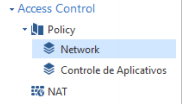
Select Edit policy > + sign. Add Application layer so you get something like this. Now you can use categories in your Network layer.

Move all the rules from your Application layer into Network layer. If you still keep the Application layer it will still hit the Drop rule in Application layer.