- Products
- Learn
- Local User Groups
- Partners
- More

The Great Exposure Reset
24 February 2026 @ 5pm CET / 11am EST
CheckMates Fest 2026
Watch Now!AI Security Masters
Hacking with AI: The Dark Side of Innovation
CheckMates Go:
CheckMates Fest
Just stumbled over this new SK which allows easy downloading of old/archived Jumbo HFAs. Very useful as an instructor when I have a certain vetted Jumbo HFA I want students to install, or for organizations that have a very lengthy and/or rigorous approval process for deploying Jumbo HFAs:
sk174185: Download Archive of General Availability Jumbo Hotfix Accumulators
Very interesting information.
Of course, you can also retrieve both ongoing and GA takes using the relevant CPUSE identifier.
That said, having direct download links to the relevant GA takes is a good thing 🙂
Thanks for this sk.
Normal download page
https://downloads.checkpoint.com/
has been gone?
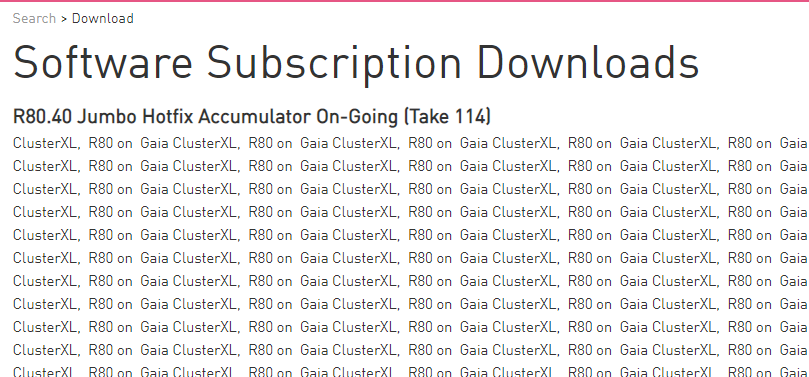
It was great to get older ongoing takes. E.g. R80.40 take 114. It's still working if you modify URL
https://downloads.checkpoint.com/dc/search.htm?action=search&appID=4&isKeywordSearch=true&keywords=T...
Download page looks a little bit strange
@Ronen_Zel can you have someone look at this?
Hi Daniel and Daemon,
We are not using downloads.checkpoint.com for around 10 years or more... Yes, some of those old links might work and you can even play around with their URL and sometimes get decent results.
However this is not the official and supported method of retrieving files from Check Point. This should be done through a search in Support Center. If the file is binary it will be located under "Downloads" tab and if it is a document it will be located under "Documentation" tab.
If this would have been done with the file mentioned above, R80.40 JHF Take 114, you would reach its correct landing page, https://supportcenter.checkpoint.com/supportcenter/portal?action=portlets.DCFileAction&eventSubmit_d... , which looks perfectly fine.
Current (as in 2021) EA links have still pointed to downloads.checkpoint.com, just FYI.
That said, I agree it's more canonical to search via Support Center. 🙂
Thanks. I will take it with the EA team.
@Ronen_Zel wrote:However this is not the official and supported method of retrieving files from Check Point. This should be done through a search in Support Center. If the file is binary it will be located under "Downloads" tab and if it is a document it will be located under "Documentation" tab.
How can I search for take 114 R80.40 in Support Center?
I tried "take 114", "take114" and "T114" but I couldn't see something under Downloads.
Hi Daniel,
In general Check Point encourages users to download the latest available JHF takes, General Availability or Ongoing ones. This means older JHF takes are not searchable in Support Center.
However, they can still be accessed through sk174185 - Download Archive of General Availability Jumbo Hotfix Accumulators
Leaderboard
Epsum factorial non deposit quid pro quo hic escorol.
| User | Count |
|---|---|
| 49 | |
| 38 | |
| 14 | |
| 12 | |
| 12 | |
| 11 | |
| 10 | |
| 9 | |
| 8 | |
| 8 |
Thu 19 Feb 2026 @ 03:00 PM (EST)
Americas Deep Dive: Check Point Management API Best PracticesMon 23 Feb 2026 @ 11:00 AM (EST)
Latest updates on Quantum Spark including R82 features and Spark Management zero touch - AMERTue 24 Feb 2026 @ 10:00 AM (CET)
Latest updates on Quantum Spark including R82 features and Spark Management zero touch - EMEAThu 19 Feb 2026 @ 03:00 PM (EST)
Americas Deep Dive: Check Point Management API Best PracticesMon 23 Feb 2026 @ 11:00 AM (EST)
Latest updates on Quantum Spark including R82 features and Spark Management zero touch - AMERTue 24 Feb 2026 @ 10:00 AM (CET)
Latest updates on Quantum Spark including R82 features and Spark Management zero touch - EMEAAbout CheckMates
Learn Check Point
Advanced Learning
YOU DESERVE THE BEST SECURITY