- Products
- Learn
- Local User Groups
- Partners
- More

The Great Exposure Reset
24 February 2026 @ 5pm CET / 11am EST
CheckMates Fest 2026
Watch Now!AI Security Masters
Hacking with AI: The Dark Side of Innovation
CheckMates Go:
CheckMates Fest
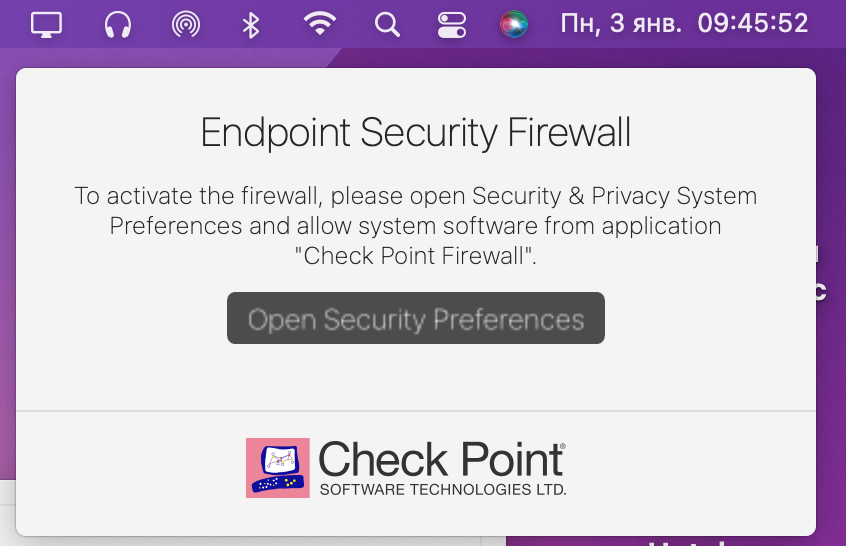
Hello. Every time I run my Mac, I can see "popup window" about "Endpoint Security Firewall" (how to activate) – screenshot 1.
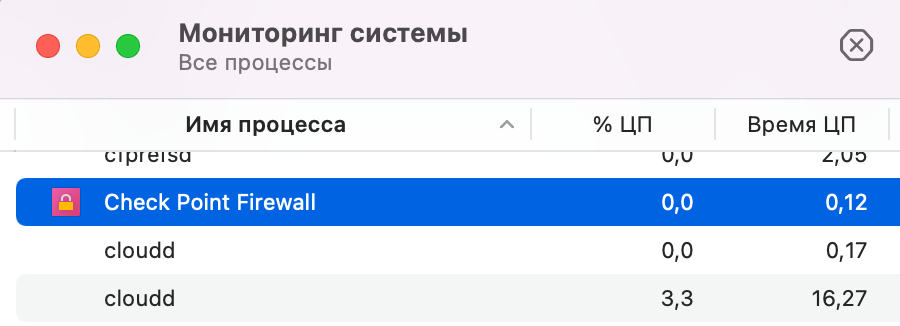
I can stop "Check Point Firewall" process. Navigate to "Applications" and just remove it.
But when I run MacOS again the problem is the same.
What can I do?
There is no such file or folder in /Library/Application Support/Checkpoint/Endpoint Security/uninstall.sh
Thanks.
The path is: /Library/Application\ Support/Checkpoint/Endpoint\ Security/uninstall.sh
If you do not have this file, it is likely you have tried to remove the client manually by deleting folders and applications. If this is the case, re-install and then run the uninstall script again. Mind, you need sudo to run it.
Hello.
If launch Endpoint_Security_VPN.dmg and try to Install it, I can see message: "Endpoint Security VPN build 986200118 is already installed on this computer."
If launch Endpoint_Security_VPN.dmg and try to Unistall it, it helped.
Thanks.
The path is: /Library/Application\ Support/Checkpoint/Endpoint\ Security/uninstall.sh
If you do not have this file, it is likely you have tried to remove the client manually by deleting folders and applications. If this is the case, re-install and then run the uninstall script again. Mind, you need sudo to run it.
Hello.
If launch Endpoint_Security_VPN.dmg and try to Install it, I can see message: "Endpoint Security VPN build 986200118 is already installed on this computer."
If launch Endpoint_Security_VPN.dmg and try to Unistall it, it helped.
Thanks.
cd /Applications
sudo chmod 400 "Check Point Firewall.app"
Firewall will still start automatically, but the Firewall pop-up question will not come any more. I can (just about) live with the auto-start of client. It is always possible to close it from the top bar. But the firewall pop-up often jammed behind some other alert and it was not possible to click "deny" and the only way out was a new re-boot. Stupid!
After the above privs change, the VPN still works normally for me.
Hello, having the same problem, but I cannot install it because it says that its already installed, also cannot uninstall it "Apple could not verify Uninstaller is free of malware that may harm your Mac.
Annoying extension notification keep comming,and I cannot turn it off or disable. Please help !
Leaderboard
Epsum factorial non deposit quid pro quo hic escorol.
| User | Count |
|---|---|
| 3 | |
| 3 | |
| 3 | |
| 1 | |
| 1 | |
| 1 | |
| 1 | |
| 1 | |
| 1 | |
| 1 |
Fri 13 Feb 2026 @ 10:00 AM (CET)
CheckMates Live Netherlands - Sessie 43: Terugblik op de Check Point Sales Kick Off 2026Thu 19 Feb 2026 @ 03:00 PM (EST)
Americas Deep Dive: Check Point Management API Best PracticesFri 13 Feb 2026 @ 10:00 AM (CET)
CheckMates Live Netherlands - Sessie 43: Terugblik op de Check Point Sales Kick Off 2026Thu 19 Feb 2026 @ 03:00 PM (EST)
Americas Deep Dive: Check Point Management API Best PracticesAbout CheckMates
Learn Check Point
Advanced Learning
YOU DESERVE THE BEST SECURITY