- Products
- Learn
- Local User Groups
- Partners
- More

MVP 2026: Submissions
Are Now Open!
What's New in R82.10?
Watch NowOverlap in Security Validation
Help us to understand your needs better
CheckMates Go:
Maestro Madness
Hello everyone,
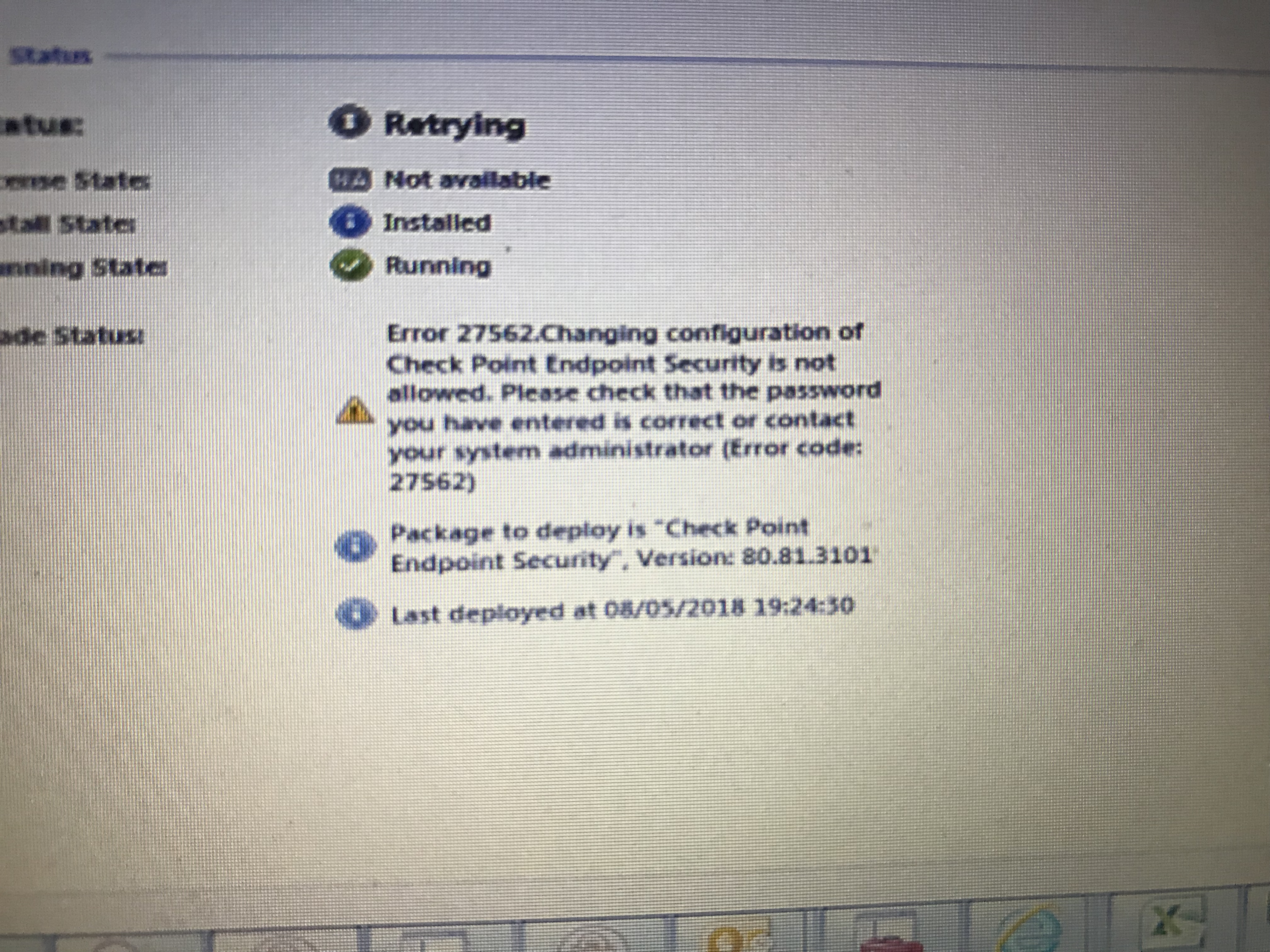
I am having issues with removing checkpoint endpoint clients E80.60 and then installing inutial client E80.81. Some are failing when I go to add remove program and trying uninstalling it, while I type the correct password it says it is wrong. On another PC although I can see services running and tray displaying I cannot see it under add remove programs and lastly on some although I have installed the E80.81 I am keep getting the attached error.
Any help with all of these differwnt issues?
thanks
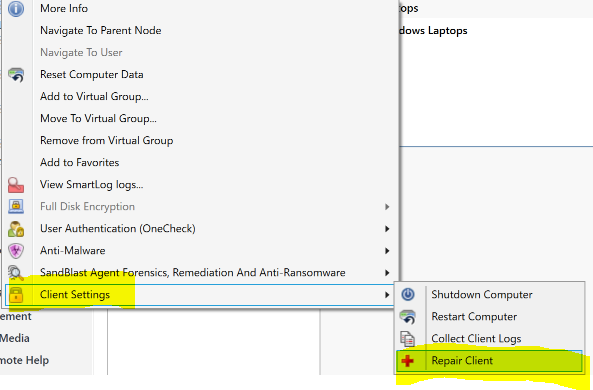
Have you tried upgrading the Endpoint from E80.60 to E80.81? Not sure if there is anything stopping you from doing that but as long as the version is E80.xx+, you should be able to push the upgrade through the Deployment tab in SmartEndpoint. Just make sure you do not add or remove any blades when upgrading the endpoints as that may cause issues with the upgrade. I would also try to repair the problematic endpoints from SmartEndpoint as well to fix issues you may be having.

Have you also tried using the default uninstall password which is "secret"? Try changing the uninstall password and updating your clients to take the new password if you need to uninstall/reinstall.

We have run across this issue fairly randomly as well. Occasionally we will find a machine that will not accept the password on uninstall but we can upgrade with no issues.
How did you get to the page in your second screenshot to reset the uninstall password?
I have run into the same problem with trying to uninstall CheckPoint Endpoint from machines that have problems upgrading, either it would get stuck in an endless loop trying to upgrade or it would upgrade, but some blades would be corrupted and get stuck trying to finish the upgrade. I then try to uninstall it, but it would either fail or not accept our password that we set, nor the default 'secret' password. TAC could not help us with this issue so we had to reimage the machines.
To answer your question, to change the uninstall password, open up SmartEndpoint and click on the Policy tab. Scroll all the way to the bottom and under Client Settings, click on 'Default installation and upgrade settings'. In that window, you can click on 'Client Uninstall Password' and there you would change the Uninstall Password.
This is exactly what I was looking for to resolve a separate issue!
Thanks!!
Leaderboard
Epsum factorial non deposit quid pro quo hic escorol.
| User | Count |
|---|---|
| 8 | |
| 4 | |
| 2 | |
| 2 | |
| 1 | |
| 1 | |
| 1 | |
| 1 | |
| 1 | |
| 1 |
Tue 16 Dec 2025 @ 05:00 PM (CET)
Under the Hood: CloudGuard Network Security for Oracle Cloud - Config and Autoscaling!Thu 18 Dec 2025 @ 10:00 AM (CET)
Cloud Architect Series - Building a Hybrid Mesh Security Strategy across cloudsTue 16 Dec 2025 @ 05:00 PM (CET)
Under the Hood: CloudGuard Network Security for Oracle Cloud - Config and Autoscaling!Thu 18 Dec 2025 @ 10:00 AM (CET)
Cloud Architect Series - Building a Hybrid Mesh Security Strategy across cloudsAbout CheckMates
Learn Check Point
Advanced Learning
YOU DESERVE THE BEST SECURITY