- Products
- Learn
- Local User Groups
- Partners
- More

What's New in R82.10?
Register HereWhen the Agents Attack
A Live Look at Agentic Exposure Validation
AI Security Masters E8:
Claude Mythos: New Era in Cyber Security
CheckMates Go:
CheckMates Fest
Good afternoon.
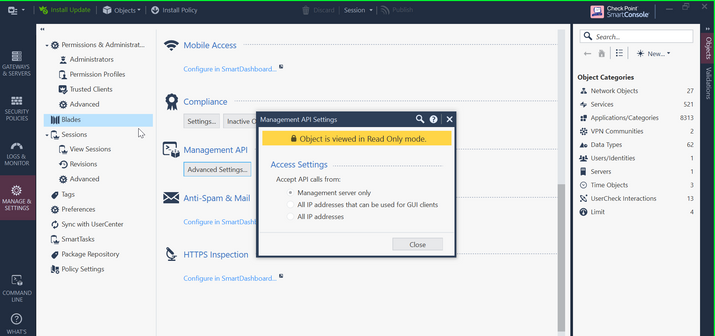
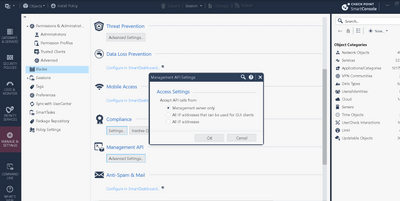
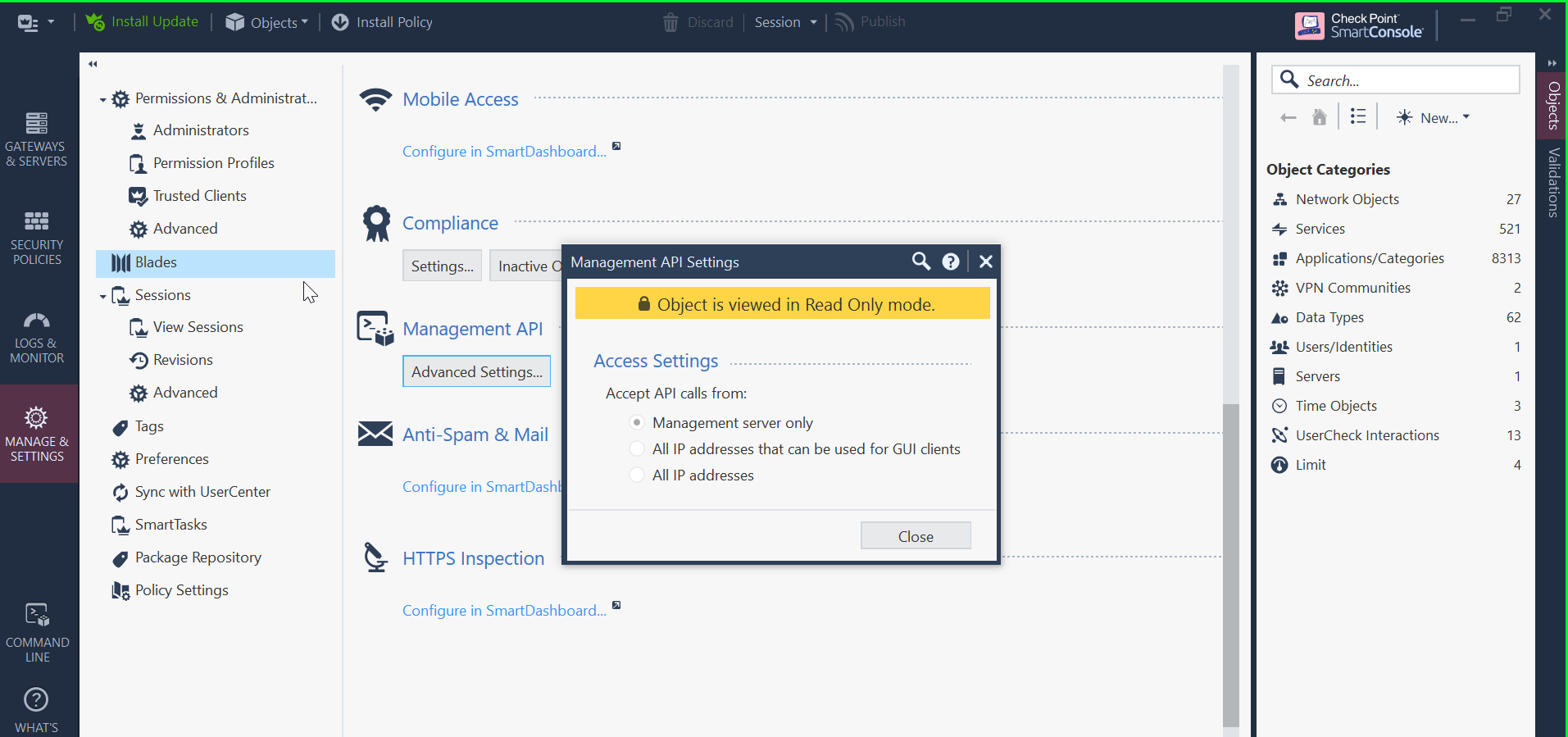
Could you help us, we need to have access to the console api in admin mode, we enter with admin user in the system, but it does not allow us to do managements in Blades - Management Api.
In the access settings, we need to have access to the All IP address option.
Could you help us to solve this problem.
Are you connected with the "Read-only" checkbox marked? Can you make any other changes?
First, if you are doing tests, set API clients for "All IP Addresses" at the start.
Also, you need to see if API is enabled. Run "api status" command on the CLI and show us the output.
ADMIN NOTE: moved to the appropriate space.
Thanks Val.
The problem we have is that the object is in viewed form, we are only using 1 user, with name admin.
And it does not allow to make changes in the sample window, the buttons are disabled.
Thank you very much, for your help Val.
I also suggest that you check the "View Session" tab and check if there are locks on any of the sessions. Looks like this is locked, possibly by other admin/session.
If something is continue blocking you and you have SSH expert mode privileges you can use:
Good afternoon, Amir.
Thank you very much for your help.
We have executed the command you provided, and we get the following response.
Screenshot 2023-03-06 at 17.21.28.png
We are only connected with one user in the console, with admin user.
Could you help us in this regard.
Thank you very much, best regards.
Remove the domain flag, it is not needed here.
I have the same error even when flag is removed.
I need to do it via CLI, do you know an other way ?
Are you connected with the "Read-only" checkbox marked? Can you make any other changes?
Can you run below (it will disconnect all smart console users) and then reconnect and try again?
Andy
mgmt_cli -r true show sessions details-level full -f json | jq -r '.objects[] | select(."user-name" != "WEB_API") | .uid' | while read -r uid; do mgmt_cli -r true disconnect uid $uid; done
I have the same issue, even when i delete flag.
Error message says that "Cannot execute it in the current domain".
Do you know an other method ?
I see points @_Val_ and @Amir_Senn are making. As Amir said, please make sure there are no locks present. Below is my R81.20 lab, but version should not matter.
Andy
Leaderboard
Epsum factorial non deposit quid pro quo hic escorol.
Tue 23 Jun 2026 @ 05:00 PM (CEST)
Under the Hood: Check Point Cloud Firewall | Securing all of your clouds: Art of the possibleThu 25 Jun 2026 @ 10:00 AM (PDT)
AI Security Masters E10: READY OR NOT: Securing the AI Enterprise 2/5 - AI Red TeamingThu 02 Jul 2026 @ 06:00 PM (CST)
Revolucionando la Seguridad con IA Generativa: Prevención Inteligente en Tiempo RealThu 09 Jul 2026 @ 11:00 AM (CEST)
The Cloud Architects Series: Check Point Edge Protection SD-WAN & SASETue 14 Jul 2026 @ 10:00 AM (PDT)
AI Security Masters E11: READY OR NOT: Securing the AI Enterprise 3/5 - AI Workforce SecurityTue 23 Jun 2026 @ 05:00 PM (CEST)
Under the Hood: Check Point Cloud Firewall | Securing all of your clouds: Art of the possibleThu 25 Jun 2026 @ 10:00 AM (PDT)
AI Security Masters E10: READY OR NOT: Securing the AI Enterprise 2/5 - AI Red TeamingTue 14 Jul 2026 @ 10:00 AM (PDT)
AI Security Masters E11: READY OR NOT: Securing the AI Enterprise 3/5 - AI Workforce SecurityThu 30 Jul 2026 @ 10:00 AM (PDT)
AI Security Masters E12: READY OR NOT: Securing the AI Enterprise 4/5 - AI GatewayThu 20 Aug 2026 @ 10:00 AM (PDT)
AI Security Masters E13: READY OR NOT: Securing the AI Ent 5/5 - AI Research & Threat LandscapeThu 02 Jul 2026 @ 06:00 PM (CST)
Revolucionando la Seguridad con IA Generativa: Prevención Inteligente en Tiempo RealAbout CheckMates
Learn Check Point
Advanced Learning
YOU DESERVE THE BEST SECURITY