- Products
- Learn
- Local User Groups
- Partners
- More

Step Into the Future of
AI-Powered Cyber Security
What's New in R82.10?
Register HereWhen the Agents Attack
A Live Look at Agentic Exposure Validation
AI Security Masters E8:
Claude Mythos: New Era in Cyber Security
CheckMates Go:
CheckMates Fest
Hi
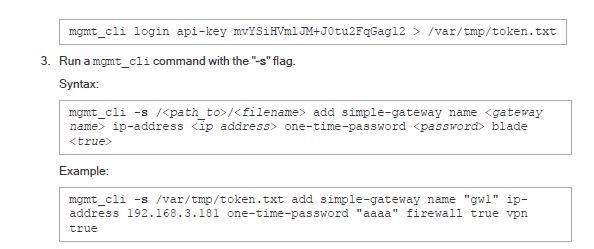
Following this guide:
at step 3 i get this:
A-GUI is a windows computer that tries to connect to SMS and 10.1.1.201 is its IP.
What do I miss here? Why i get "failed to parse...." every time I try?!
and as you can see the content of token.txt "login failed" What password should be used here? I use the admin password?
then when that successes how would you use API-key to send commands from a CMD command line?
Hi,
Looks like the syntax is correct. What version/JHF are you using?
I would try a few steps:
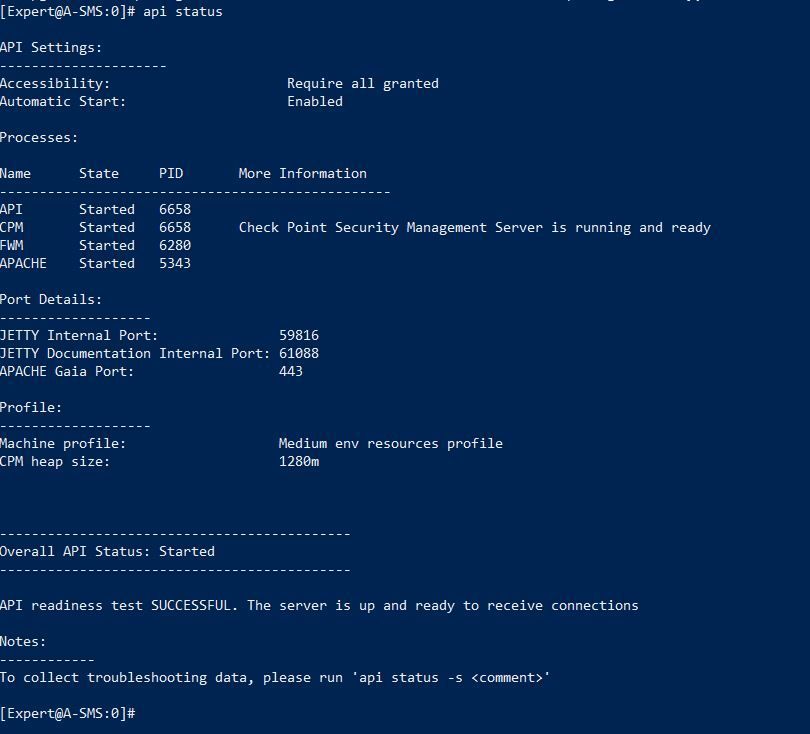
a. Check API status ("api status" in expert)
b. Try to login first without writing the answer to the file. See if it works. Seemingly, it doesn't recognize your API key for a reason.
c. If issue to login continues, try to re-generate the key.
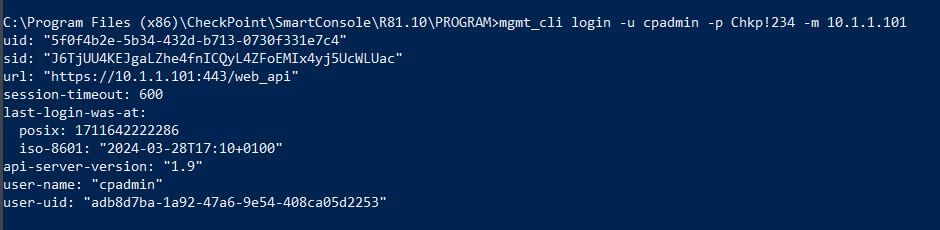
When trying only to login:
I did regenerate the key many times and used many different places to save it, but still getting the same error!
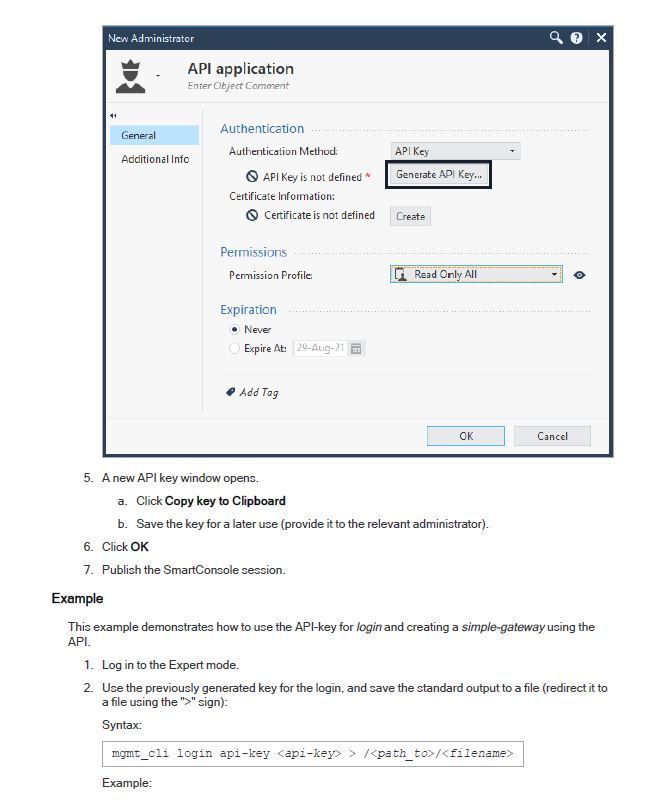
Note the example screenshot has a Read-Only profile, you won't be able to make modifications with that.
that image is coming from the admin guide. The reality is Super-user profile
I meant try to login using API-key.
In general, since this doesn't work I would try to re-generate (as you did) the key, try to create a different admin perhaps and make sure that it's well defined in SmartConsole (permission profile for example. As @Alex- mentioned, profile should have write permissions).
If this still doesn't work, perhaps open a ticket for support.
Try enclosing the API key in double quotes, thinking perhaps it is not liking that forward slash.
Failing that, look in $FWDIR/log/api.elg on the SMS to see how your login command is coming through the API Server for parsing.
I don't think that's likely to be the problem directly:
[Expert@DallasSA]# echo mC4B/RZaG0NCn4aAaKWUqw== | xargs -n 1 echo
mC4B/RZaG0NCn4aAaKWUqw==
It doesn't get carved up into separate, smaller chunks, and no characters get substituted or trimmed. Still worth a shot, since it's easy to do, I just think the problem is elsewhere.
The directions only say to publish the SmartConsole session, but changes to administrators typically need an Install Database to take effect. Probably also worth a shot.
Right I knew that other than its use as a path separator, "/" is not significant to the shell as a special character. Just was wondering if it was tripping up the parsing somehow in the API server which api.elg can be quite helpful for diagnosing.
I was actually more suspicious of the terminating equals signs from the base64 padding. BASH sometimes does weird things with the equals sign.
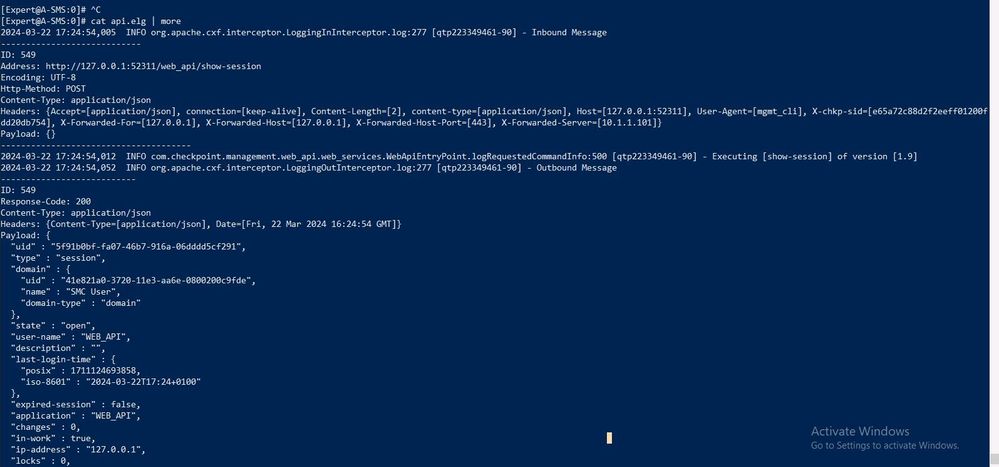
When checking $FWDIR/log/api.elg like this: cat $FWDIR/log/api.elg | more
I can only see log from 22/March, I don't know why new logs do not show up!
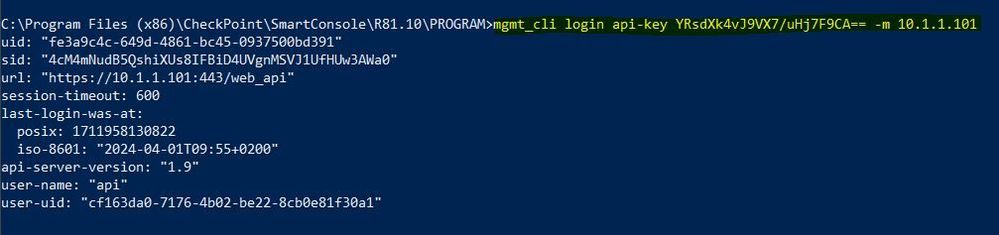
Testing now and it is working as described in the admin guide!
I did not do anything, it just worked!
Leaderboard
Epsum factorial non deposit quid pro quo hic escorol.
Thu 18 Jun 2026 @ 10:00 AM (CEST)
The Cloud Architects Series: Check Point WAF - The Next Generation of AI powered protectionTue 23 Jun 2026 @ 05:00 PM (CEST)
Under the Hood: Check Point Cloud Firewall | Securing all of your clouds: Art of the possibleThu 25 Jun 2026 @ 10:00 AM (PDT)
AI Security Masters E10: READY OR NOT: Securing the AI Enterprise 2/5 - AI Red TeamingThu 02 Jul 2026 @ 06:00 PM (CST)
Revolucionando la Seguridad con IA Generativa: Prevención Inteligente en Tiempo RealThu 18 Jun 2026 @ 10:00 AM (CEST)
The Cloud Architects Series: Check Point WAF - The Next Generation of AI powered protectionTue 23 Jun 2026 @ 05:00 PM (CEST)
Under the Hood: Check Point Cloud Firewall | Securing all of your clouds: Art of the possibleThu 25 Jun 2026 @ 10:00 AM (PDT)
AI Security Masters E10: READY OR NOT: Securing the AI Enterprise 2/5 - AI Red TeamingTue 14 Jul 2026 @ 10:00 AM (PDT)
AI Security Masters E11: READY OR NOT: Securing the AI Enterprise 3/5 - AI Workforce SecurityThu 02 Jul 2026 @ 06:00 PM (CST)
Revolucionando la Seguridad con IA Generativa: Prevención Inteligente en Tiempo RealAbout CheckMates
Learn Check Point
Advanced Learning
YOU DESERVE THE BEST SECURITY