- Products
- Learn
- Local User Groups
- Partners
- More
Call For Papers
Your Expertise, Our Stage
Ink Dragon: A Major Nation-State Campaign
March 11th @ 5pm CET / 12pm EDT
AI Security Masters E4:
Introducing Cyata - Securing the Agenic AI Era
The Great Exposure Reset
AI Security Masters E3:
AI-Generated Malware
CheckMates Go:
CheckMates Fest
Actually I am not sure Tomer answer will work. After having been on first name bases with R&D VOIP for a year with loads of VOIP tickets in R65 I learned a lot of the background of the code. And I guess most of it is still valid.
At least in R77.30 I always use the following strategy:
If you forget to put your rule in the right order the whole trick will not work.
As soon as you have a rule that will contain a handler for a specific TCP or UDP port that decision will stick.
So if you have a generic SIP on rule 30 and your own definition on rule 40 you will still see the SIP handler act on those connections.
If you put your own definition in rule 28 and have generic SIP in rule 30 then rule 28 will not act on SIP traffic but rule 30 will still act on SIP traffic and do all sorts of magic.
I must admit this is a tricky concept to understand at first but once you understand these basics you can explain a lot of unexpected behaviour in Check Point firewalls.
So far I have not been able to verify this is still how it works with R80.10 and I have yet to add a PABX to my lab. (Actually I have a 3CX PABX but it has some other issues I need to sort out first.)
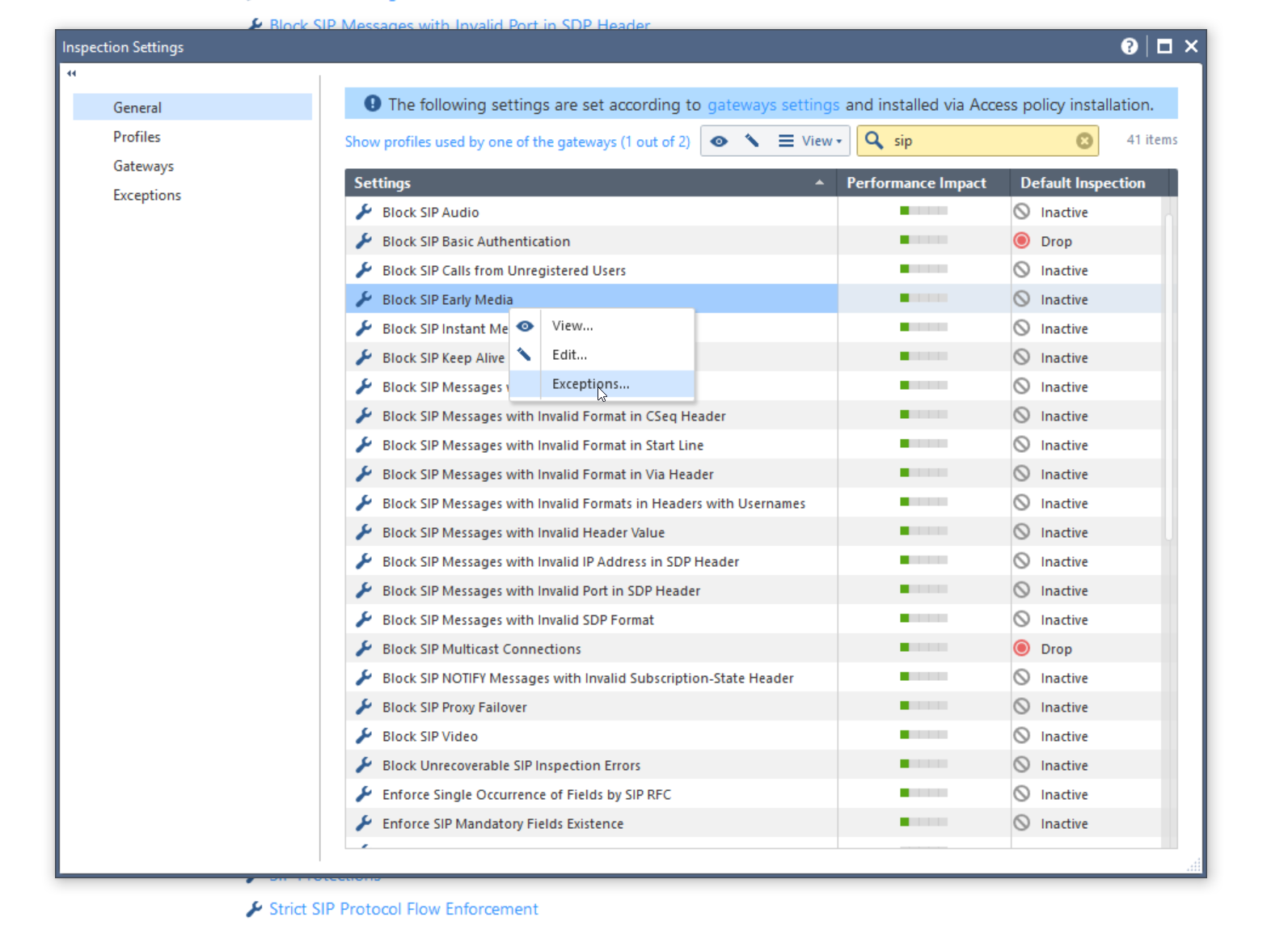
You can do this by creating exception for this inspection setting.

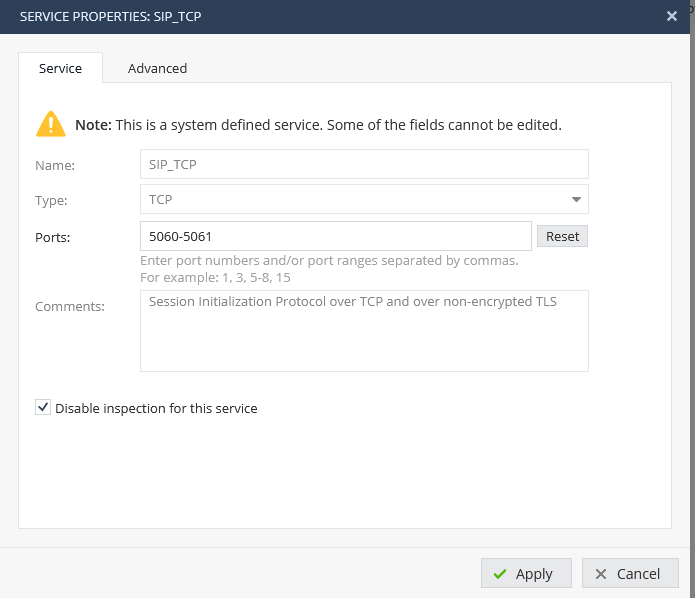
You should Disable Inspection for this device in network object menu !
Hello
I have a question about security risk from disabling SIP ALG inspection. to disable SIP ALG by creating an exception for Block SIP Early Media on this inspection setting
how about 1800 series ?
Actually I am not sure Tomer answer will work. After having been on first name bases with R&D VOIP for a year with loads of VOIP tickets in R65 I learned a lot of the background of the code. And I guess most of it is still valid.
At least in R77.30 I always use the following strategy:
If you forget to put your rule in the right order the whole trick will not work.
As soon as you have a rule that will contain a handler for a specific TCP or UDP port that decision will stick.
So if you have a generic SIP on rule 30 and your own definition on rule 40 you will still see the SIP handler act on those connections.
If you put your own definition in rule 28 and have generic SIP in rule 30 then rule 28 will not act on SIP traffic but rule 30 will still act on SIP traffic and do all sorts of magic.
I must admit this is a tricky concept to understand at first but once you understand these basics you can explain a lot of unexpected behaviour in Check Point firewalls.
So far I have not been able to verify this is still how it works with R80.10 and I have yet to add a PABX to my lab. (Actually I have a 3CX PABX but it has some other issues I need to sort out first.)
Your solution should work on R80.10 as well.
Please make sure that voip_multik_enable_forwarding param is off when no SIP inspection needed to avoid heavy performance issues.
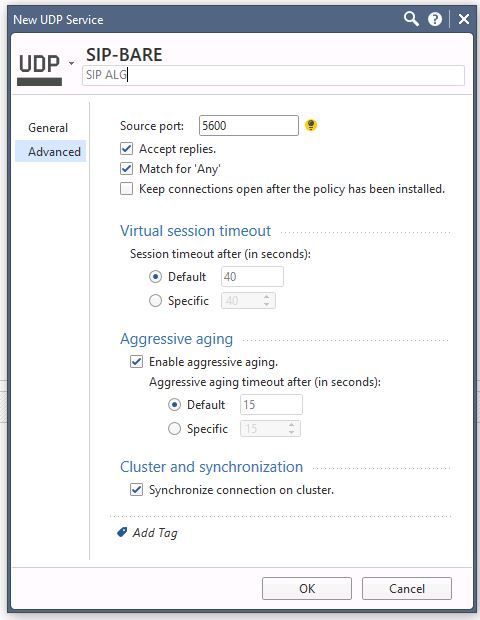
Like This you mean?
Leaderboard
Epsum factorial non deposit quid pro quo hic escorol.
| User | Count |
|---|---|
| 31 | |
| 19 | |
| 13 | |
| 10 | |
| 8 | |
| 6 | |
| 6 | |
| 5 | |
| 5 | |
| 5 |
Tue 03 Mar 2026 @ 04:00 PM (CET)
Maestro Masters EMEA: Introduction to Maestro Hyperscale FirewallsTue 03 Mar 2026 @ 03:00 PM (EST)
Maestro Masters Americas: Introduction to Maestro Hyperscale FirewallsTue 03 Mar 2026 @ 04:00 PM (CET)
Maestro Masters EMEA: Introduction to Maestro Hyperscale FirewallsTue 03 Mar 2026 @ 03:00 PM (EST)
Maestro Masters Americas: Introduction to Maestro Hyperscale FirewallsFri 06 Mar 2026 @ 08:00 AM (COT)
Check Point R82 Hands‑On Bootcamp – Comunidad DOJO PanamáTue 24 Mar 2026 @ 06:00 PM (COT)
San Pedro Sula: Spark Firewall y AI-Powered Security ManagementAbout CheckMates
Learn Check Point
Advanced Learning
YOU DESERVE THE BEST SECURITY