- Products
- Learn
- Local User Groups
- Partners
- More

Step Into the Future of
AI-Powered Cyber Security
The State of Ransomware Q1 2026
Key Trends and Their Impact
AI Security Masters E8:
Claude Mythos: New Era in Cyber Security
Blueprint Architecture for Securing
The AI Factory & AI Data Center
Call For Papers
Your Expertise. Our Stage
CheckMates Go:
CheckMates Fest
I am simply testing all possible upgrade methods available out there for future use in production.
At this very moment, I am trying to export single CMA from R77.30 and import it to R80.20. It turned out, that my issue is with some relation to Global Policy. Exported CMA has Global Policy on it. During import, I get a warning about that, but as this is just warning, all should be fine.... WRONG !
Once I tried to remove Global Policy from this CMA, the import is possible.
Of course, I tried to migrate Global Policy into R80.20 before importing CMA. Still the same - import failed.
UPDATE: Once I imported Global Policy on freshly installed MDS, CMA import was done successfully.
I hope that the upgrade tools were improved within R80.30, as I found many issues with it.
Example 1:
The upgrade from R77.30 MDS to R80.20 MDS using "installer upgrade" is successful. But in case you will try to export/import R77.30 CMA and import it into R80.20 MDS, you will get an error that Global Use for Gateway is enabled and MUST be disabled before import to R80.20. This condition wasn't found by pre-upgrade verifier in case of "installer upgrade" method.
Example 2:
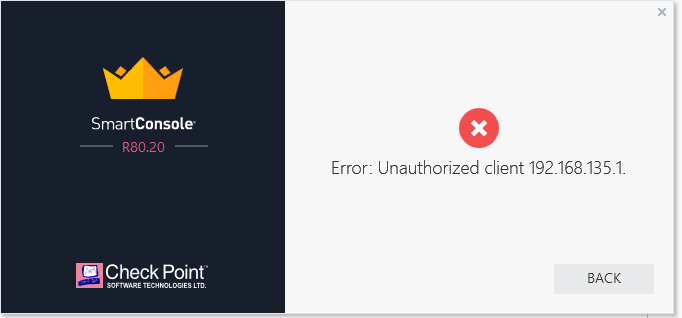
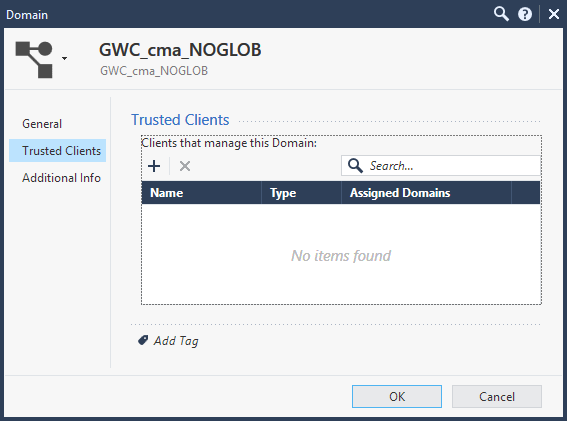
Once the CMA is imported from R77.30 to R80.20, you need to manually add "Trusted Clients" to the domain, as after import there is nothing and you will get an error that "Unauthorized client":
About CheckMates
Learn Check Point
Advanced Learning

YOU DESERVE THE BEST SECURITY