- Products
- Learn
- Local User Groups
- Partners
- More

MVP 2026: Submissions
Are Now Open!
What's New in R82.10?
10 December @ 5pm CET / 11am ET
Announcing Quantum R82.10!
Learn MoreOverlap in Security Validation
Help us to understand your needs better
CheckMates Go:
Maestro Madness
Hi all,
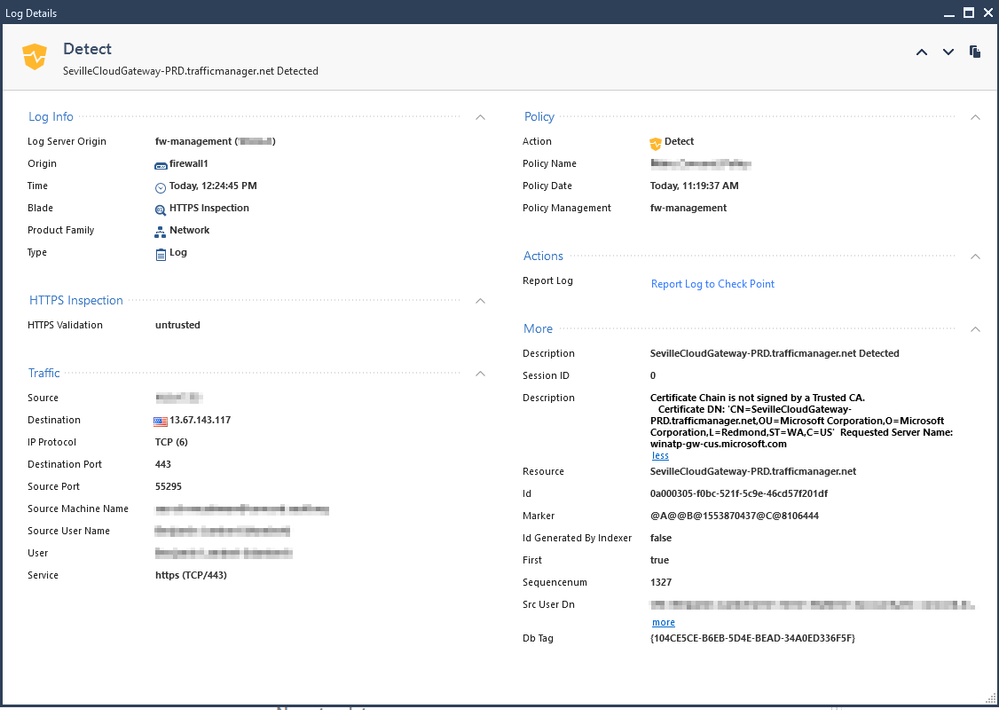
I have a gateway running 80.20 M2 and I recently enabled SSL Inspection for a small group. It is working correctly (I see our cert in the browser and no warnings), but I see some strange errors in the logs and sometimes in the browser about the "certificate chain not signed by a trusted CA".
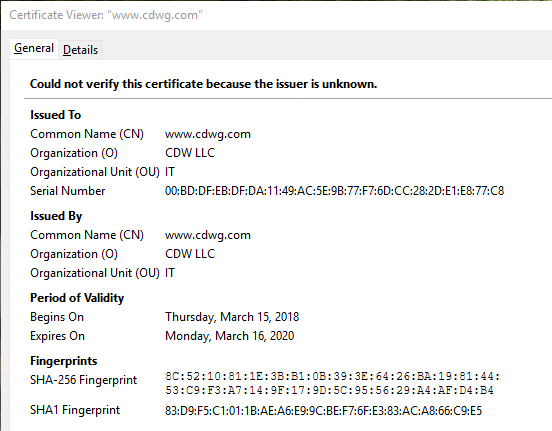
When I look at the certificate, it seems to be missing the original CA and didn't insert our CA/cert.
For example, normal certs look like: DigicertCA-->www.CDWG.com
Inspection working: MYEnterpriseCA-->www.CDWG.com
When I see errors it looks like: www.CDWG.com
Am I missing something?
Thanks!
--Ben
the DigiCert certificate is not in R80.20 root certificate store.
So you get a certificate chain error.
Look at this sk:
sk114679 - HTTPS Bypass (with Site Category) not working for Servers with Self-Signed Certificate
Thank you, this was ultimately the issue. For some reason Check Point did not have Digicert Global Root G2/G3 in the certificate store. I was able to download them from their support site and add them.
Is there a way to ensure that the Check Point cert store is being automatically updated, apart from checking the box?
Thank you very much!
--Ben
It’s impossible for a gateway to be running R80.20.M2 because that’s a Management-only release. What is the gateway actually running here? Also, is this happening consistently for specific sites or at random?
the DigiCert certificate is not in R80.20 root certificate store.
So you get a certificate chain error.
Look at this sk:
sk114679 - HTTPS Bypass (with Site Category) not working for Servers with Self-Signed Certificate
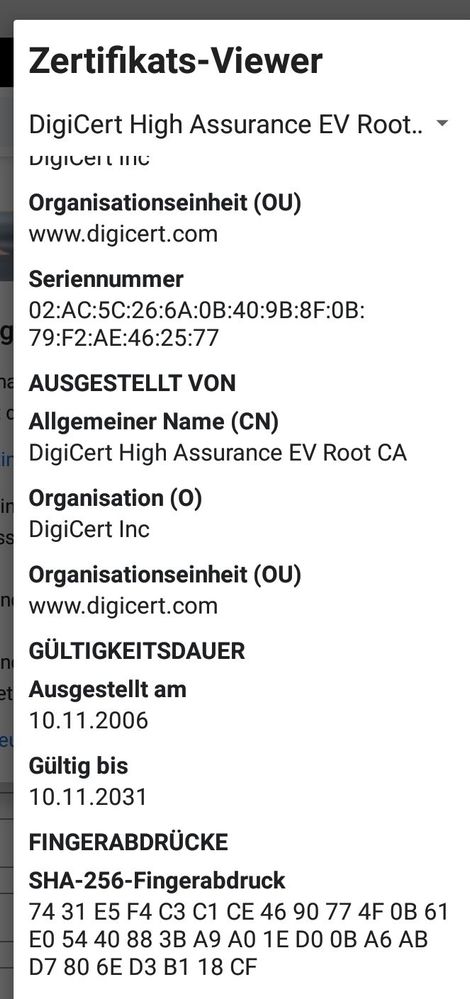
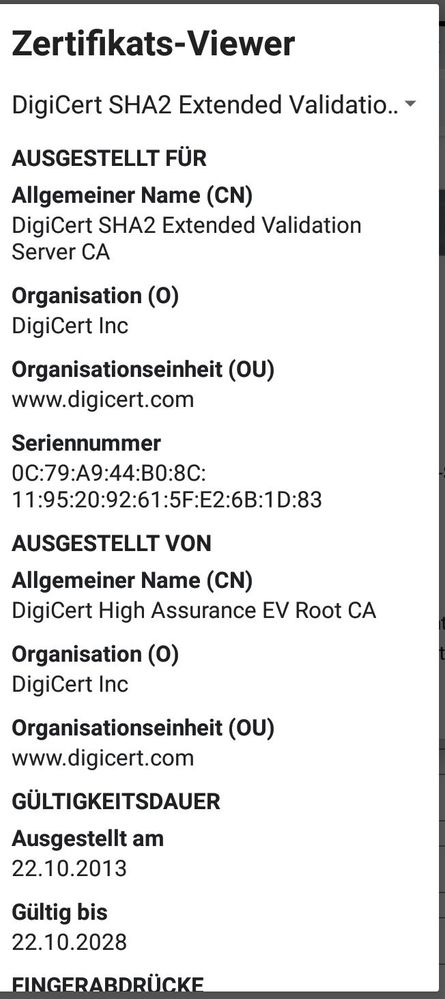
Here the root certificate. This certificate is not in the root certificate store.
Here the intermediate certificate:
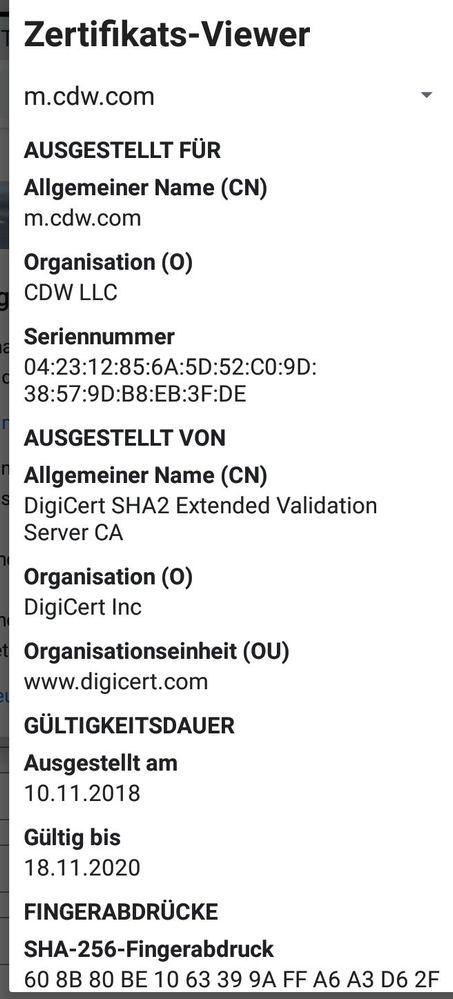
And here the web server certificate:
Sorry for the german names in the pictures. I write on a samsung tab s4 and I cannot change the browser to english.
Thank you, this was ultimately the issue. For some reason Check Point did not have Digicert Global Root G2/G3 in the certificate store. I was able to download them from their support site and add them.
Is there a way to ensure that the Check Point cert store is being automatically updated, apart from checking the box?
Thank you very much!
--Ben
Leaderboard
Epsum factorial non deposit quid pro quo hic escorol.
| User | Count |
|---|---|
| 2 | |
| 1 | |
| 1 | |
| 1 |
Fri 12 Dec 2025 @ 10:00 AM (CET)
Check Mates Live Netherlands: #41 AI & Multi Context ProtocolTue 16 Dec 2025 @ 05:00 PM (CET)
Under the Hood: CloudGuard Network Security for Oracle Cloud - Config and Autoscaling!Fri 12 Dec 2025 @ 10:00 AM (CET)
Check Mates Live Netherlands: #41 AI & Multi Context ProtocolTue 16 Dec 2025 @ 05:00 PM (CET)
Under the Hood: CloudGuard Network Security for Oracle Cloud - Config and Autoscaling!Thu 18 Dec 2025 @ 10:00 AM (CET)
Cloud Architect Series - Building a Hybrid Mesh Security Strategy across cloudsAbout CheckMates
Learn Check Point
Advanced Learning
YOU DESERVE THE BEST SECURITY