- Products
- Learn
- Local User Groups
- Partners
- More

What’s New in Device Diagnostics?
Dec 2nd @ 5pm CET / 11am EST
AI Security Masters
Security in the Pace of AI:
From Threat to Force Multiplier
CPX is Back!
Join us in Las Vegas, Vienna, and/or Bangkok!
Check Point Named a Leader
The Forrester Wave:
Enterprise Firewall Solutions, Q4 2026
What’s New in Agentic Network Orchestration
CheckMates Go:
Fun Ding
Subscribed Internet Rate: 10Mbps Download, 10Mbps Upload
Clients behind the CheckPoint firewall only achieves max. of 3Mbps download and upload. If I attached a laptop directly to internet line, I got consistent 10M/10M (download/upload). But, if I used the same laptop and connect to Eth port of the CheckPoint I got the same as the clients behind the firewall.
Security Gateway: CheckPoint 1450
OS: Gaia
Version: R77.20.81 (990172541)
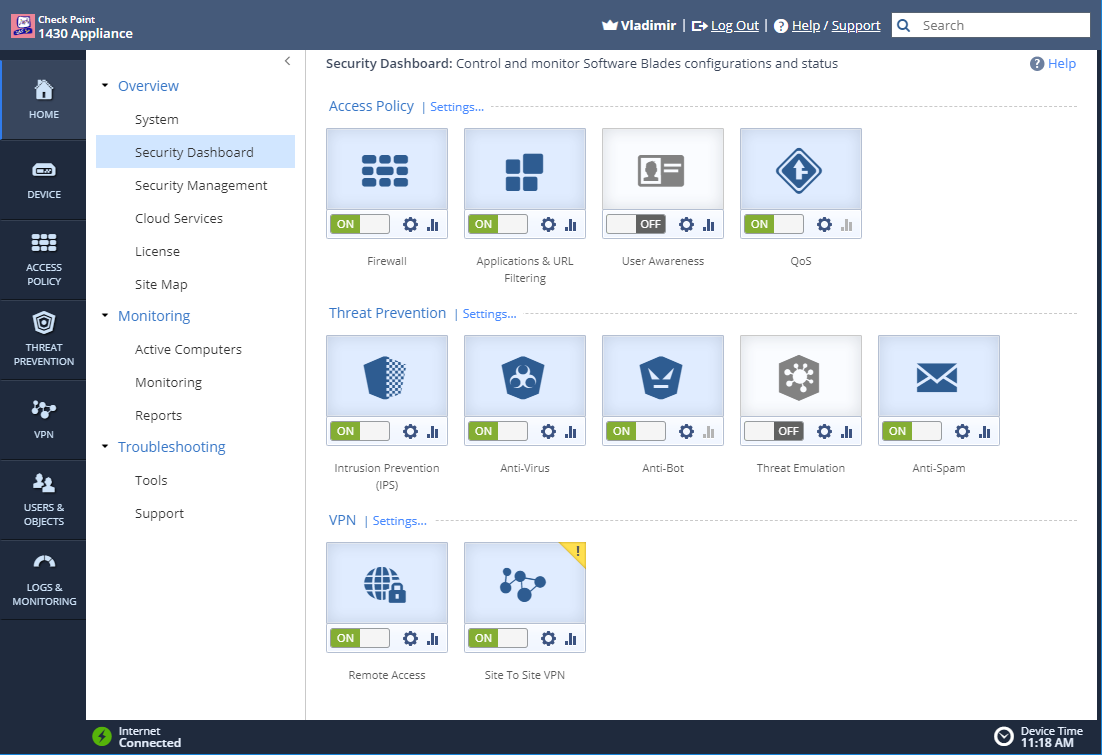
Enabled Blades:
From his other responses, it seems it was indeed QoS blade limiting his speed test.
Hi Gali Fein, yes after disabling Qos blade the connection reaches over 3M. I will also consider replacing ethernet cable between Nortel and CheckPoint as the error and dropped packets still exist.
Hi Theo,
where did u find all those QoS setting? I cannot find QoS blade available on my firewall (6500). Are there any other places to look for those hidden QoS setups?
Look at your FW object in the SmartConsole. This post is discussing Quantum Spark (SMB), while your HW is Quantum, completely different line.
We have same issue with R77.30, we created support request but they couldn't resolve it.
We have 200M/200M Internet connection, users speedtest results are between 1-10 Mbps and they also have slow web surf performance.
Firstly I added a rule on Firewall policy for my ip as source, destination is any and service is any then I added a rule on app & url filter policy for my ip as source, destination is Internet and service is any and also added exception rule for https inspection then I tested, speedtest results were between 50-100 Mbps. 50-100 Mbps was normal for me because 100-150 Mbps was in use by other users.
I belive there is something wrong with Identity Awareness or App Control & URL Filtering or HTTPS Inspection.
We have same issue with R77.30 - You are not talking about SMB units, i would suppose ? Non sequitur...
Which firmware do you use ?
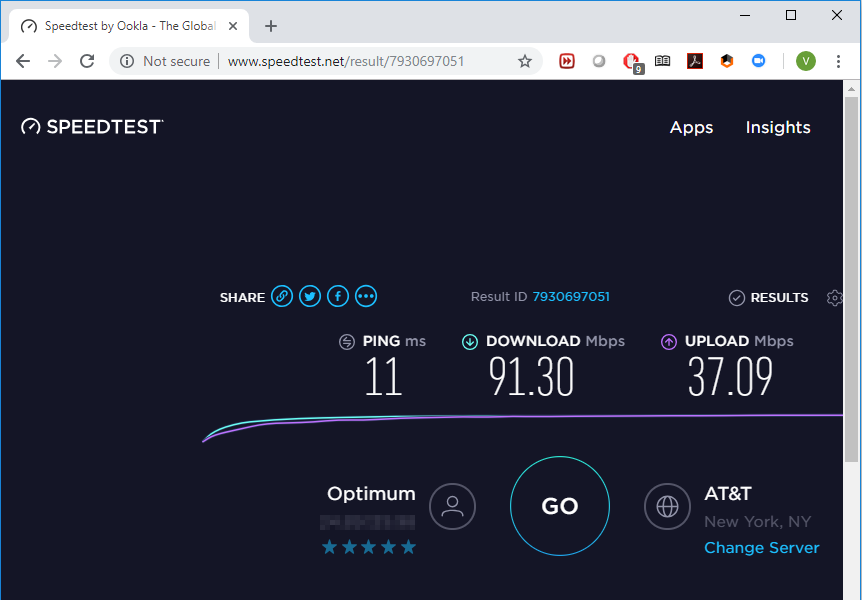
The 1400 series with embedded Gaia does not really have any issues running most of the blades while performing much better than what you are seeing:


And this is running via WiFi AP connected to 1430 through two intermediate switches.
Most common problems I have encountered with SMB appliances were caused by the cheesy switches, mostly used downstream.
Any chance you can replace that Nortel with something a bit more current?
Are there any other switches between 1450 and the PC you are running the speed test from?
Leaderboard
Epsum factorial non deposit quid pro quo hic escorol.
| User | Count |
|---|---|
| 3 | |
| 3 | |
| 3 | |
| 2 | |
| 1 | |
| 1 | |
| 1 | |
| 1 | |
| 1 | |
| 1 |
Tue 24 Nov 2026 @ 01:30 PM (GMT)
La nueva realidad de los ataques DDoS: autonomía, escala y el futuro de la defensaWed 02 Dec 2026 @ 03:30 PM (GMT)
The New DDoS Reality: Autonomy, Scale, and the Future of DefenseThu 03 Dec 2026 @ 11:00 AM (EST)
Under the Hood: Check Point Cloud Firewall for Nutanix - How to Secure your AI WorkloadsTue 24 Nov 2026 @ 01:30 PM (GMT)
La nueva realidad de los ataques DDoS: autonomía, escala y el futuro de la defensaWed 02 Dec 2026 @ 03:30 PM (GMT)
The New DDoS Reality: Autonomy, Scale, and the Future of DefenseThu 03 Dec 2026 @ 11:00 AM (EST)
Under the Hood: Check Point Cloud Firewall for Nutanix - How to Secure your AI WorkloadsAbout CheckMates
Learn Check Point
Advanced Learning
WE SECURE YOUR AI TRANSFORMATION