- Products
- Learn
- Local User Groups
- Partners
- More

MVP 2026: Submissions
Are Now Open!
What's New in R82.10?
Watch NowOverlap in Security Validation
Help us to understand your needs better
CheckMates Go:
Maestro Madness
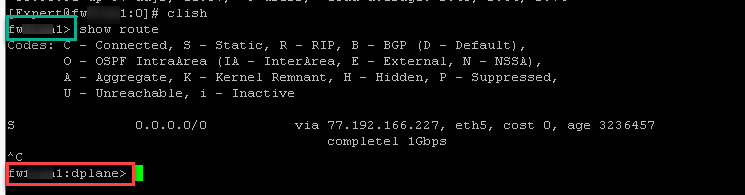
Just wondering if anyone else have noticed slowness in "show route" output in clish if uptime is over one month? What's interesting we have multiple fairly similar clusters and not all are showing same symptoms, only two so far. Reboot "fixes" problem temporarily
We only use static routing.
Output of a single route entry takes approx 5secs.
If interrupted with Ctrl-C we see data-plane added to clish prompt even though we have not introduced management data plane segregation (sk138672 )
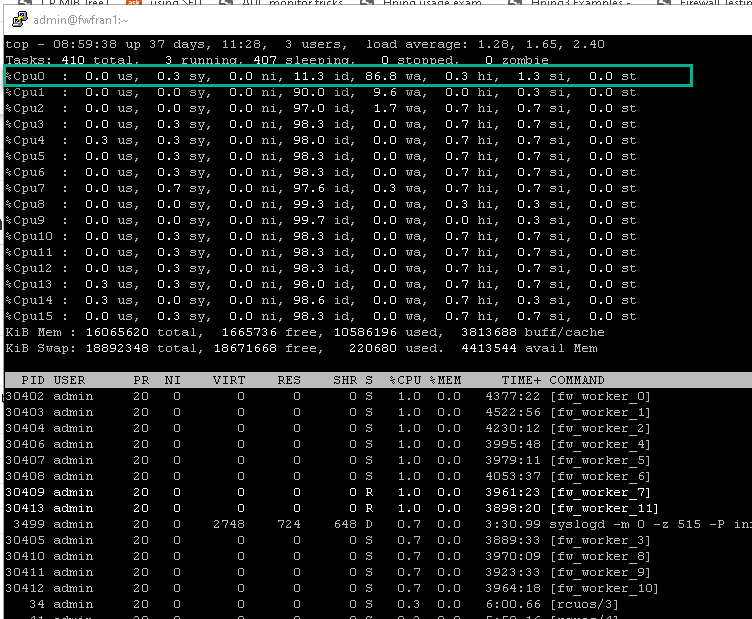
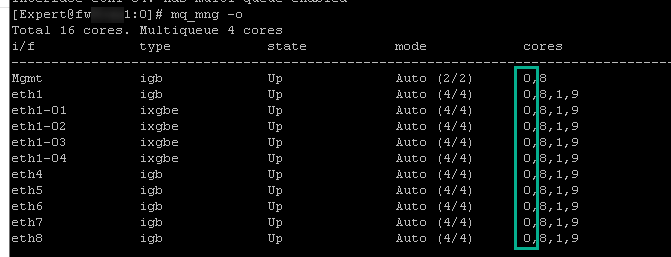
What's interesting is that CPU usage jumps fairly high with high wait time on CPU0 which is only set to be used for MQ. Screenshot below is from a standby member so there's not a lot of other processing there
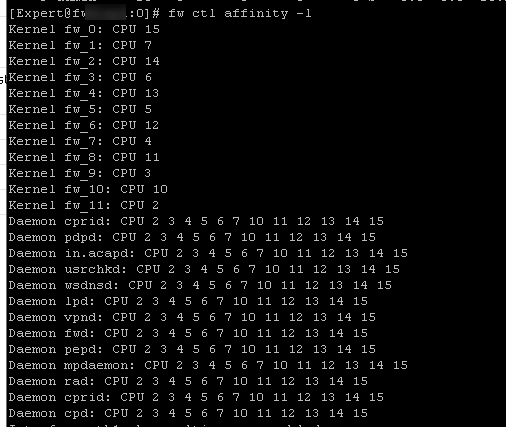
Just to confirm affinity settings CPU0 set only for MQ
That is really strange to see such a high wa (waiting for I/O) on a dispatcher core instead of a worker core. Having that core getting blocked 86% of the time waiting for some kind of event related to your route display might cause other problems. Do you have any VTIs? Maybe getting stuck there resolving the interface name or something? Any loopback subinterfaces or other nonstandard interfaces defined in Gaia? If you try "show route summary" does it return immediately as that display does not involve resolving interface names?
I really doubt it is something in SecureXL, Dynamic Dispatcher, or SoftIRQ (which would would hang in si space) even though those are present on the dispatcher core that is getting blocked...
I would expect DNS timeouts to be booked to wait. Is 'netstat -r' also slow? How about 'netstat -nr' (skips DNS resolution)?
Thanks guys for replying!
In response to both:
Almost feels like a memory leak. I'll dig some more!
And got even one error whilst running summary command in clish multiple times n succession:
fw1> show route summary
RTGRTG0019 tclproc: {Timeout waiting for response from database server.
Have you tried going to JHFA125? (I would not go to JHFA131 just yet, had an issue on a 6400. after reboot on in band communications stopped, uninstalled and installer JHFA125, no issues).
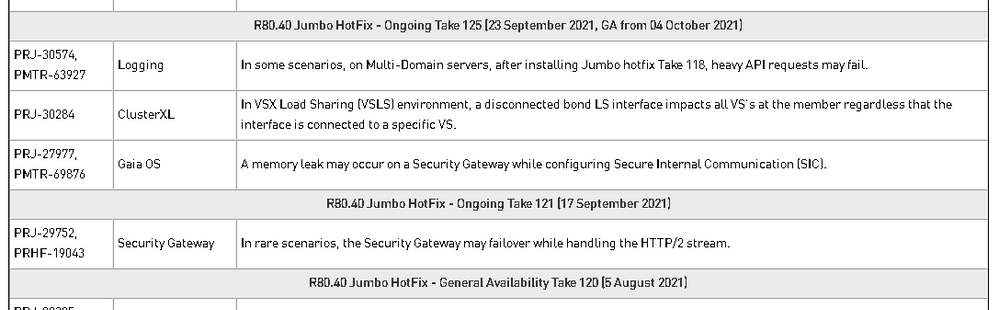
Not a lot of fixes between 120 and 125:
I agree - but there could be "private" fixes as well 😉
Funny you mentioned this, because I seen it with one customer few times, but then it goes away, so reboot is never required to "fix" it and they are on take 120 as well. Not really sure what could be causing this behavior, as I checked their cpu, memory, corexl, sxl...all looks perfectly fine.
Doesnt seem to be fixed even on Take 139. I just got one of the customer's upgraded today and noticed the same issue on latest 139 as well. Just to let you know, I have seen this issue happening on all Takes from 92 onwards.
Hm, not sure what to say then...I always work with couple of clients running on R80.40 Take 120 and I had never experienced this problem.
My name is Naama Specktor and I'm from checkpoint ,
Do you have TAC SR for this issue? if yes I will appreciate it if you will share the number.
thank you ,
Naama
I'm afraid that we did not raise a case as we were planning upgrade to T139 anyways and it seems to be working atm.
Leaderboard
Epsum factorial non deposit quid pro quo hic escorol.
| User | Count |
|---|---|
| 20 | |
| 19 | |
| 18 | |
| 8 | |
| 7 | |
| 3 | |
| 3 | |
| 3 | |
| 3 | |
| 3 |
Tue 16 Dec 2025 @ 05:00 PM (CET)
Under the Hood: CloudGuard Network Security for Oracle Cloud - Config and Autoscaling!Thu 18 Dec 2025 @ 10:00 AM (CET)
Cloud Architect Series - Building a Hybrid Mesh Security Strategy across cloudsTue 16 Dec 2025 @ 05:00 PM (CET)
Under the Hood: CloudGuard Network Security for Oracle Cloud - Config and Autoscaling!Thu 18 Dec 2025 @ 10:00 AM (CET)
Cloud Architect Series - Building a Hybrid Mesh Security Strategy across cloudsAbout CheckMates
Learn Check Point
Advanced Learning
YOU DESERVE THE BEST SECURITY