- Products
- Learn
- Local User Groups
- Partners
- More

AI Security Masters E7:
How CPR Broke ChatGPT's Isolation and What It Means for You
Call For Papers
Your Expertise. Our Stage
Good, Better, Best:
Prioritizing Defenses Against Credential Abuse
Ink Dragon: A Major Nation-State Campaign
Watch HereCheckMates Go:
CheckMates Fest
Hi, Checkmates!
I would like to share with you one tip I found out when I was trying to resolve audit findings.
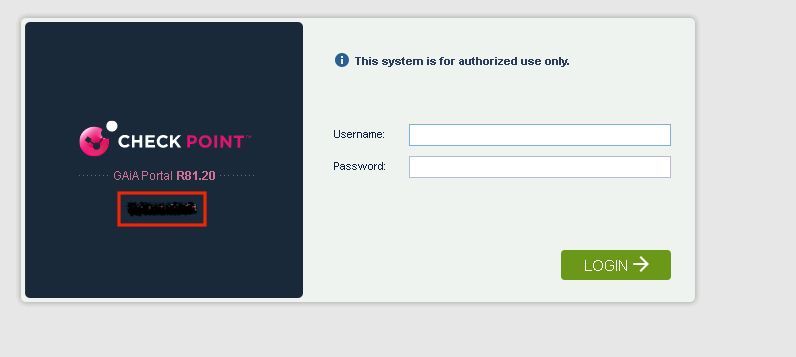
One of audit findings was that there shouldn't be hostname exposed when Gaia portal page is loaded.
I haven't found any Check Point article regarding that so made my own investigation.
Using Browser developers tools I found out that the file login.js is loading during the page opening.
After that I logged in to the gateway and found the location of the file is /web/htdocs2/js/
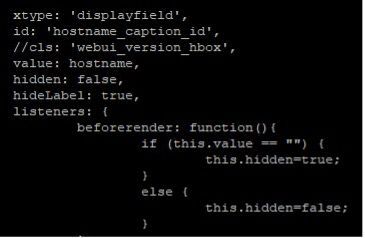
And the section which is responsible for hostname displaying:
Instruction how to disable hostname from Check Point Gaia Web UI:
cp login.js login.js_bkp
4. Edit the login.js file using Vi editor
5. Remove the below lines related to hostname
{
xtype: 'displayfield',
id: 'hostname_caption_id',
//cls: 'webui_version_hbox',
value: hostname,
hidden: false,
hideLabel: true,
listeners: {
beforerender: function(){
if (this.value == "") {
this.hidden=true;
}
else {
this.hidden=false;
}
}
6. Save the file.
7. Restart the httpd2 process on the gateway using below commands:
tell pm httpd2
tell pm httpd2 t
Hope this helps! Thank you!
Update:
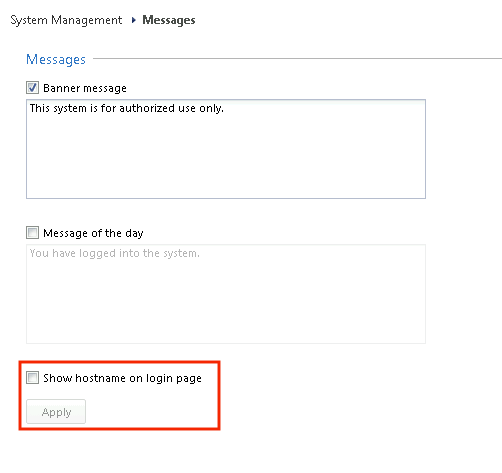
You can change the setting also through Web UI settings:
If this checkbox is disabled but you still have hostname shown just enable and then disable it again.
Actually I found this setting in the portal:
It was disabled by default but hostname was shown.
After I enabled/disabled it once again the hostname disappeared.
Thanks for sharing!
Do you understand what is hidden here ?
Lets let @AntonMakarychev confirm, but I believe he may be referring to below:
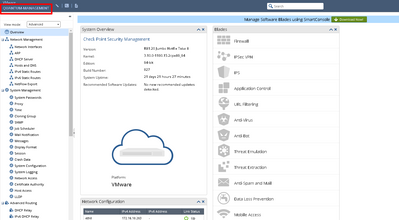
I attached the screenshot, the hostname is exposed in the login page. Here it doesn't make sense to hide anything as an intruder needs to know credentials to get to this page.
He talks about something shown before login.
You wrote: One of audit findings was that there shouldn't be hostname exposed when Gaia portal page is loaded.
Can you show in a screenshot what you mean ? I never see a hostname for my GWs, only IPs !
Also, why deleting lines at all ? Usually you just comment them out and leave a note there when and why you did that...
That's hostname that will be hidden. As a potential intruder will be able to load this page and get information about naming convention in the organisation.
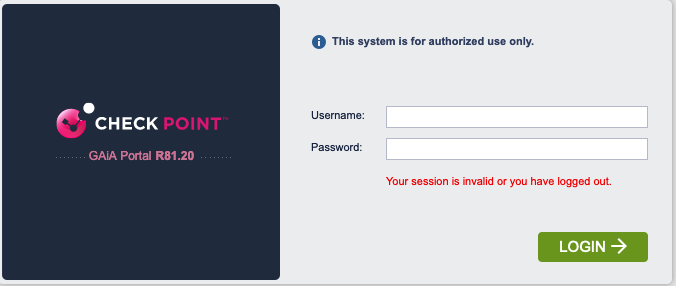
I have defined a GW hostname but never had anything at that spot !
Me neither, checked 5 devices 🙂
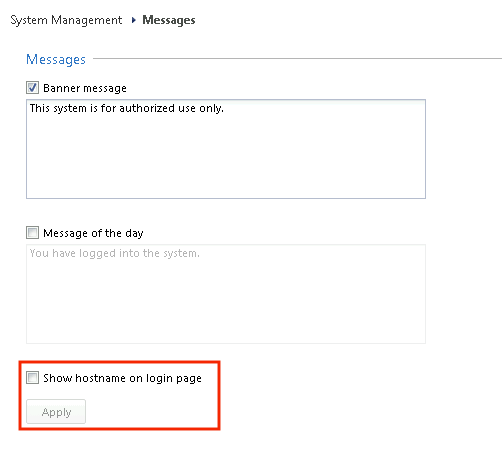
Actually I found this setting in the portal:
It was disabled by default but hostname was shown.
After I enabled/disabled it once again the hostname disappeared.
100% correct...I found one appliance in my lab where it shows and that setting is the reason 👍
But anyway it is good to know how you can customise the login page.
Regarding deletion, yes you can comment this section - the result will be the same.
Leaderboard
Epsum factorial non deposit quid pro quo hic escorol.
| User | Count |
|---|---|
| 64 | |
| 24 | |
| 13 | |
| 12 | |
| 11 | |
| 9 | |
| 8 | |
| 7 | |
| 7 | |
| 7 |
Tue 21 Apr 2026 @ 05:00 PM (IDT)
AI Security Masters E7: How CPR Broke ChatGPT's Isolation and What It Means for YouTue 28 Apr 2026 @ 06:00 PM (IDT)
Under the Hood: Securing your GenAI-enabled Web Applications with Check Point WAFTue 21 Apr 2026 @ 05:00 PM (IDT)
AI Security Masters E7: How CPR Broke ChatGPT's Isolation and What It Means for YouTue 28 Apr 2026 @ 06:00 PM (IDT)
Under the Hood: Securing your GenAI-enabled Web Applications with Check Point WAFTue 12 May 2026 @ 10:00 AM (CEST)
The Cloud Architects Series: Check Point Cloud Firewall delivered as a serviceThu 30 Apr 2026 @ 03:00 PM (PDT)
Hillsboro, OR: Securing The AI Transformation and Exposure ManagementAbout CheckMates
Learn Check Point
Advanced Learning
YOU DESERVE THE BEST SECURITY