- Products
- Learn
- Local User Groups
- Partners
- More

AI Security Masters E7:
How CPR Broke ChatGPT's Isolation and What It Means for You
Blueprint Architecture for Securing
The AI Factory & AI Data Center
Call For Papers
Your Expertise. Our Stage
Good, Better, Best:
Prioritizing Defenses Against Credential Abuse
Ink Dragon: A Major Nation-State Campaign
Watch HereCheckMates Go:
CheckMates Fest
Hello Expert
I am trying to setup identity awareness in my environment. But somehow I found my secureGateway never send radius authentication to my configured authentication server.
I always get this error
An error was detected while trying to authenticate against the AD server.
It may be a problem of bad configuration or connectivity.
Please refer to the troubleshooting guide for more help
Turning on pdp debug I can only find [15 Jul 13:40:34] [RADIUS (TD::Events)] pdp::PDPRadiusManager::~PDPRadiusManager: enter d'tor about radius.
TCPDUMP can't capture any packet with filter "port 1812".
Any idea?
Thanks
Frank
Can you describe the flow in more detail?
Typically Identity Awareness integration based on Radius would be looking at Radius Accounting 1813.
Thanks Chris
The first flow is download identity agent through portal after authenticate through ldap server which works fine and I also think it is not relevant.
Second flow is getting identity information through connecting identity agent. It is using user name and password authentication through radius server. Actually I am quite understand how this works because I don’t know there’s any group information in radius response. Anyway I got that error message and with pdp debug I can see it querying ad server but not sending authentication. Would it because my test account not in any ad server? And does it mean pdp query ad server to get identity information before sending radius authentication?
Cheers
Frank
The relationship between the User Directories & Authentication is referenced in the admin guide, the user has to exist somewhere in a repository before it is authenticated.
Refer: Authentication Settings > User Directories
Thanks Chris
This make sense.
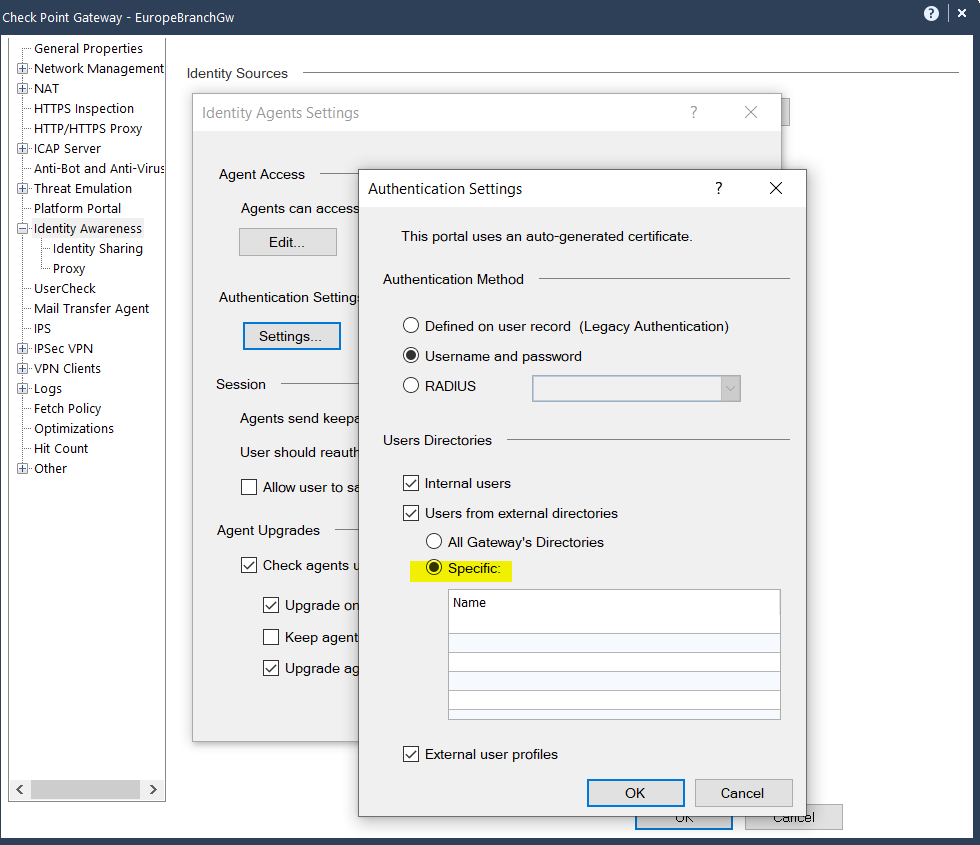
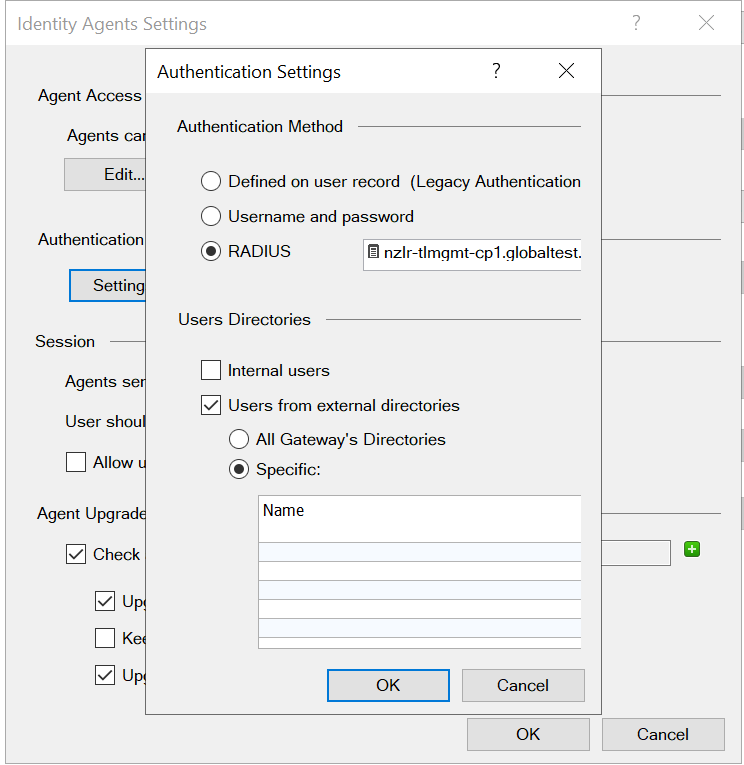
Just one problem, I am not able to specific user directory in IA authentication setting, no +/-. BTW, my firewall and smartconsole are version 81.10
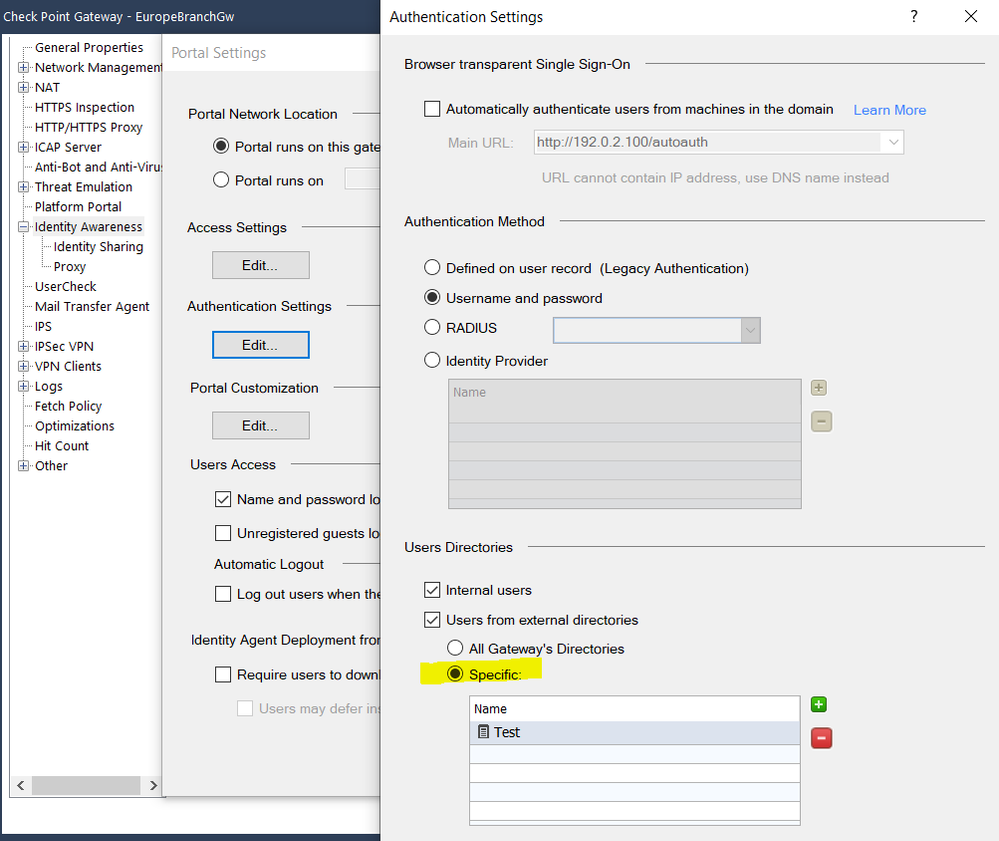
If you have the user directories such as an LDAP Account Unit already defined it should allow you to select it, if you need specific configuration for this gateway/cluster versus global. With that said their does appear to be a glitch in the UI when comparing the screens below as the +/- buttons aren't shown. Please report this to TAC if it's critical for your setup and I will also follow-up internally.
Identity Agent
Browser Based
Check the Windows magnification level is not different than 100% [Display > Scale and layout] and it should work around the UI glitch in the interim.
Thanks Chris
Sorry for the late reply.
I am talking about identity agent authentication.
Change display scale not help. 😞
Did you relaunch the application after changing the scale setting? (It corrected the issue in my testing).
If the issue persists and or the "All Gateways Directories" option isn't suitable in your case please contact TAC.
you absolutely right, relaunch application after changing display scale +/- shows. Thanks a lot, you really a expert.
Leaderboard
Epsum factorial non deposit quid pro quo hic escorol.
| User | Count |
|---|---|
| 64 | |
| 19 | |
| 13 | |
| 12 | |
| 11 | |
| 9 | |
| 8 | |
| 7 | |
| 7 | |
| 7 |
Tue 28 Apr 2026 @ 06:00 PM (IDT)
Under the Hood: Securing your GenAI-enabled Web Applications with Check Point WAFThu 30 Apr 2026 @ 03:00 PM (PDT)
Hillsboro, OR: Securing The AI Transformation and Exposure ManagementTue 28 Apr 2026 @ 06:00 PM (IDT)
Under the Hood: Securing your GenAI-enabled Web Applications with Check Point WAFTue 12 May 2026 @ 10:00 AM (CEST)
The Cloud Architects Series: Check Point Cloud Firewall delivered as a serviceThu 30 Apr 2026 @ 03:00 PM (PDT)
Hillsboro, OR: Securing The AI Transformation and Exposure ManagementAbout CheckMates
Learn Check Point
Advanced Learning
YOU DESERVE THE BEST SECURITY