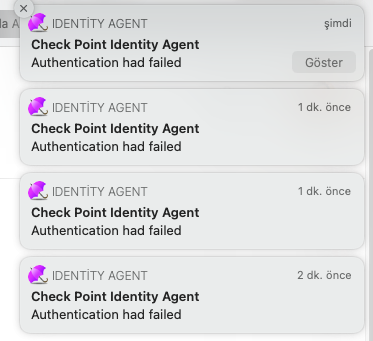
Interesting...we have customer using same mac OS and identity agent, they never complained to me about this issue. Only thing is TAC helped us configure IA auto discovery, but not sure if that would make a difference here. Im referring to below document and section:
https://sc1.checkpoint.com/documents/R80.10/WebAdminGuides/EN/CP_R80.10_IdentityAwareness_AdminGuide...
DNS Based Configuration
If you configure the client to "Automatic Discovery" (the default), it looks for a server by issuing a DNS SRV query for the address "CHECKPOINT_NAC_SERVER._tcp" (the DNS suffix is added automatically). You can configure the address in your DNS server.
On the DNS server (Example is Windows 2003. For more information, see official Microsoft documentation):
- Go to > > > .
- Go to and select the applicable domain.
- Go to the subdomain.
- Right-click and select .
- Select , .
- In the field, enter
CHECKPOINT_NAC_SERVER.
- Set the to 443.
- In , enter the address of the Identity Awareness Gateway.
- Click .
Note - To define an Identity Awareness Load Sharing, make several SRV records with the same priority. To define an Identity Awareness High Availability, make several SRV records with different priorities.
Note - If you configure AD based and DNS based configuration, the results are combined according to the specified priority (from the lowest to highest).
Best,
Andy
"Have a great day and if its not, change it"