- Products
- Learn
- Local User Groups
- Partners
- More
The State of Ransomware Q1 2026
Key Trends and Their Impact
Good, Better, Best:
Prioritizing Defenses Against Credential Abuse
AI Security Masters E7:
How CPR Broke ChatGPT's Isolation and What It Means for You
Blueprint Architecture for Securing
The AI Factory & AI Data Center
Call For Papers
Your Expertise. Our Stage
CheckMates Go:
CheckMates Fest
Hello everyone,
I am trying to find out if I can generate a 30 day report for Mbps usage on an external interface for justifying a speed increase.
There seems to be several ways to possibly get what I am asking, but having no luck so far.
From what I have checked so far:
So not sure this will work.
Maybe I am after the wrong thing, or looking at the wrong places? Any suggestions are appreciated.
Thank you!
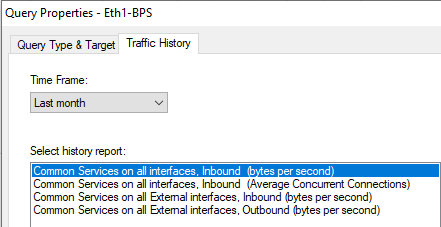
First try if CPViewer gives you the result you are looking for.
If that doesn't help you we can support you getting that data out of your cpview history database in an automated way.
Hi r1der,
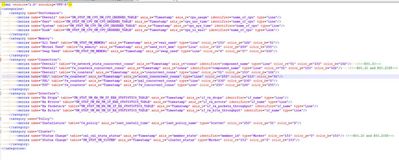
Below are the steps to modify the DiagnosticsView configuration to see the required data:
<series name="Tx Drops" table="UM_STAT_UM_HW_UM_IF_ERR_STATISTICS_TABLE" axis_x="Timestamp" axis_y="if_tx_drops" identifier="if_name" type="Line"/>
<series name="Tx Errors" table="UM_STAT_UM_HW_UM_IF_ERR_STATISTICS_TABLE" axis_x="Timestamp" axis_y="if_tx_errors" identifier="if_name" type="Line"/>
<series name="Tx Packets/s" table="UM_STAT_UM_HW_UM_IF_TX_STATISTICS_TABLE" axis_x="Timestamp" axis_y="if_tx_packets_throughput" identifier="if_name" type="Line"/>
<series name="Tx Bits/s" table="UM_STAT_UM_HW_UM_IF_TX_STATISTICS_TABLE" axis_x="Timestamp" axis_y="if_tx_bits_throughput" identifier="if_name" type="Line"/>
Those columns should now appear by default.
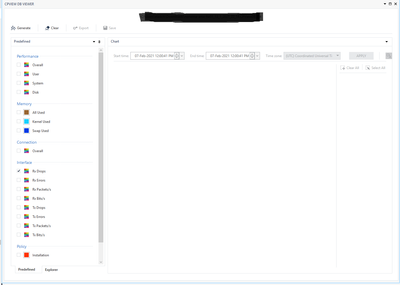
You can also use the “Explorer” to see the data more directly:
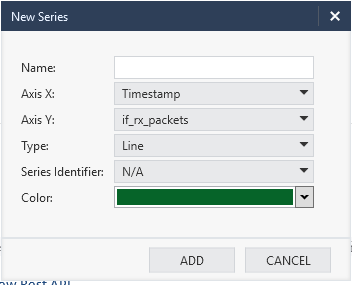
Select the Stat you wish to see – select the table you wish to see and in it double click on the field you wish to see – and it should open you this dialog:
First try if CPViewer gives you the result you are looking for.
If that doesn't help you we can support you getting that data out of your cpview history database in an automated way.
Thanks @Danny. I wanted to be sure it'll contain the ability for the report first before setting it up, but I just pulled the trigger and set it up
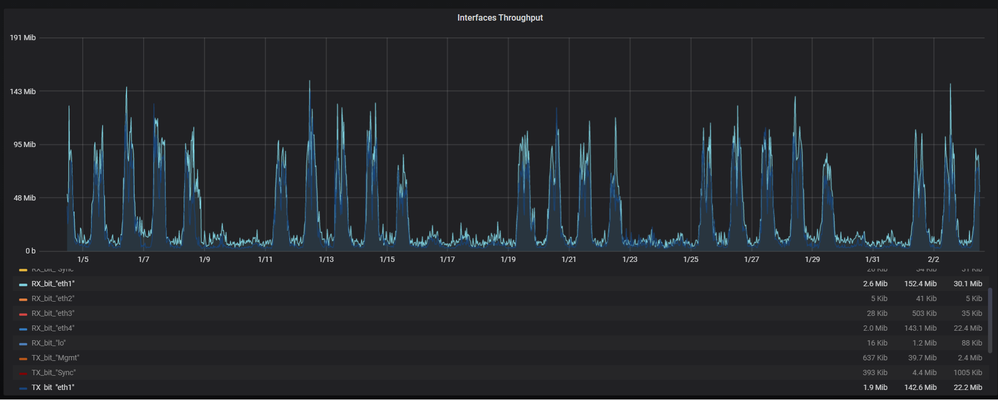
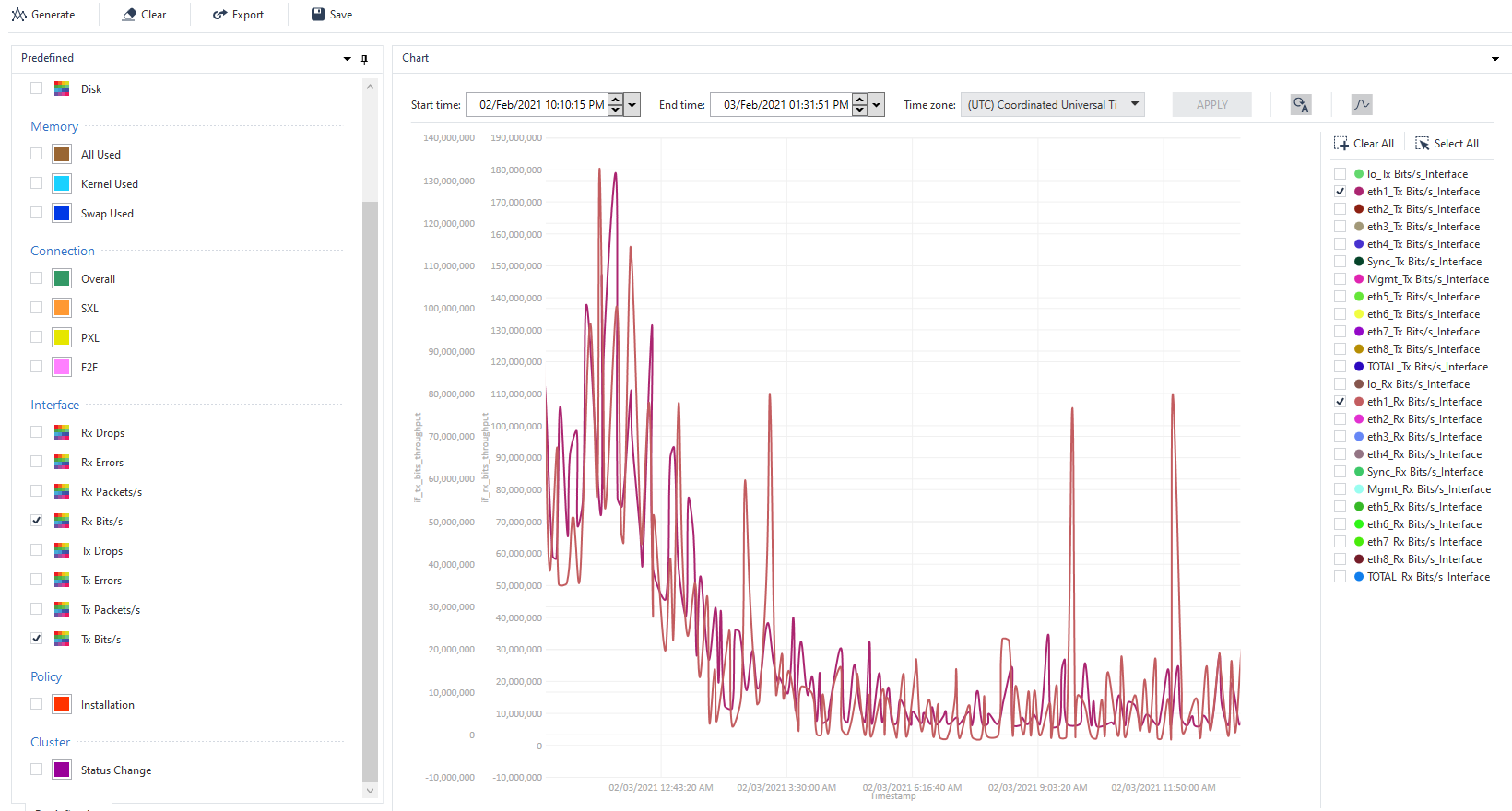
This did have the information I was looking for. It aligns up with our ISP report, I just have to convert the Mib values.CPViewer
SNMP monitoring of interface traffic counters (as you would do for routers / switches) is also a common solution utilizing your Tool / NMS of choice e.g. Cacti etc.
Netflow is also possible but likely overkill for the task at hand.
Thanks, this will be something I will look into and test around with!
Hi r1der,
Below are the steps to modify the DiagnosticsView configuration to see the required data:
<series name="Tx Drops" table="UM_STAT_UM_HW_UM_IF_ERR_STATISTICS_TABLE" axis_x="Timestamp" axis_y="if_tx_drops" identifier="if_name" type="Line"/>
<series name="Tx Errors" table="UM_STAT_UM_HW_UM_IF_ERR_STATISTICS_TABLE" axis_x="Timestamp" axis_y="if_tx_errors" identifier="if_name" type="Line"/>
<series name="Tx Packets/s" table="UM_STAT_UM_HW_UM_IF_TX_STATISTICS_TABLE" axis_x="Timestamp" axis_y="if_tx_packets_throughput" identifier="if_name" type="Line"/>
<series name="Tx Bits/s" table="UM_STAT_UM_HW_UM_IF_TX_STATISTICS_TABLE" axis_x="Timestamp" axis_y="if_tx_bits_throughput" identifier="if_name" type="Line"/>
Those columns should now appear by default.
You can also use the “Explorer” to see the data more directly:
Select the Stat you wish to see – select the table you wish to see and in it double click on the field you wish to see – and it should open you this dialog:
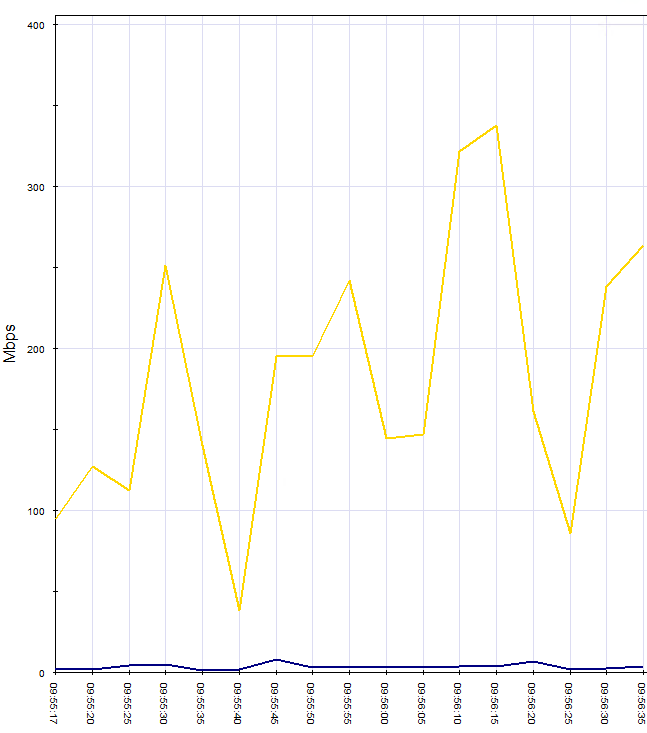
@Elad_Chomsky, thank you so much! Just tested this out, and this will work as well.
My only issue is I'd like to have 1 y-axis if possible. Other than that, this accomplishes the request but will need 2 separate graphs for clarity.
Leaderboard
Epsum factorial non deposit quid pro quo hic escorol.
| User | Count |
|---|---|
| 33 | |
| 10 | |
| 10 | |
| 9 | |
| 8 | |
| 7 | |
| 7 | |
| 6 | |
| 5 | |
| 5 |
Tue 12 May 2026 @ 10:00 AM (CEST)
The Cloud Architects Series: Check Point Cloud Firewall delivered as a serviceWed 13 May 2026 @ 11:00 AM (EDT)
TechTalk: The State of Ransomware Q1 2026: Key Trends and Their ImpactThu 14 May 2026 @ 07:00 PM (EEST)
Under the Hood: Presentando Check Point Cloud Firewall como ServicioTue 12 May 2026 @ 10:00 AM (CEST)
The Cloud Architects Series: Check Point Cloud Firewall delivered as a serviceTue 19 May 2026 @ 06:00 PM (IDT)
AI Security Masters E8 - Claude Myphos: New Era in Cyber SecurityAbout CheckMates
Learn Check Point
Advanced Learning
YOU DESERVE THE BEST SECURITY