- Products
- Learn
- Local User Groups
- Partners
- More

MVP 2026: Submissions
Are Now Open!
What's New in R82.10?
Watch NowOverlap in Security Validation
Help us to understand your needs better
CheckMates Go:
Maestro Madness
Mgmt R81.20
I have setup Azure Identity provider for SAML authentication .
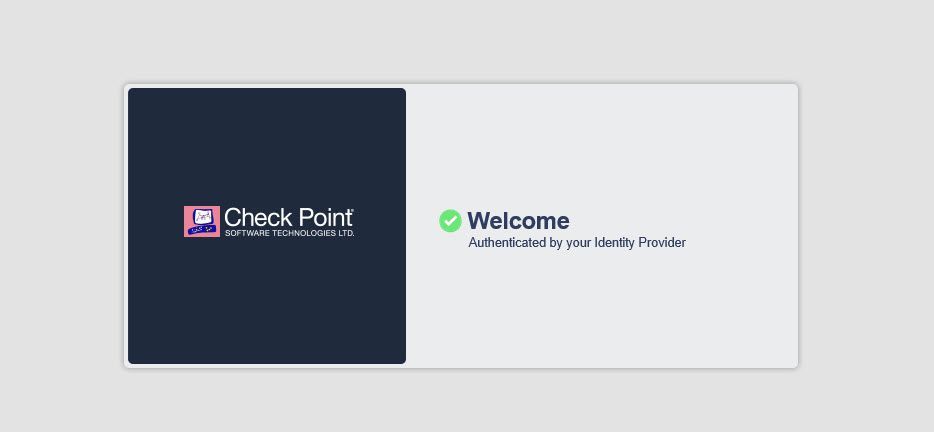
When I try to connect i get prompted for Azure username/ password, then do my 2FA, then get redirected to a page that says VPN connection successful .
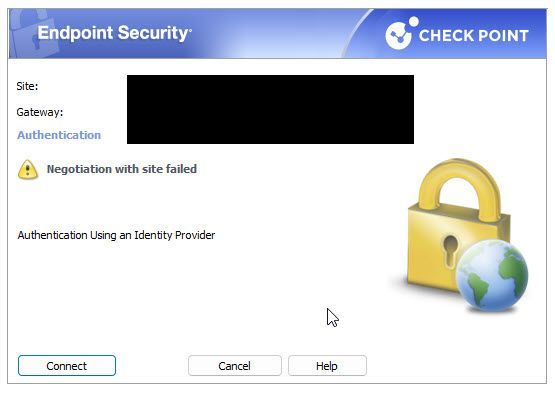
However on the actual client i see that the connection failed with the following message
"Negotiation with site failed"
I also checked azure sign logs and it shows a successful sign-on ,
Any ideas what could be the issue?
I am using latest E87.30 vpn client software
i got this working by following a combination of these two links.
https://community.checkpoint.com/t5/Security-Gateways/Access-Role-not-working/m-p/144456#M22486
Personally, I would collect client logs and have a look, as well as below from gateway:
1) First, please set up the client side debug. (On the workstation)
Right click on the client icon --> VPN Options --> Advanced --> enable logging checkbox --> click close.
Enable extended logging instead of basic if there is an option.
2) Initiate VPN debug on the FW:
# rm $FWDIR/log/ike.elg.*
# rm $FWDIR/log/ikev2.xmll.*
# rm $FWDIR/log/iked.elg.*
# rm $FWDIR/log/vpnd.elg.*
# rm $FWDIR/log/legacy_ike.*
# rm $FWDIR/log/legacy_ikev2.xmll.*
# > $FWDIR/log/ike.elg
# > $FWDIR/log/ikev2.xmll
# > $FWDIR/log/iked.elg
# > $FWDIR/log/vpnd.elg
# > $FWDIR/log/legacy_ike.elg
# > $FWDIR/log/legacy_ikev2.xmll
# vpn debug trunc
# vpn debug on TDERROR_ALL_ALL=5
3) <<<<Replicate the issue>>>>>
4) Stop VPN debug on the FW:
# vpn debug off
# vpn debug ikeoff
5) Right click on the client icon --> VPN Options --> Advanced --> collect logs --> click close.
i got this working by following a combination of these two links.
https://community.checkpoint.com/t5/Security-Gateways/Access-Role-not-working/m-p/144456#M22486
Excellent, thanks for sharing! 👍
Mgmt R81.20
I have setup Azure Identity provider for SAML authentication .
When I try to connect i get prompted for Azure username/ password, then do my 2FA, then get redirected to a page that says VPN connection successful .
However on the actual client i see that the connection failed with the following message
"Negotiation with site failed"
I also checked azure sign logs and it shows a successful sign-on ,
Any ideas what could be the issue?
I am using latest E87.30 vpn client software
Leaderboard
Epsum factorial non deposit quid pro quo hic escorol.
| User | Count |
|---|---|
| 4 | |
| 3 | |
| 2 | |
| 2 | |
| 1 | |
| 1 | |
| 1 | |
| 1 | |
| 1 | |
| 1 |
Tue 16 Dec 2025 @ 05:00 PM (CET)
Under the Hood: CloudGuard Network Security for Oracle Cloud - Config and Autoscaling!Thu 18 Dec 2025 @ 10:00 AM (CET)
Cloud Architect Series - Building a Hybrid Mesh Security Strategy across cloudsTue 16 Dec 2025 @ 05:00 PM (CET)
Under the Hood: CloudGuard Network Security for Oracle Cloud - Config and Autoscaling!Thu 18 Dec 2025 @ 10:00 AM (CET)
Cloud Architect Series - Building a Hybrid Mesh Security Strategy across cloudsAbout CheckMates
Learn Check Point
Advanced Learning
YOU DESERVE THE BEST SECURITY