- Products
- Learn
- Local User Groups
- Partners
- More

AI Security Masters E7:
How CPR Broke ChatGPT's Isolation and What It Means for You
Blueprint Architecture for Securing
The AI Factory & AI Data Center
Call For Papers
Your Expertise. Our Stage
Good, Better, Best:
Prioritizing Defenses Against Credential Abuse
Ink Dragon: A Major Nation-State Campaign
Watch HereCheckMates Go:
CheckMates Fest
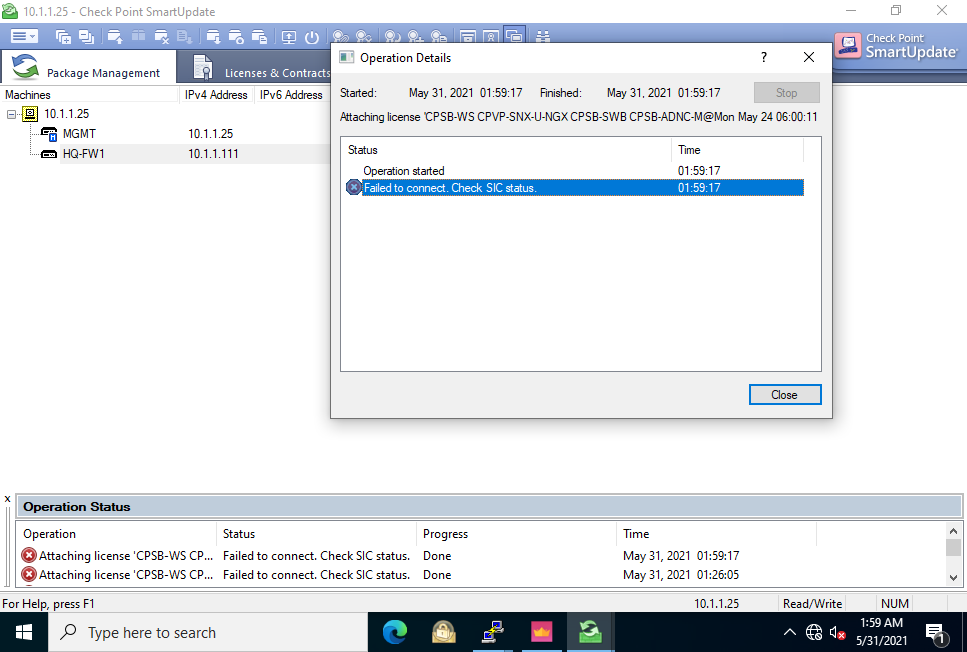
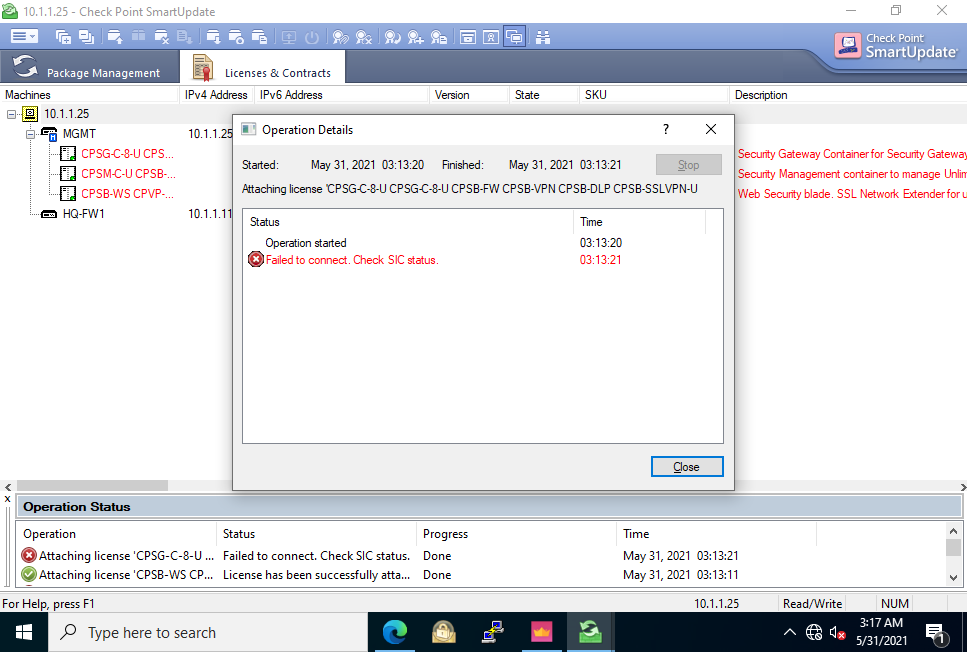
Hello everyone, I have some issue related to the SIC in VMWARE, I have a security gateway that connected to a management server which I access via Smart Consol. after I install the gateway and make sure that there is trust SIC connection between them I tried to attach the license file and get SIC error, I've already tried to re-initialized successfully the SIC in the CLI but keep getting the same error.
I've added some screenshots with the errors,
thanks in advance.
You have no valid license on your gateway, which means the policy is probably set to block all traffic (including SIC).
fw unloadlocal on your gateway should open things up.
However, you need to apply the license to the gateway.
I highly recommend using the CLI to do this using the instructions provided by your email from UserCenter.
Looks like a wrong license - GW license starts with CPSG- ! Feature CPVP-SNX-U-NGX looks like from a very old license, i would suggest re-licensing.
I've just tried to re-licensing and got a licence that starts with CPSG but keeps getting the SIC error.
The screenshot shows the CPSG license as attached to the Management instead of waiting in the Repository to be attached to the GW. Did policy install ever work successfull ?
Yes, and I've tried to attach the license to the GW @G_W_Albrecht
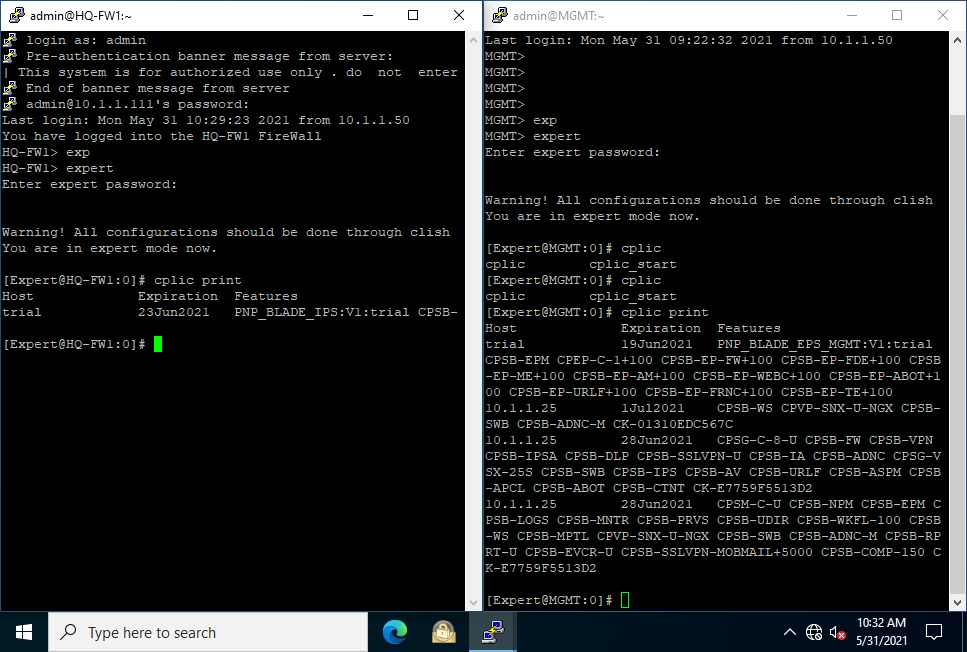
Do a
# cplic print
on SMS and GW and post it - this will show more information !
Can you apply eval license via command line, just to be 100% sure?
Yes, of course you can ! Otherwise, @PhoneBoy would not have written that, as all the licenses @nahman127 shows are EVALs 8)
You have no valid license on your gateway, which means the policy is probably set to block all traffic (including SIC).
fw unloadlocal on your gateway should open things up.
However, you need to apply the license to the gateway.
I highly recommend using the CLI to do this using the instructions provided by your email from UserCenter.
It works! .
After I've deleted all the policies with "fw unload local" in the CLI, I've installed a new policy to the SG, and it works great, thank you all @PhoneBoy @G_W_Albrecht @the_rock @Gaurav_Pandya
In the screenshot, it is attached to the SMS, and that is wrong.
try to fetch policy in firewall with below command and see if you are getting any license error.
fetch policy <mgmt IP>
Rather than using SmartUpdate to apply the licenses, try the CLI and show us the output.
You might also verify basic connectivity between the nodes.
Leaderboard
Epsum factorial non deposit quid pro quo hic escorol.
| User | Count |
|---|---|
| 66 | |
| 19 | |
| 13 | |
| 12 | |
| 11 | |
| 9 | |
| 9 | |
| 7 | |
| 7 | |
| 7 |
Tue 28 Apr 2026 @ 06:00 PM (IDT)
Under the Hood: Securing your GenAI-enabled Web Applications with Check Point WAFThu 30 Apr 2026 @ 03:00 PM (PDT)
Hillsboro, OR: Securing The AI Transformation and Exposure ManagementTue 28 Apr 2026 @ 06:00 PM (IDT)
Under the Hood: Securing your GenAI-enabled Web Applications with Check Point WAFTue 12 May 2026 @ 10:00 AM (CEST)
The Cloud Architects Series: Check Point Cloud Firewall delivered as a serviceThu 30 Apr 2026 @ 03:00 PM (PDT)
Hillsboro, OR: Securing The AI Transformation and Exposure ManagementAbout CheckMates
Learn Check Point
Advanced Learning
YOU DESERVE THE BEST SECURITY