- Products
- Learn
- Local User Groups
- Partners
- More

MVP 2026: Submissions
Are Now Open!
What's New in R82.10?
10 December @ 5pm CET / 11am ET
Announcing Quantum R82.10!
Learn MoreOverlap in Security Validation
Help us to understand your needs better
CheckMates Go:
Maestro Madness
Hello,
From the Smartconsole -> Logs & Monitor -> Log view or from the Smartview Web interface, I would like to export all logs from a filtered log view to CSV. In both cases, I use the "Export to Excel" function but I have two different problems :
Thanks.
As far as I know, the "Export to CSV" option only exporting visible fields is a known limitation.
What fields do you want to see in SmartView that are not showing right now?
I am currently working on SmartEvent policies (especially Scans, Denial of service, Abnomalies policies) and I need to set detection thresholds. One way to adjust them is to use the "Max Num Count Detected" (max_num_count_detected) field we can find in correlated logs. Getting this field for a number of logs for given events could allow me to analyze current behaviours and define baseline thresholds adapted to my traffic.
I have tried to use "fwm logexport" on my log server and filter returned logs (grep, cut,..) but it looks like "fwm logexport" returns inconsistent line format in my case. For example, below is an extract of 3 lines in an export :
;udp;389;;;;;;;;;;2000;IP sweep from internal network;
;udp;389;;;;;;;2000;IP sweep from internal network;
;udp;389;;;;;2000;IP sweep from internal network;
On that part of the export, the number of empty fields is not always the same....
So as I have problems with fwm logexport for the time being, I am trying to figure another way around to export logs with all the fields I am interested in.
Thanks,
fwm logexport output has historically varied.
For sure it only exports raw logs and not events correlated.
If I understand the problem you're trying to solve: You're trying to see how many of a given event is "normal" in your environment so you can adjust SmartEvent detection thresholds to a reasonable value.
I'll see if I can get R&D to provide some guidance here.
What is the default location where these files are saved?? I have run this several times and cannot find the csv file.
When you ask for a CSV export, the request is queued and run.
These request may take some time to run.
They may exist somewhere on the management server, but not sure where.
When the job is completed, you should be able to download said CSV file.
I have run several jobs, small jobs, and I get the notification that it was completed but no option to download or indication where the file is.
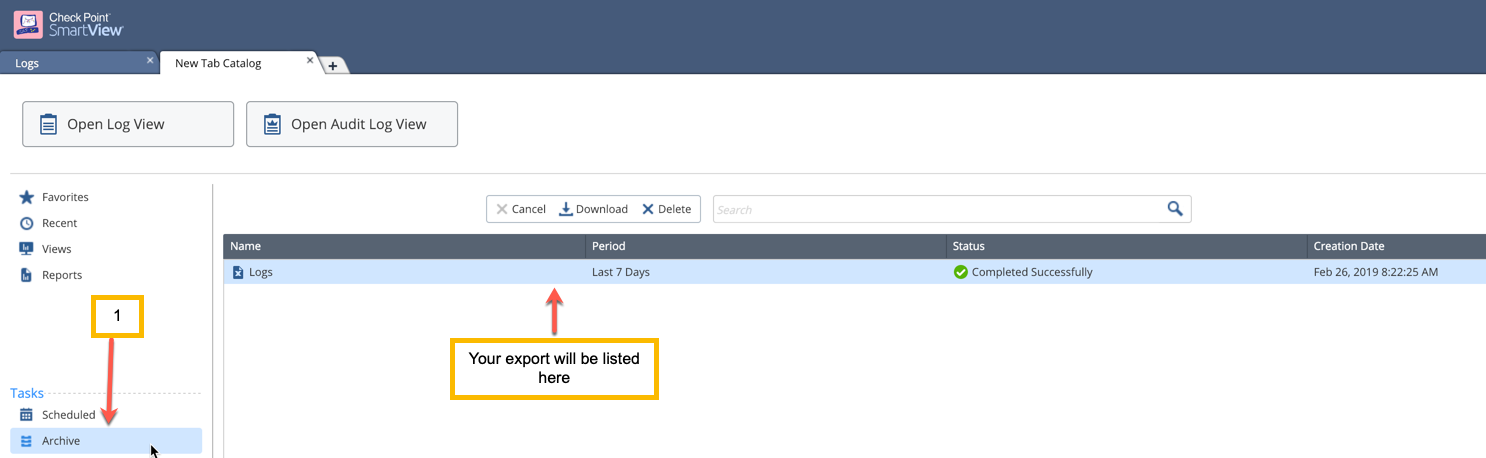
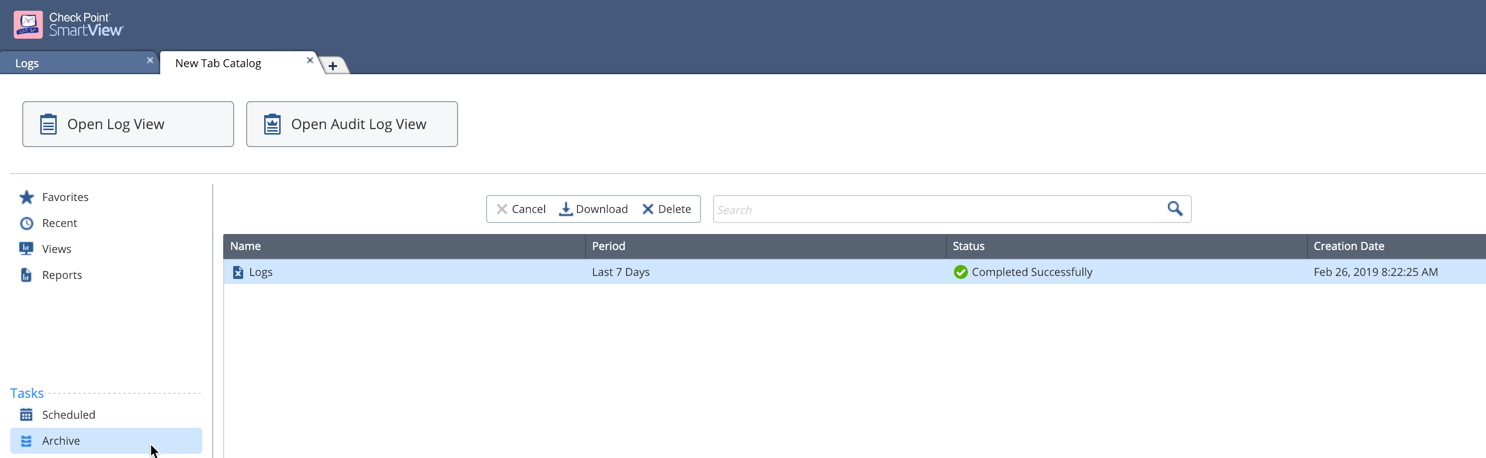
I got one (see below).
But this was on R80.20 SmartView.

R80.20 works like a champ. The R80.10 is my challenge.
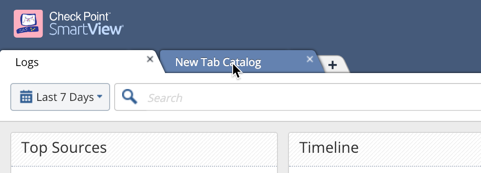
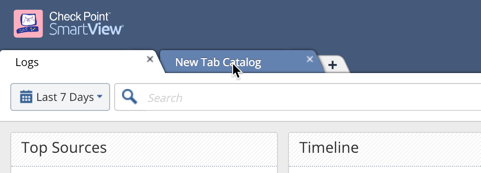
Under "New Tab Catalog" after you've run your export


Is there a way to disable resolution in SmartView as you do in SmartConsole Log??
--Juan
Leaderboard
Epsum factorial non deposit quid pro quo hic escorol.
| User | Count |
|---|---|
| 21 | |
| 15 | |
| 7 | |
| 6 | |
| 5 | |
| 5 | |
| 4 | |
| 4 | |
| 4 | |
| 4 |
Fri 12 Dec 2025 @ 10:00 AM (CET)
Check Mates Live Netherlands: #41 AI & Multi Context ProtocolTue 16 Dec 2025 @ 05:00 PM (CET)
Under the Hood: CloudGuard Network Security for Oracle Cloud - Config and Autoscaling!Fri 12 Dec 2025 @ 10:00 AM (CET)
Check Mates Live Netherlands: #41 AI & Multi Context ProtocolTue 16 Dec 2025 @ 05:00 PM (CET)
Under the Hood: CloudGuard Network Security for Oracle Cloud - Config and Autoscaling!Thu 18 Dec 2025 @ 10:00 AM (CET)
Cloud Architect Series - Building a Hybrid Mesh Security Strategy across cloudsAbout CheckMates
Learn Check Point
Advanced Learning
YOU DESERVE THE BEST SECURITY