- Products
- Learn
- Local User Groups
- Partners
- More
MVP 2026: Submissions
Are Now Open!
What's New in R82.10?
10 December @ 5pm CET / 11am ET
Announcing Quantum R82.10!
Learn MoreOverlap in Security Validation
Help us to understand your needs better
CheckMates Go:
Maestro Madness
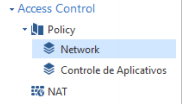
Dear colleagues, can anyone help me on the network layers and application control! I'm trying to understand why I have to by the same network rules in applicative control. It should read in the network sequence after application, and only takes effect when the rules are in the application. If you look at the image, you will see rule number 3 in the network layer, and the same rule only has effect on rule number 8 of the application layer. If I remove it from the application layer, it stops working. im so confuse about it! they should read network layer and apply the rule no?
thanks Tomer, but i still confused... if you look to my image, why the policy in network didn't make any effect? Why the inspection move to the next layer application control and only the same rule there works?
Accept on the first ordered layer means that processing will happen on the next ordered layer. So you need to make sure your traffic is accepted in the layer chain.
Drop on any layer means to immediately drop the traffic.
Hi,
The reason is your Drop rule in Application layer. When you get a hit in Network layer it jumps to Application layer. If it doesn't find a rule there that match it will hit the Drop rule in Application layer.
Scenario 1: You have rules active both in Network and Application layer.
You get a hit on the rule in Network rule so it jumps to Application layer. You get also a hit in Application layer so it's accepted and everything is fine.
Scenario 2: Just a rule in Network layer.
You get a hit on the rule in Network rule so it jumps to Application layer. You don't get hit on any rules there so it hits the last rule which is Drop. Packet is dropped and it stop there.
Scenario 3: Just a rule in Application layer.
No rule is matched in Network layer so it hits the last rule in your Network layer which is Drop. Packet is dropped and it stop there.
How to avoid the duplicate rules? Two options
1. On your application layer change the last rule from Drop to Allow for any-any. This means that you will now be have to make sure to have first all the Drop rules for Application layer before they hit the last Allow rule. Then you don't have to have duplicate rules in Application layer.
2. Combine your Network layer and Application in just 1 layer. Right-click on your Network layer

Select Edit policy > + sign. Add Application layer so you get something like this. Now you can use categories in your Network layer.

Move all the rules from your Application layer into Network layer. If you still keep the Application layer it will still hit the Drop rule in Application layer.
Best answer! now it's clear! The checkpoint has time that is very stupid! In my understanding of security, if the rule is found, it stops inspecting the rest of the rules. It's totally stupid, it read on the network layer, and then go on the application, if the rule was found previously. What I did, was remove the applicative layer, and enable it, inside the network layer.
It does not make any sense, repeat rules, the separate application control for me serves to organize what is url, application etc .. than it would be network rules!
De: Enis Dunic <donotreply@checkpoint.com>
Enviada em: quarta-feira, 20 de junho de 2018 13:43
Para: Alexandre Cipriano <alexandre@datagroupit.com>
Assunto: Re: - Re: Network Layer x Application control Layer problem
CheckMates <https://community.checkpoint.com/?et=watches.email.thread>
Re: Network Layer x Application control Layer problem
reply from Enis Dunic<https://community.checkpoint.com/people/edc0528ed5-e09e-4fad-a9e3-ae4e1a145c41?et=watches.email.thread> in Policy Management - View the full discussion<https://community.checkpoint.com/message/21692-re-network-layer-x-application-control-layer-problem?commentID=21692&et=watches.email.thread#comment-21692>
The different layers (inline versus ordered) allow many different types of policy management schemes.
They also allow the management of pre-R80 gateways which do not support unified policies.
More specifically, pre-R80 gateways require different policies (layers) for some blades.
For traffic to pass through, an accept rule must be matched in all layers.
If your gateways are all R80.10, then you can use a single policy layer with all blades active, or even use inline layers.
Leaderboard
Epsum factorial non deposit quid pro quo hic escorol.
| User | Count |
|---|---|
| 21 | |
| 15 | |
| 7 | |
| 6 | |
| 5 | |
| 5 | |
| 4 | |
| 4 | |
| 4 | |
| 4 |
Fri 12 Dec 2025 @ 10:00 AM (CET)
Check Mates Live Netherlands: #41 AI & Multi Context ProtocolTue 16 Dec 2025 @ 05:00 PM (CET)
Under the Hood: CloudGuard Network Security for Oracle Cloud - Config and Autoscaling!Fri 12 Dec 2025 @ 10:00 AM (CET)
Check Mates Live Netherlands: #41 AI & Multi Context ProtocolTue 16 Dec 2025 @ 05:00 PM (CET)
Under the Hood: CloudGuard Network Security for Oracle Cloud - Config and Autoscaling!About CheckMates
Learn Check Point
Advanced Learning
YOU DESERVE THE BEST SECURITY