- Products
- Learn
- Local User Groups
- Partners
- More

Maestro Masters Series 2026
WATCH NOWHello,
We are facing an issue with one of our Maestro Security Gateway Members (SGM) that is unable to properly join the Security Group and remains in DOWN state.
Issue Summary:
The affected SGM fails during cluster initialization and is unable to retrieve the cluster state information from the Maestro Security Group. As a result, the gateway cannot fetch the Security Policy and remains unavailable.
Observed Errors:
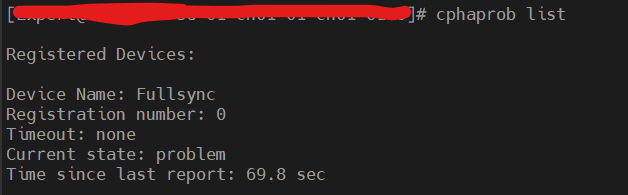
Fetching Security Policy from localhost failed Error: Failed to retrieve cluster state Waiting for cluster to start...
Additional logs observed:
Failed to initialize dxl configuration SecureXL disabled, cannot use affinity commands
We also observed continuous internal communication drops on UDP port 8116:
Packet proto=17 0.1.0.x:8116 -> 192.0.2.0:8116 dropped Reason: Rulebase drop - DEFAULT POLICY
Analysis:
Current Behavior:
Background Information:
Initial Troubleshooting Performed:
We would appreciate your assistance in identifying the root cause and providing recovery recommendations.
Good day!
On the problematic SGM try to delete $CPDIR/conf/cp.license file and reboot.
You will need to catch a moment and login from MHO to the SGM when "waiting for cluster to start" bad-message appears. Good message is "waiting for cluster to stabilize"
This happens almost every time for me in a Lab.
@Gennady , but have seen the attached images? More of it shows the SGM has default policy dropping the SYNC from the Active SGM.
As far as I understand, the main problem is that the new SGM have a glitch of some sorts when it tries to merge cp.license and cp.license.smo files. This results in no-proper-license which prevents to load Initial policy which would allow CCP communication. Instead, Default Filter is loaded which drops everything. For the same reason ClusterXL doesn't start and SecureXL doesn't start.
Try to delete the cp.license file. This is harmless because it will be re-created later on after next boot. If this doesn't help, then you will need to create a TAC case.
You can also check /var/log/merge_license_file.log to double check for errors.
Specifically for the situation mentioned in this SK
sk183985 - Security Group Member in a Dual Site Maestro deployment remains down after a reboot
Definitely check for a license as Gennady says, that's a pretty common issue for new SGMs not joining.
Generally you shouldn't install a JHF before joining the SGM to the group, let it autoclone it on there. It's not the QA'd method and thus isn't the supported way.
When you say that it's in the DOWN state - this sounds like it's joined the group and then can throw a pnote? What pnote is it throwing to be down?
After you've checked the license, have a look through the $FWDIR/log/blade_config log file for sync issues.

Leaderboard
Epsum factorial non deposit quid pro quo hic escorol.
| User | Count |
|---|---|
| 8 | |
| 5 | |
| 3 | |
| 2 | |
| 2 | |
| 2 | |
| 2 | |
| 1 | |
| 1 | |
| 1 |
About CheckMates
Learn Check Point
Advanced Learning

YOU DESERVE THE BEST SECURITY