- Products
- Learn
- Local User Groups
- Partners
- More

MVP 2026: Submissions
Are Now Open!
What's New in R82.10?
10 December @ 5pm CET / 11am ET
Announcing Quantum R82.10!
Learn MoreOverlap in Security Validation
Help us to understand your needs better
CheckMates Go:
Maestro Madness
Hello,
I am currently installing the Checkpoint Identity Agent on a Windows server 2012.
I retrieved the fullAgent from the Captive portal I configured on the proper gateway which is in R80.10.
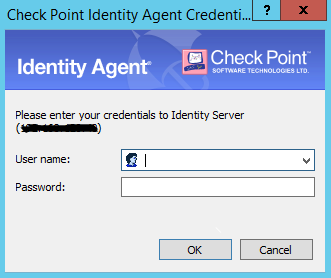
I perform the installation successfully and at this point, the client launch itself automatically properly and ask for user authentication like this

I can connect and everything is working.
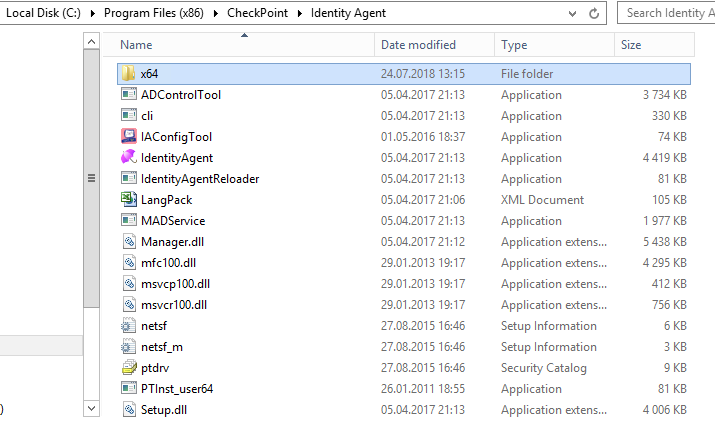
The thing is, when I close the client and I want to open it again, I use the shortcut created after the installation which use the path to the .exe "IdentityAgent" from which the "Date modified" field looks abnormally old as the rest of the files :

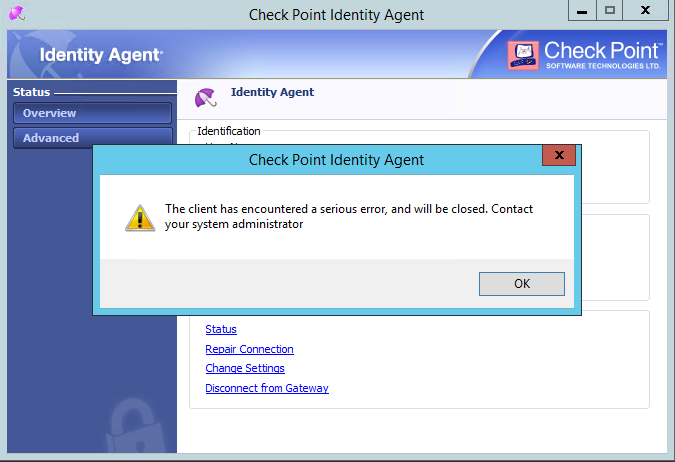
But then the client does not work and I endup with this message :

So everytime I use the shortcut, the agent is not working but when I click and on the installation .exe it is always working but I have to use admin credentials to be allowed to use it.
Not working agent : Working agent :
When I retrieved the client for the first time, from R77.30 gateway, It was working fine but for some reasons, I had to uninstall it and reinstall it but from R80.10 gateway now which led me to this error.
Would anyone know why the client is returning me this error and why the .exe in the installation file does not work but the installation .exe works ?
Thank you for your help.
Best Regards,
Have you opened a TAC case?
Not sure why the R77.30 IDA client would work ok but the R80.10 client does not...
Hello Dameon,
By TAC case you mean a Service Request ?
I will create one, thank you !
That's exactly what I mean ![]()
Well It appears that when I run the shortcut as administrator it is working.
The thing is the user that needs to use the client does not have admin credentials.
On my first installation, I had to put admin credentials for the installation but then users could use the client freely.
Now, I used admin credentials for installation and I need It again every time I use the shortcut.
That is a bit annoying, anyone would have an idea about it ?
Why are you using the full version of the Identity Agent? Are you utilizing the packet tagging feature? (sk60221: Identity Awareness Packet Tagging - Connection Integrity Solution) If not the light version of the agent should do everything else you need and does not require administrative privileges.
--
Second Edition of my "Max Power" Firewall Book
Now Available at http://www.maxpowerfirewalls.com
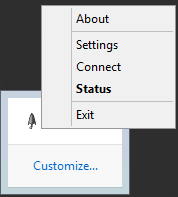
I use the full identity agent because when I install the light agent, I have no shortcut so no way to launch it and I have no Checkpoint file created for it.
My only way to get it launched is to use the .exe for the installation all the time.
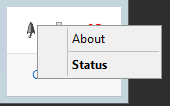
I am using a workaround with the full agent, I create a shortcut and in the path field I put something like "Run as user:Administrator /savecred".
It is the only way I found to handle this but it is strange that the client installation acts this way ...
Best Regards,
I'm pretty sure that the full agent requires Admin rights because of the Packet Tagging feature.
Leaderboard
Epsum factorial non deposit quid pro quo hic escorol.
| User | Count |
|---|---|
| 16 | |
| 12 | |
| 8 | |
| 7 | |
| 6 | |
| 4 | |
| 3 | |
| 3 | |
| 2 | |
| 2 |
Fri 12 Dec 2025 @ 10:00 AM (CET)
Check Mates Live Netherlands: #41 AI & Multi Context ProtocolTue 16 Dec 2025 @ 05:00 PM (CET)
Under the Hood: CloudGuard Network Security for Oracle Cloud - Config and Autoscaling!Fri 12 Dec 2025 @ 10:00 AM (CET)
Check Mates Live Netherlands: #41 AI & Multi Context ProtocolTue 16 Dec 2025 @ 05:00 PM (CET)
Under the Hood: CloudGuard Network Security for Oracle Cloud - Config and Autoscaling!Thu 18 Dec 2025 @ 10:00 AM (CET)
Cloud Architect Series - Building a Hybrid Mesh Security Strategy across cloudsAbout CheckMates
Learn Check Point
Advanced Learning
YOU DESERVE THE BEST SECURITY