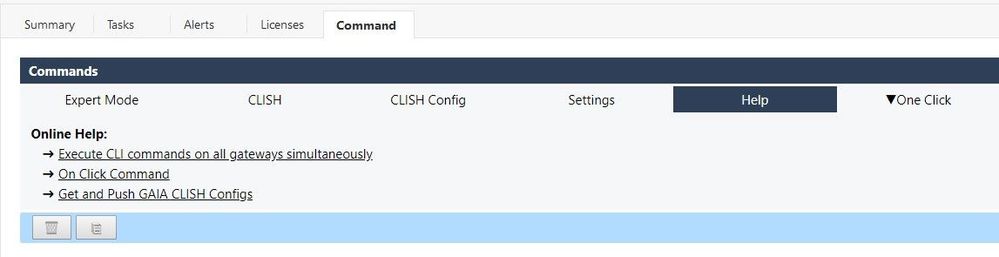
Now the SmartConsole extension is completely programmed and the last function is integrated.
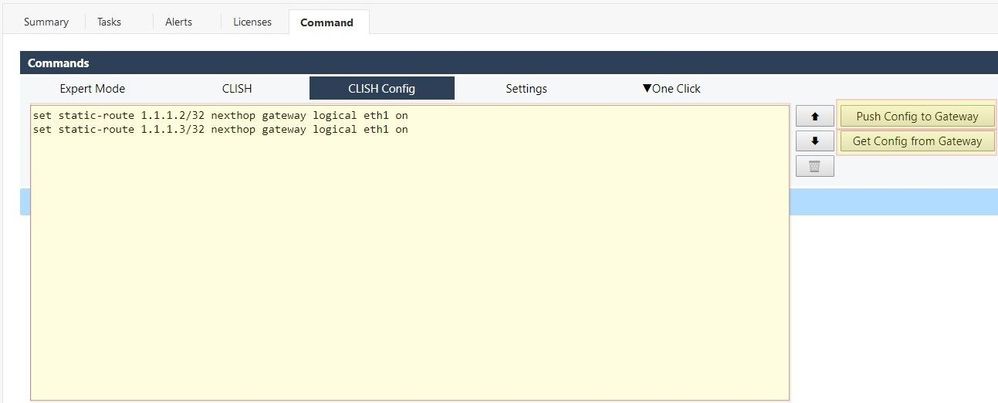
Now you can get the CLISH configuration from a gateway to the SmartConsole and push the CLISH configuration changes back to the gateway.
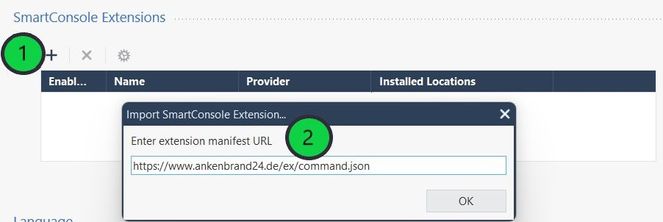
1) On SmartConsole, go to > > > .
2) Enter the web-service manifest URL
https://www.ankenbrand24.de/ex/command.json
and click .
| Select Gateway and get CLISH config |
Tip! This step is not absolutely necessary if you want to push policy parts.
3) Select the gateway from which you want to fetch the CLISH configuration.
4) Press the "Get Config from Gatewy" button to load the CLISH configuration from the gateway into the SmartCobsole.

| Select Gateway and push CLISH configuration changes |
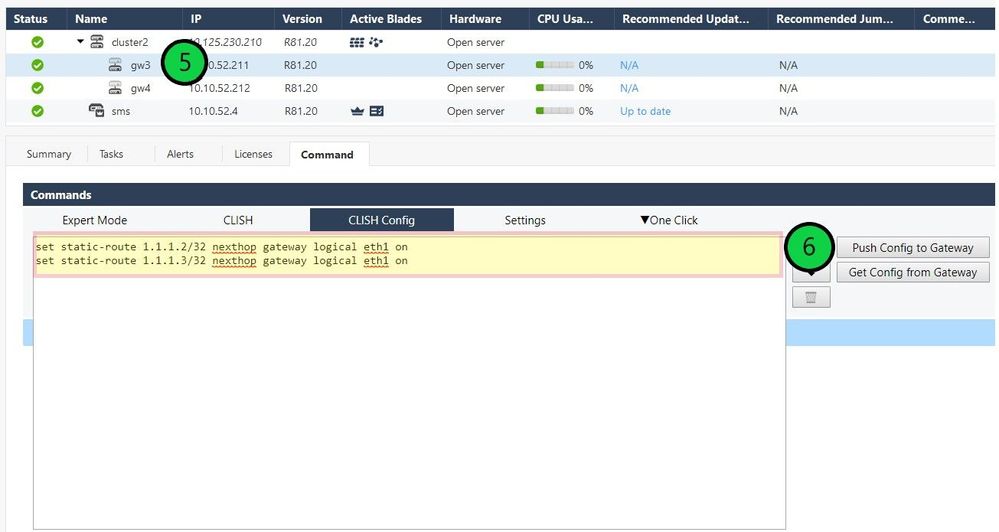
5) Select the gateway to which you want to push the configuration changes.
6) Push the CLISH configuration changes to the gateway.
Attention!
- Please ensure that you push the configuration to the correct gateway.
- If you push the wrong configuration, you can quickly damage the gateway.
- I recommend pushing only configuration changes!
Tip!
- Add "save configuration" at the end of the script to save the changes permanently on the gateway.
- Use "set clienv on-failure continue" at the beginning of the script to continue executing the rest of the commands in case of an command issue.
SmartConsole extension to execute commands on all gateways and the SMS.
- Execute commands in "Expert Mode" and "Expert Mode"
- Execute "Expert Mode" and "CLISH" commands on all gateways simultaneously.
SMB applications are currently not supported.
- Command history -> Execute the last 20 commands again.
- Status about the success of the action
Here you can find the original article with the extention:
Execute Commands ➜ SmartConsole Extension
| Install SmartConsole Extension |
To install SmartConsole Extensions, you can watch this video:
➜ CCSM Elite, CCME, CCTE, CCVS ➜ www.checkpoint.tips