- Products
- Learn
- Local User Groups
- Partners
- More

What's New in Check Point SASE
Wednesday, 9 September @ 5pm CET / 11am EDT
The State of Ransomware Q2 2026:
This Quarter's Trends, and Their Impact on Your Defenses
AI Security Masters
Implementing the AI Security Trifecta
CheckMates Go:
Half is Not Enough
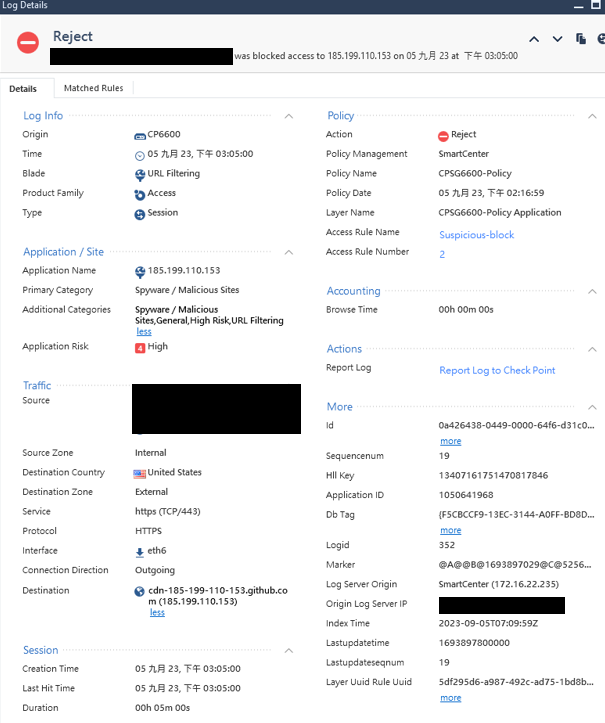
There are many computers in our company that connect to 185.199.110.153, and some of them are blocked by the URLF Blade of the firewall. Some allow connections directly through Firewall Blade.
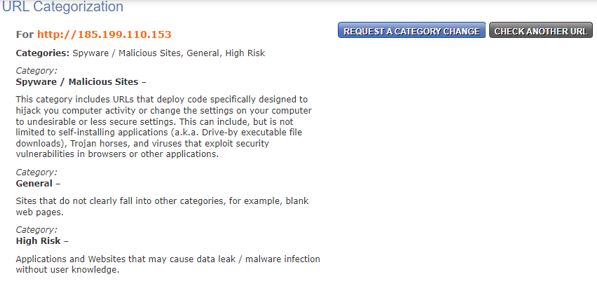
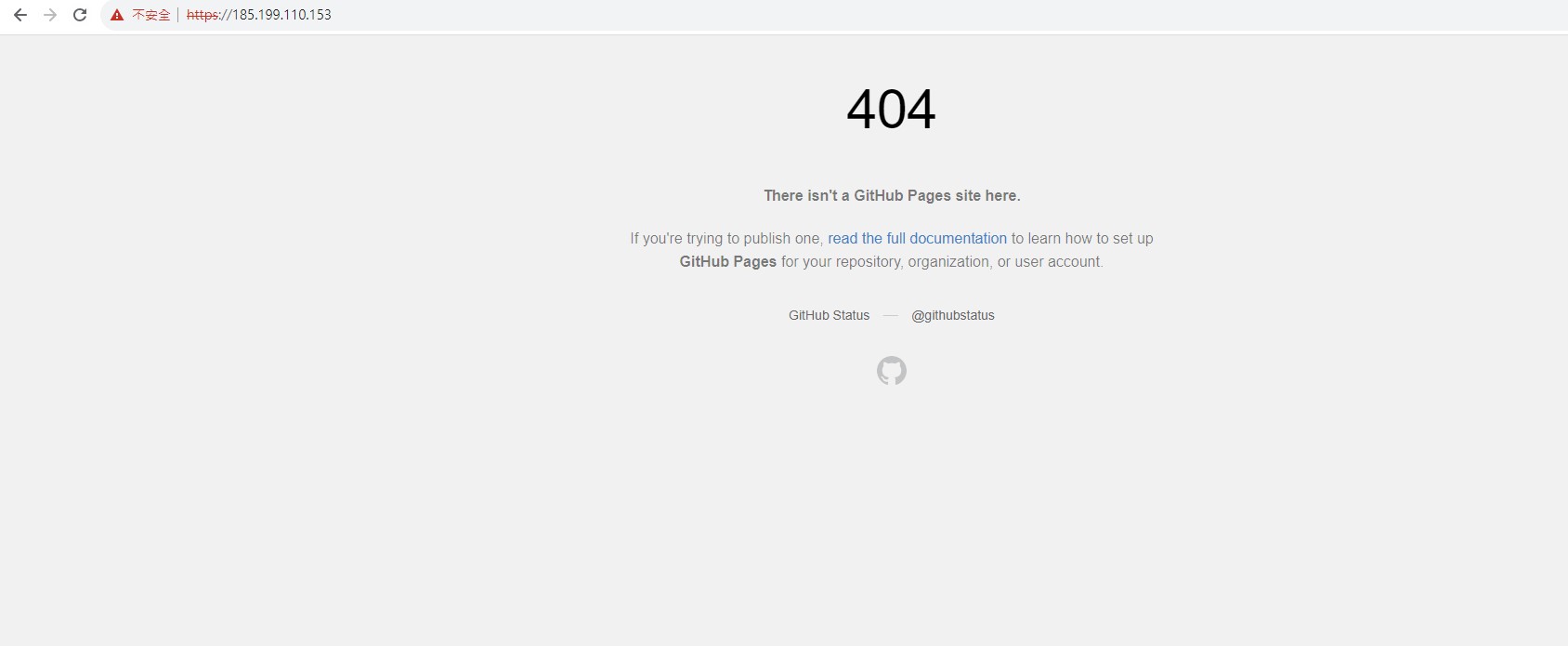
After checking the IP, in addition to GitHub, many other websites also use this IP. This IP is classified as a malicious website by Check Point, but it is directly connected to 185.199.110.153 through Chrome. What appears is the GitHub web page, and there is no record of Firewall blocking it.
From the URLF's Reject Log, we cannot confirm the actual reason why the connection was blocked. Could you please give me some guidance on how to explain this situation?
Most likely reputation related, based on something that may have been hosted on "GitHub Pages"
Did you attempt to request recategorization for any legitimate sites impacted?
Github Pages contains both normal and malicious websites.
From the Log screen provided previously, it appears that the user was blocked while connecting directly to 185.199.110.153. But when I directly connected to the IP through Chrome, the firewall did not block it. Since Check Point identified the IP as a malicious website, and we have indeed blocked it in the URLF Policy, no one should be able to connect.
I think ask Check Point to change the website category. It may lead users to accidentally connect to malicious websites on Github Pages.
Github Pages contains both normal and malicious websites.
From the Log screen provided previously, it appears that the user was blocked while connecting directly to 185.199.110.153. But when I directly connected to the IP through Chrome, the firewall did not block it. Since Check Point identified the IP as a malicious website, and we have indeed blocked it in the URLF Policy, no one should be able to connect.
I think ask Check Point to change the website category. It may lead users to accidentally connect to malicious websites on Github Pages.
Github Pages contains both normal and malicious websites.
From the Log screen provided previously, it appears that the user was blocked while connecting directly to 185.199.110.153. But when I directly connected to the IP through Chrome, the firewall did not block it. Since Check Point identified the IP as a malicious website, and we have indeed blocked it in the URLF Policy, no one should be able to connect.
I think ask Check Point to change the website category. It may lead users to accidentally connect to malicious websites on Github Pages.
Github Pages contains both normal and malicious websites.
From the Log screen provided previously, it appears that the user was blocked while connecting directly to 185.199.110.153. But when I directly connected to the IP through Chrome, the firewall did not block it. Since Check Point identified the IP as a malicious website, and we have indeed blocked it in the URLF Policy, no one should be able to connect.
I think ask Check Point to change the website category. It may lead users to accidentally connect to malicious websites on Github Pages.
That won't be conclusive depending on the Chrome settings used.
When you visit the site do you see the traffic/connection from your source IP?
That won't be conclusive depending on the Chrome settings used.
When you visit the site do you see the traffic/connection from your source IP?
That won't be conclusive depending on the Chrome settings used.
When you visit the site do you see the traffic/connection from your source IP?
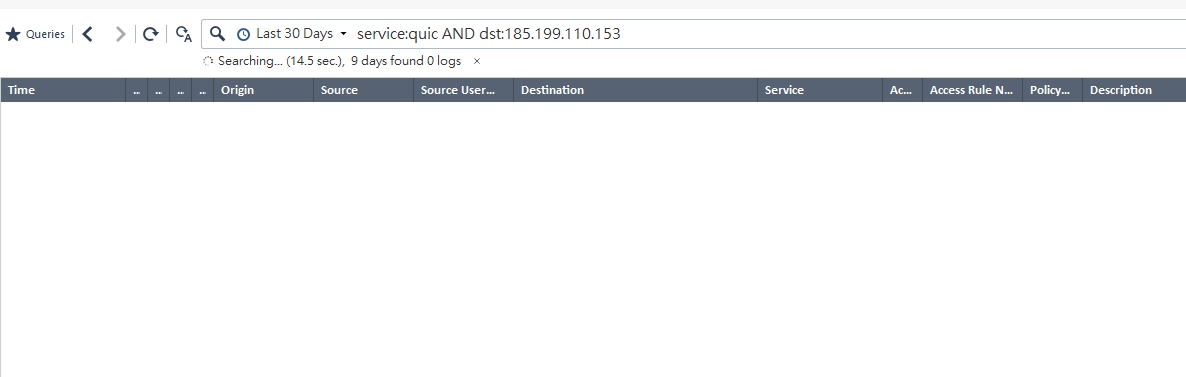
The connection is allowed by both Firewall and URLF. And we can't see any distinguishing information from the URLF's reject log.
We also tested through Edge browser. The result is the same.
Noted. If you're not seeing rulebase matches as you would expect please open a case with support to review this.
I would investigate this further with TAC.
Andy
I would investigate this further with TAC.
Andy
I would investigate this further with TAC.
Andy