- Products
- Learn
- Local User Groups
- Partners
- More

What's New in R82.10?
Watch HereWhen the Agents Attack
A Live Look at Agentic Exposure Validation
AI Security Masters E8:
Claude Mythos: New Era in Cyber Security
CheckMates Go:
CheckMates Fest

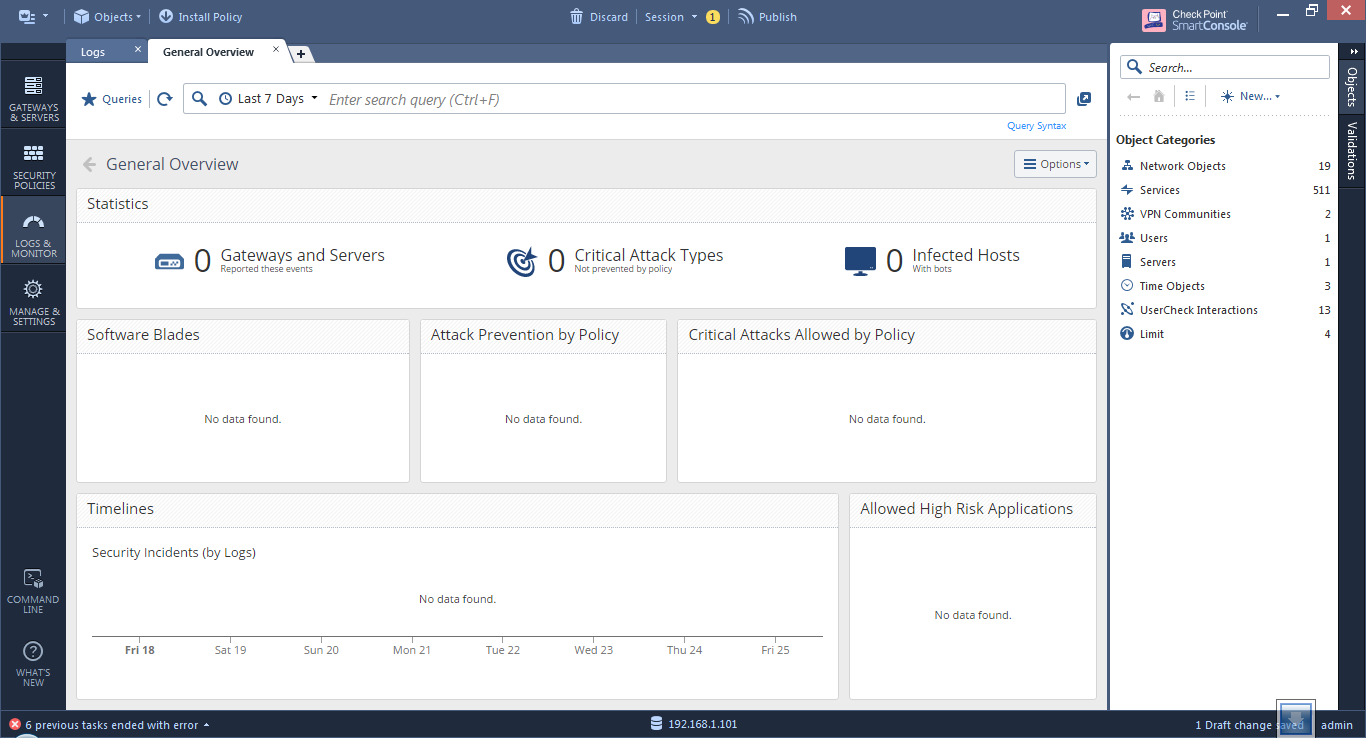
Just reinstalled my setup, with build 94, after this I have 0 gateways or servers listed in the logs area. How can I debug this?
Hi Paul and all,
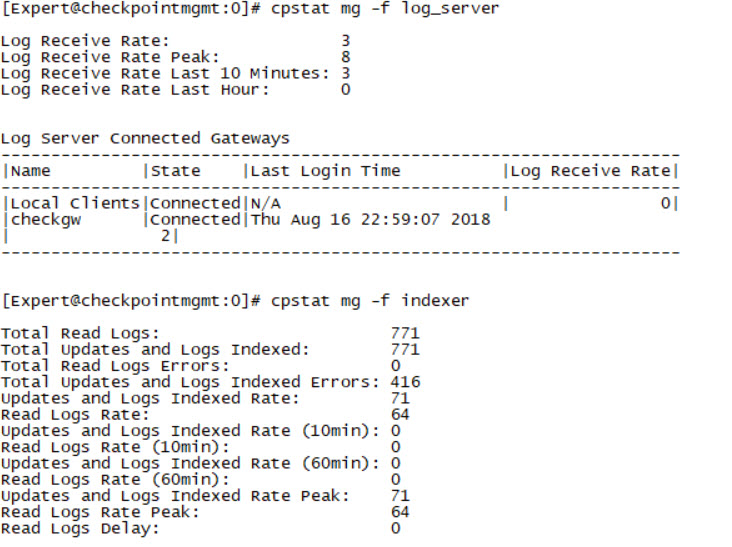
In R80 there is an easier way to see what is happening both in the log server and regarding Indexing.
You can run:
cpstat mg -f log_server
This will display information about logs currently received from GWs.
cpstat mg -f indexer
This will display the current state of the indexing
In case of dedicated Log Server or SmartEvent replace the mg with ls.
In general logs should be displayed once they are indexed in the system regardless if there are many other logs that are still not indexed.
Amir
Hi Niels,
Are you running SmartCenter with SmartEvent enabled?
Do you see logs in the "Logs" tab?
Can you run 'SmartEventCollectLogs' in expert mode and share it with me?
If this was an in-place upgrade, or you copied across a heap of logs from the old server, SmartLog could still be indexing them. I found my logs didn't show anything until the indexing had completed.
From the management server CLI (export mode) run "fw log -ft" and see if you're getting logsfrom the gateway(s). If there are new entires here then give it a bit of time (some hours potentially), and if there's still nothing start looking at SmartLog.
Hi Paul and all,
In R80 there is an easier way to see what is happening both in the log server and regarding Indexing.
You can run:
cpstat mg -f log_server
This will display information about logs currently received from GWs.
cpstat mg -f indexer
This will display the current state of the indexing
In case of dedicated Log Server or SmartEvent replace the mg with ls.
In general logs should be displayed once they are indexed in the system regardless if there are many other logs that are still not indexed.
Amir
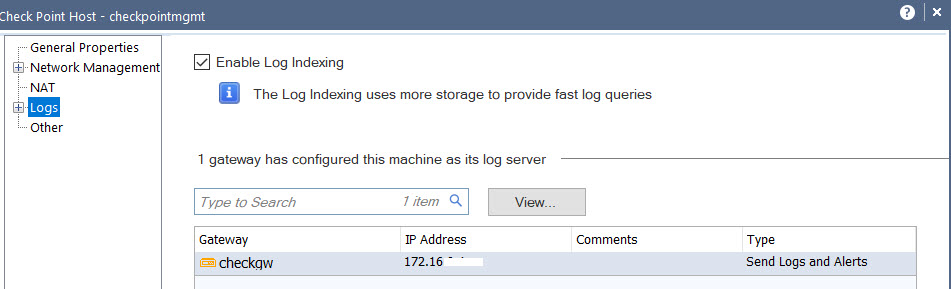
I have the same problem, I've disable smart event and correlation unit, enable again, install database, delete and add again correlation unit in the legacy smart event policy, install event policy etc and nothing results.
I receive logs and are indexed them.


Hello everyone,
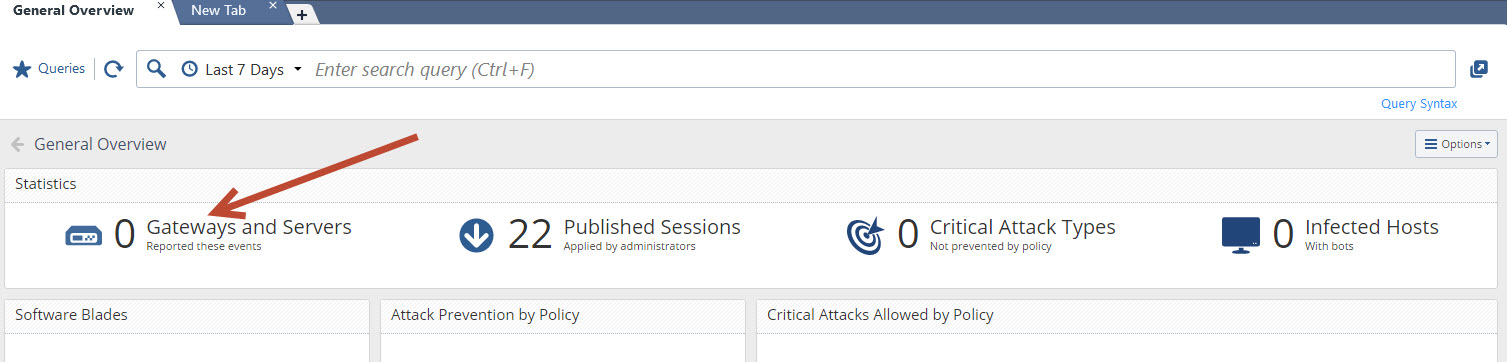
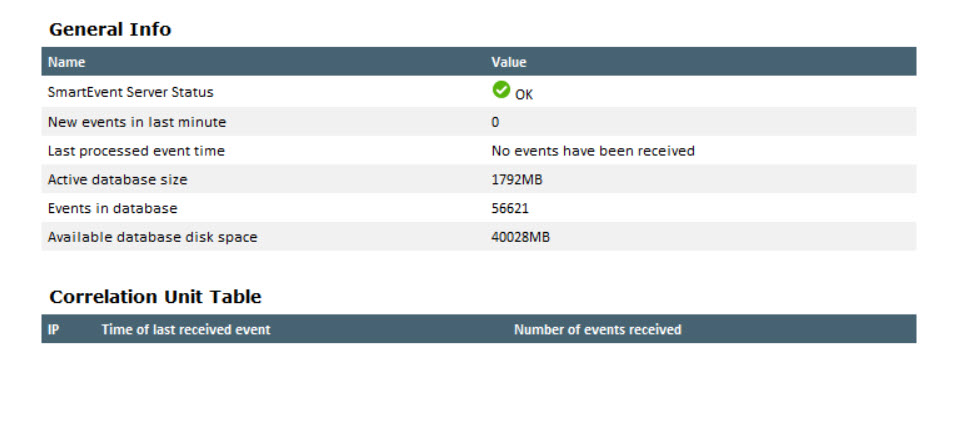
Was anyone able to resolve this issue ¿? I know it is long time ago,..... But I am currently using R80.30 with JHF101 and i have this exact issue.... I get "0 Gateways and Servers", "No data found" and all my reports turn out with blank info.... Help please.
Leaderboard
Epsum factorial non deposit quid pro quo hic escorol.
| User | Count |
|---|---|
| 75 | |
| 17 | |
| 7 | |
| 6 | |
| 5 | |
| 4 | |
| 4 | |
| 4 | |
| 4 | |
| 3 |
Thu 02 Jul 2026 @ 06:00 PM (CST)
Revolucionando la Seguridad con IA Generativa: Prevención Inteligente en Tiempo RealThu 09 Jul 2026 @ 10:00 AM (CEST)
Schutz souveräner Workloads: Check Point & die AWS European Sovereign CloudThu 09 Jul 2026 @ 11:00 AM (CEST)
The Cloud Architects Series: Check Point Edge Protection SD-WAN & SASETue 14 Jul 2026 @ 10:00 AM (PDT)
AI Security Masters E11: READY OR NOT: Securing the AI Enterprise 3/5 - AI Workforce SecurityThu 30 Jul 2026 @ 10:00 AM (PDT)
AI Security Masters E12: READY OR NOT: Securing the AI Enterprise 4/5 - AI GatewayThu 20 Aug 2026 @ 10:00 AM (PDT)
AI Security Masters E13: READY OR NOT: Securing the AI Ent 5/5 - AI Research & Threat LandscapeTue 14 Jul 2026 @ 10:00 AM (PDT)
AI Security Masters E11: READY OR NOT: Securing the AI Enterprise 3/5 - AI Workforce SecurityThu 30 Jul 2026 @ 10:00 AM (PDT)
AI Security Masters E12: READY OR NOT: Securing the AI Enterprise 4/5 - AI GatewayThu 20 Aug 2026 @ 10:00 AM (PDT)
AI Security Masters E13: READY OR NOT: Securing the AI Ent 5/5 - AI Research & Threat LandscapeThu 02 Jul 2026 @ 06:00 PM (CST)
Revolucionando la Seguridad con IA Generativa: Prevención Inteligente en Tiempo RealAbout CheckMates
Learn Check Point
Advanced Learning
YOU DESERVE THE BEST SECURITY