- Products
- Learn
- Local User Groups
- Partners
- More

Scaling Check Point Automation with Arodonata
7 October @ 5pm CET / 11am EDT
AI Security Masters
LGTM: Bypassing an LLM Build Gate
When Prompt Injection Fails
What's New in Check Point SASE
The State of Ransomware Q2 2026:
This Quarter's Trends, and Their Impact on Your Defenses
CheckMates Go:
Half is Not Enough
Hi all,
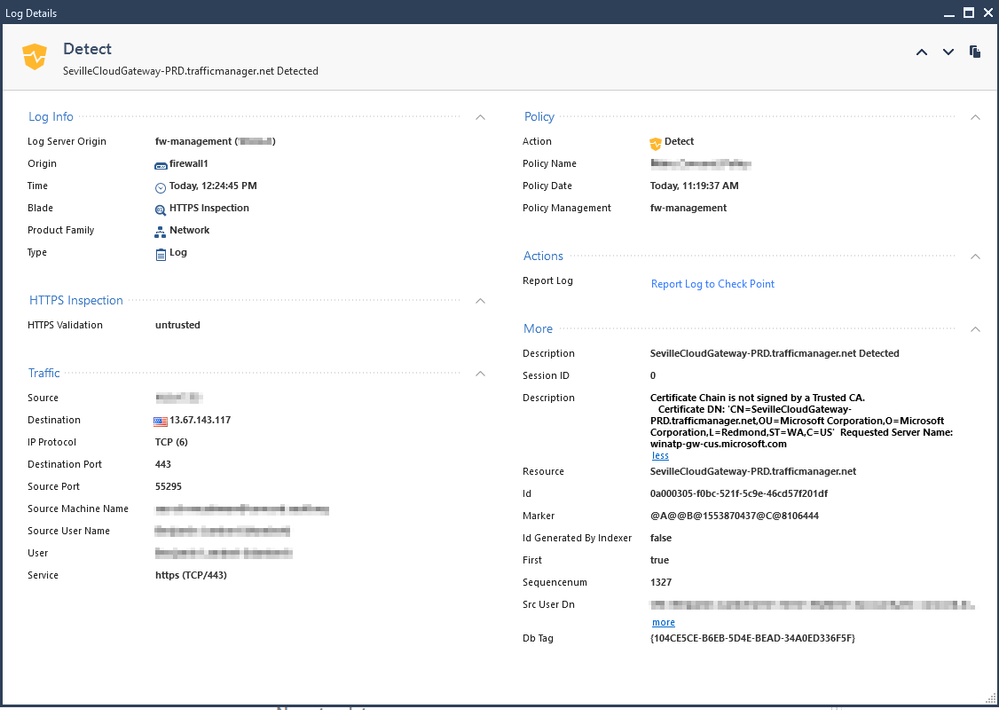
I have a gateway running 80.20 M2 and I recently enabled SSL Inspection for a small group. It is working correctly (I see our cert in the browser and no warnings), but I see some strange errors in the logs and sometimes in the browser about the "certificate chain not signed by a trusted CA".
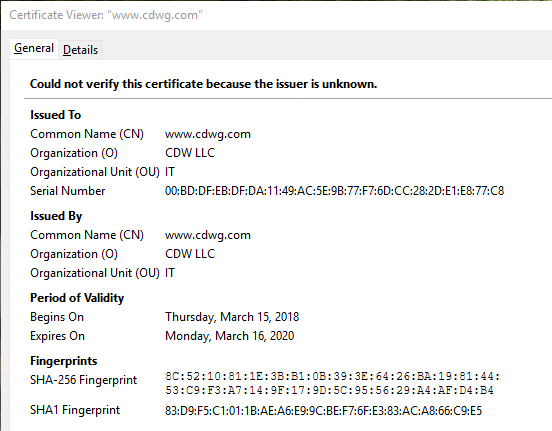
When I look at the certificate, it seems to be missing the original CA and didn't insert our CA/cert.
For example, normal certs look like: DigicertCA-->www.CDWG.com
Inspection working: MYEnterpriseCA-->www.CDWG.com
When I see errors it looks like: www.CDWG.com
Am I missing something?
Thanks!
--Ben
the DigiCert certificate is not in R80.20 root certificate store.
So you get a certificate chain error.
Look at this sk:
sk114679 - HTTPS Bypass (with Site Category) not working for Servers with Self-Signed Certificate
Thank you, this was ultimately the issue. For some reason Check Point did not have Digicert Global Root G2/G3 in the certificate store. I was able to download them from their support site and add them.
Is there a way to ensure that the Check Point cert store is being automatically updated, apart from checking the box?
Thank you very much!
--Ben
It’s impossible for a gateway to be running R80.20.M2 because that’s a Management-only release. What is the gateway actually running here? Also, is this happening consistently for specific sites or at random?
the DigiCert certificate is not in R80.20 root certificate store.
So you get a certificate chain error.
Look at this sk:
sk114679 - HTTPS Bypass (with Site Category) not working for Servers with Self-Signed Certificate
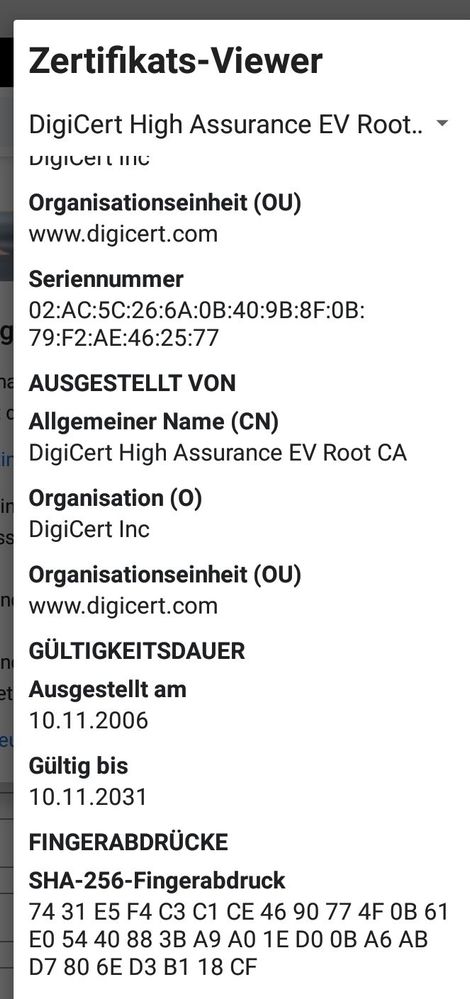
Here the root certificate. This certificate is not in the root certificate store.
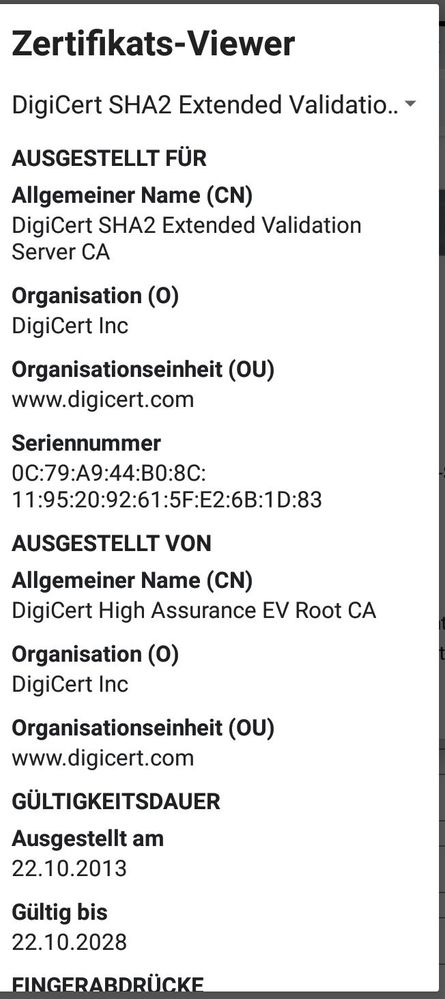
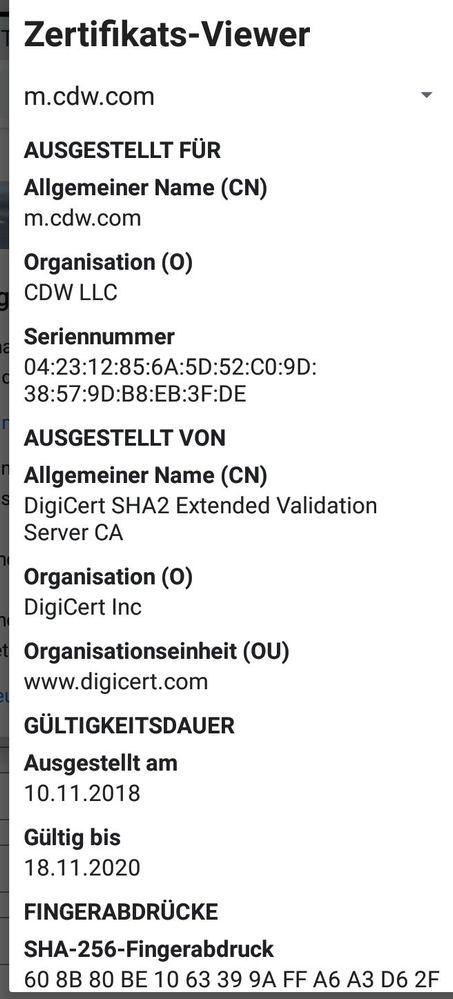
Here the intermediate certificate:
And here the web server certificate:
Sorry for the german names in the pictures. I write on a samsung tab s4 and I cannot change the browser to english.
Thank you, this was ultimately the issue. For some reason Check Point did not have Digicert Global Root G2/G3 in the certificate store. I was able to download them from their support site and add them.
Is there a way to ensure that the Check Point cert store is being automatically updated, apart from checking the box?
Thank you very much!
--Ben
Leaderboard
Epsum factorial non deposit quid pro quo hic escorol.
| User | Count |
|---|---|
| 34 | |
| 7 | |
| 6 | |
| 5 | |
| 4 | |
| 4 | |
| 4 | |
| 4 | |
| 3 | |
| 3 |
Thu 01 Oct 2026 @ 05:00 PM (CEST)
Under the Hood: Check Point WAF | Preventing minus-zero-day attacksTue 06 Oct 2026 @ 12:00 PM (ACDT)
Rethinking Network Security for the AI Era : Session 2 - From User, to Branch and Campus APACTue 06 Oct 2026 @ 03:00 PM (CEST)
Rethinking Network Security for the AI Era : Session 2 - From User, to Branch and Campus EMEAThu 01 Oct 2026 @ 05:00 PM (CEST)
Under the Hood: Check Point WAF | Preventing minus-zero-day attacksTue 06 Oct 2026 @ 12:00 PM (ACDT)
Rethinking Network Security for the AI Era : Session 2 - From User, to Branch and Campus APACTue 06 Oct 2026 @ 03:00 PM (CEST)
Rethinking Network Security for the AI Era : Session 2 - From User, to Branch and Campus EMEATue 06 Oct 2026 @ 02:00 PM (EDT)
Rethinking Network Security for the AI Era : Session 2 - From User, to Branch and Campus AMERAbout CheckMates
Learn Check Point
Advanced Learning
YOU DESERVE THE BEST SECURITY