- Products
- Learn
- Local User Groups
- Partners
- More

What's New in Check Point SASE
Wednesday, 9 September @ 5pm CET / 11am EDT
The State of Ransomware Q2 2026:
This Quarter's Trends, and Their Impact on Your Defenses
AI Security Masters
Implementing the AI Security Trifecta
CheckMates Go:
Half is Not Enough
Hello friends,
I restarted harmony server and after that I can't login via web browser.
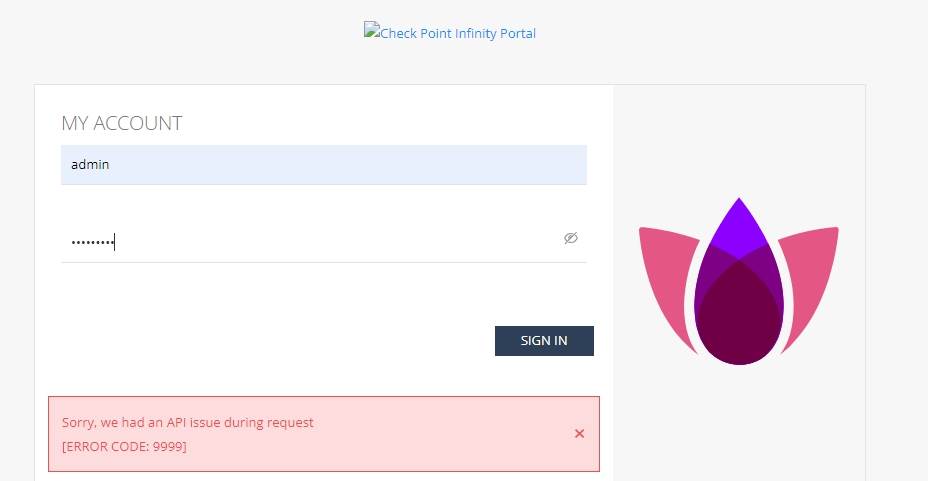
I got this error: "Sorry, we had an API issue during request [ERROR CODE: 9999]".
any suggestions ?
Hello friends,
I restarted harmony server and after that I can't login via web browser.
I got this error: "Sorry, we had an API issue during request [ERROR CODE: 9999]".
any suggestions ?
Hello friends,
I restarted harmony server and after that I can't login via web browser.
I got this error: "Sorry, we had an API issue during request [ERROR CODE: 9999]".
any suggestions ?
This is quite annoying and we are having the same issues every few days.
Restart via cpstop and cpstart resolves it. You can try deactivating the WebUI service via SmartEndpoint.
Hope this helps.
This is quite annoying and we are having the same issues every few days.
Restart via cpstop and cpstart resolves it. You can try deactivating the WebUI service via SmartEndpoint.
Hope this helps.
This is quite annoying and we are having the same issues every few days.
Restart via cpstop and cpstart resolves it. You can try deactivating the WebUI service via SmartEndpoint.
Hope this helps.
Commands cpstop and cpstart didn't resolve above error.
I fixed it with restart web services in expert mode with command web_mgmt_stop and web_mgmt_start.
Commands cpstop and cpstart didn't resolve above error.
I fixed it with restart web services in expert mode with command web_mgmt_stop and web_mgmt_start.
Commands cpstop and cpstart didn't resolve above error.
I fixed it with restart web services in expert mode with command web_mgmt_stop and web_mgmt_start.
Thanks for those commands, good to know.
Andy
Thanks for those commands, good to know.
Andy
Thanks for those commands, good to know.
Andy
I have the same problem again on the same server but this time cpstop and cpstart and web_mgmt_stop and web_mgmt_start did not solve anything.
After restart I can not login via web browser. Also I can not connect to smartendpoint
I have the same problem again on the same server but this time cpstop and cpstart and web_mgmt_stop and web_mgmt_start did not solve anything.
After restart I can not login via web browser. Also I can not connect to smartendpoint
I have the same problem again on the same server but this time cpstop and cpstart and web_mgmt_stop and web_mgmt_start did not solve anything.
After restart I can not login via web browser. Also I can not connect to smartendpoint
Have you found any solution to this? I, too, have already restarted many times, web_mgmt_stop and web_mgmt_start doesn't help.
What @CP-Shark said is 100% true. You can reach out to TAC to see if there is more permanent solution.
Andy
What @CP-Shark said is 100% true. You can reach out to TAC to see if there is more permanent solution.
Andy
What @CP-Shark said is 100% true. You can reach out to TAC to see if there is more permanent solution.
Andy