- Products
- Learn
- Local User Groups
- Partners
- More

Scaling Check Point Automation with Arodonata
7 October @ 5pm CET / 11am EDT
AI Security Masters
LGTM: Bypassing an LLM Build Gate
When Prompt Injection Fails
What's New in Check Point SASE
The State of Ransomware Q2 2026:
This Quarter's Trends, and Their Impact on Your Defenses
CheckMates Go:
Half is Not Enough
Checkpoint Gateway LV_Current utilisation goes to 90%
df -kh
Filesystem Size Used Avail Use% Mounted on
/dev/mapper/vg_splat-lv_current
32G 27G 3.5G 89% /
/dev/sda1 289M 64M 211M 24% /boot
tmpfs 3.8G 16K 3.8G 1% /dev/shm
Can someone suggest to which files need to be remove?
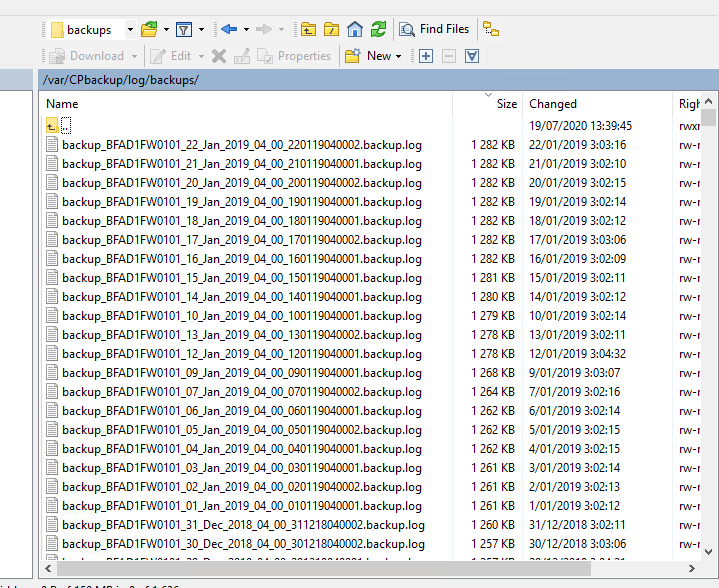
Checked the backup files however unable to find any backups on gateway. we have ftp schedule backup however able to find backup.log files.
Can we delete the old backup.log files.?
Hi Pradeep,
An efficient command that I usually use: #du -h / --max-depth=1
I always started from the root, the "/", after I drill down step-by-step to the most storage-consuming directories.
Depending on the content of the directories you can delete the unnecessary files.
What are those directories?
Cheers,
Akos
Thanks for reply,
Output is
du -h / --max-depth=1
14G /tmp
4.0K /ramdisk
4.0K /initrd
0 /selinux
48K /DOCS
8.0K /mnt
11M /SU
File directory found backup.log files
/var/CPbackup/log/backups
Please suggest.
Hi,
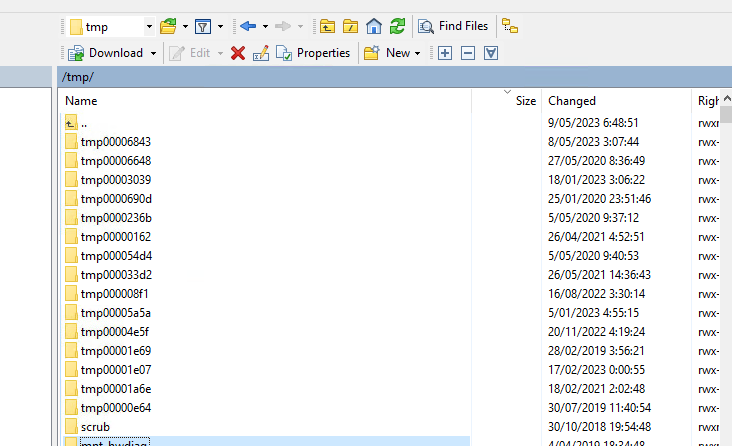
As I see the /tmp is 14GB. What does it contain?
#cd tmp
#du -h --max-depth=1
Then let's see the content.
A
Please find below output
# du -h --max-depth=1
4.0K ./tmp000054d4
4.0K ./tmp00006843
4.0K ./tmp00001e07
4.0K ./tmp00000162
4.0K ./mnt_hwdiag
4.0K ./tmp00001a6e
4.0K ./tmp0000236b
4.0K ./tmp00004e5f
4.0K ./tmp000008f1
4.0K ./tmp00001e69
4.0K ./scrub
4.0K ./customRules
4.0K ./tmp00006648
4.0K ./tmp00005a5a
4.0K ./ddr_tmp
4.0K ./tmp0000690d
48K ./bladesStatus
4.0K ./tmp00000e64
4.0K ./tmp000033d2
4.0K ./tmp00003039
14G .
Hi,
In the same directory please check this #du -ks <same_location>/* | sort | uniq -c | sort -n
This will list all of the files and its sizes.
A
Hi,
I'd rather say: first search (and find) the most space-consuming files. Those .log files are small
A
This command is not working du -ks <same_location>/* | sort | uniq -c | sort -n.
not showing result.
Change the <same location> to relevant path. eg.: /var/log/*
Hi,
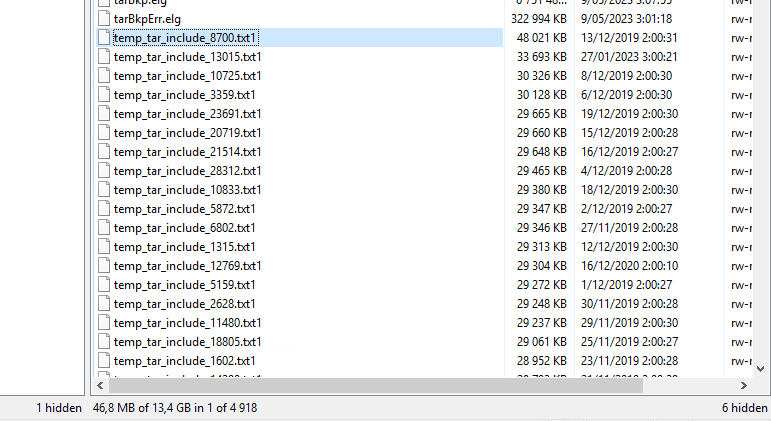
I don't know exactly what they are. Because of the lack of information, I am afraid say that, you can safely delete them. To be honest 4 years old temp files aren't necessary on the device.
Akos
Can you run below example:
find /var/log -size +100000000c
That will look for ANY files bigger than 100 MBs in /var/log dir
Andy
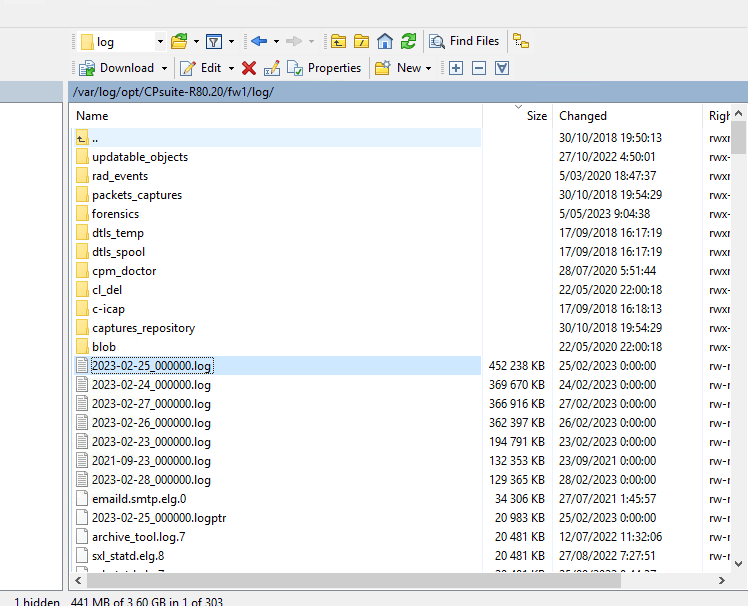
find /var/log -size +100000000c
/var/log/dump/usermode/scanengine_s.1364.core.gz
/var/log/opt/CPsuite-R80.20/fw1/log/2023-02-24_000000.log
/var/log/opt/CPsuite-R80.20/fw1/log/2021-09-23_000000.log
/var/log/opt/CPsuite-R80.20/fw1/log/2023-02-28_000000.log
/var/log/opt/CPsuite-R80.20/fw1/log/2023-02-23_000000.log
/var/log/opt/CPsuite-R80.20/fw1/log/2023-02-26_000000.log
/var/log/opt/CPsuite-R80.20/fw1/log/2023-02-25_000000.log
/var/log/opt/CPsuite-R80.20/fw1/log/2023-02-27_000000.log
/var/log/opt/CPsuite-R80/fw1/tmp/dlp/{EFE26393-5F16-309C-115E-FCC647A97750}
/var/log/opt/CPsuite-R80/fw1/tmp/dlp/{0A93B83B-17B5-260E-8E87-19357211B772}
/var/log/opt/CPsuite-R80/fw1/tmp/dlp/{392346D1-1860-1200-139B-7A9EA457736F}
/var/log/opt/CPsuite-R77/fw1/tmp/kav/20258/kavbase_00000001
Now do same command, but replace 1 with 5, so it searched files bigger than 500 MBs, lets see what gives. I bet bunch of those can be deleted.
Andy
48K ./bladesStatus
4.0K ./tmp00000e64
4.0K ./tmp000033d2
4.0K ./tmp00003039
14G .
---> looks strange to me !
Agree, looks really odd to me as well.
Can you run below?
find /var/log -type f -size +1000000 -exec ls -lh {} \; 2> /dev/null | awk '{ print $NF ": " $5 }' | sort -nk 2,2
Andy

Thu 01 Oct 2026 @ 05:00 PM (CEST)
Under the Hood: Check Point WAF | Preventing minus-zero-day attacksTue 06 Oct 2026 @ 12:00 PM (ACDT)
Rethinking Network Security for the AI Era : Session 2 - From User, to Branch and Campus APACTue 06 Oct 2026 @ 03:00 PM (CEST)
Rethinking Network Security for the AI Era : Session 2 - From User, to Branch and Campus EMEAThu 01 Oct 2026 @ 05:00 PM (CEST)
Under the Hood: Check Point WAF | Preventing minus-zero-day attacksTue 06 Oct 2026 @ 12:00 PM (ACDT)
Rethinking Network Security for the AI Era : Session 2 - From User, to Branch and Campus APACTue 06 Oct 2026 @ 03:00 PM (CEST)
Rethinking Network Security for the AI Era : Session 2 - From User, to Branch and Campus EMEATue 06 Oct 2026 @ 02:00 PM (EDT)
Rethinking Network Security for the AI Era : Session 2 - From User, to Branch and Campus AMERAbout CheckMates
Learn Check Point
Advanced Learning

YOU DESERVE THE BEST SECURITY